
We checked out Chromagraph, Rian Johnson's viral iPhone camera app
- Posted on Nov. 5, 2026, 11 a.m.
Chromagraph Deep Dive: Rian Johnson's iPhone App for Cinematic Photography
A buzz recently swept through the digital world with the arrival of Chromagraph, an iPhone photography application boasting impressive cinematic credentials. Co-created by acclaimed filmmaker Rian Johnson, this app promises to revolutionize how users capture photos, moving beyond the iPhone's standard image processing to deliver a distinct, movie-like aesthetic.
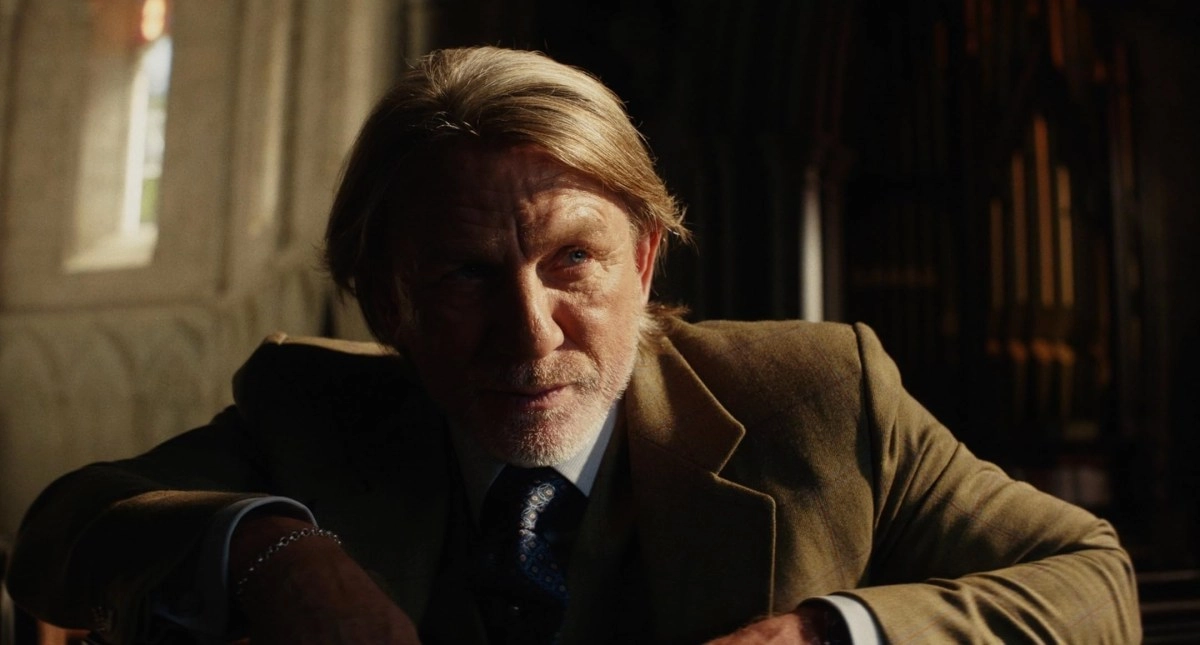
The genesis of Chromagraph stems from Rian Johnson's personal quest. Known for directing hits like Star Wars: The Last Jedi, Looper, and the popular Knives Out trilogy, Johnson expressed a desire for an iPhone camera app that could bypass the device's default image pipeline. His goal was to achieve a look akin to the cinematic visuals characteristic of his own films. This vision led him to collaborate with his longtime cinematographer and colleague, Steve Yedlin, who has worked on all of Johnson's productions. Together, they enlisted friend Eric Cameron to bring Chromagraph to life.
Unlocking the Cinematic Look: How Chromagraph Works
Chromagraph distinguishes itself from typical iPhone camera apps. Instead of capturing images through the phone's native processing and then layering on filters, it goes deeper. The app captures raw image data directly from the sensor, then processes it using its own unique pipeline. This proprietary system incorporates the sophisticated color science that Johnson and Yedlin have developed and employed throughout their filmmaking careers. While users can fine-tune certain aspects, the overarching aesthetic is intentionally predetermined, delivering the creators' desired cinematic vision.
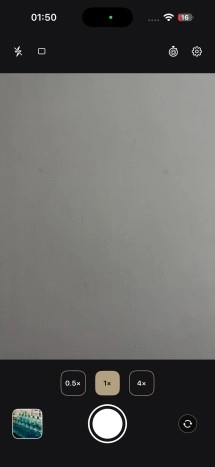
Within the app's settings, users gain control over various parameters to customize their photographic experience:
- Image Saving Preferences: Define how captured photos are stored.
- Aspect Ratio: Choose from classic cinematic ratios.
- Default Lens Selection: Set your preferred iPhone camera lens.
- Export Format & Compression: Manage output quality and file type.
Additionally, Chromagraph allows for subtle adjustments to the default visual characteristics of your images, providing a degree of personalization within its established style.
Chromagraph Interface and Editing Capabilities
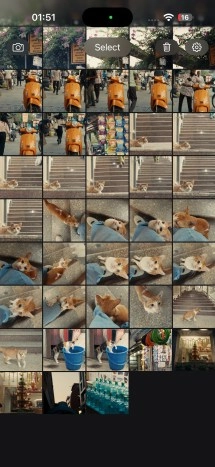
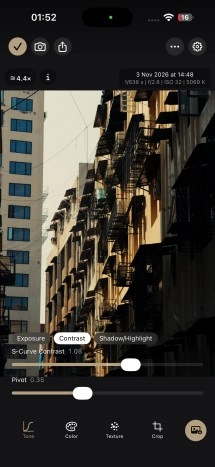
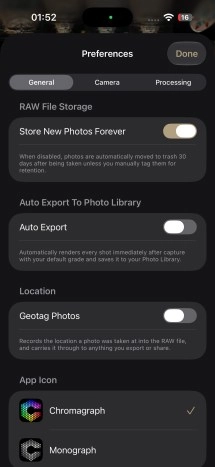
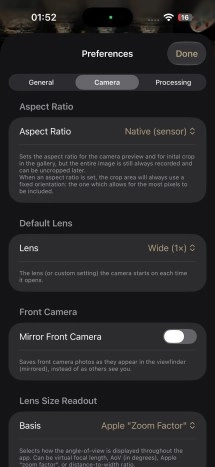
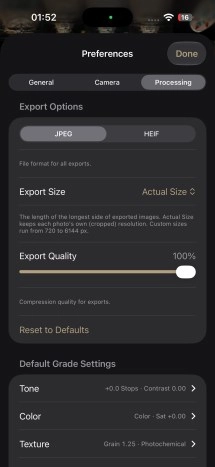
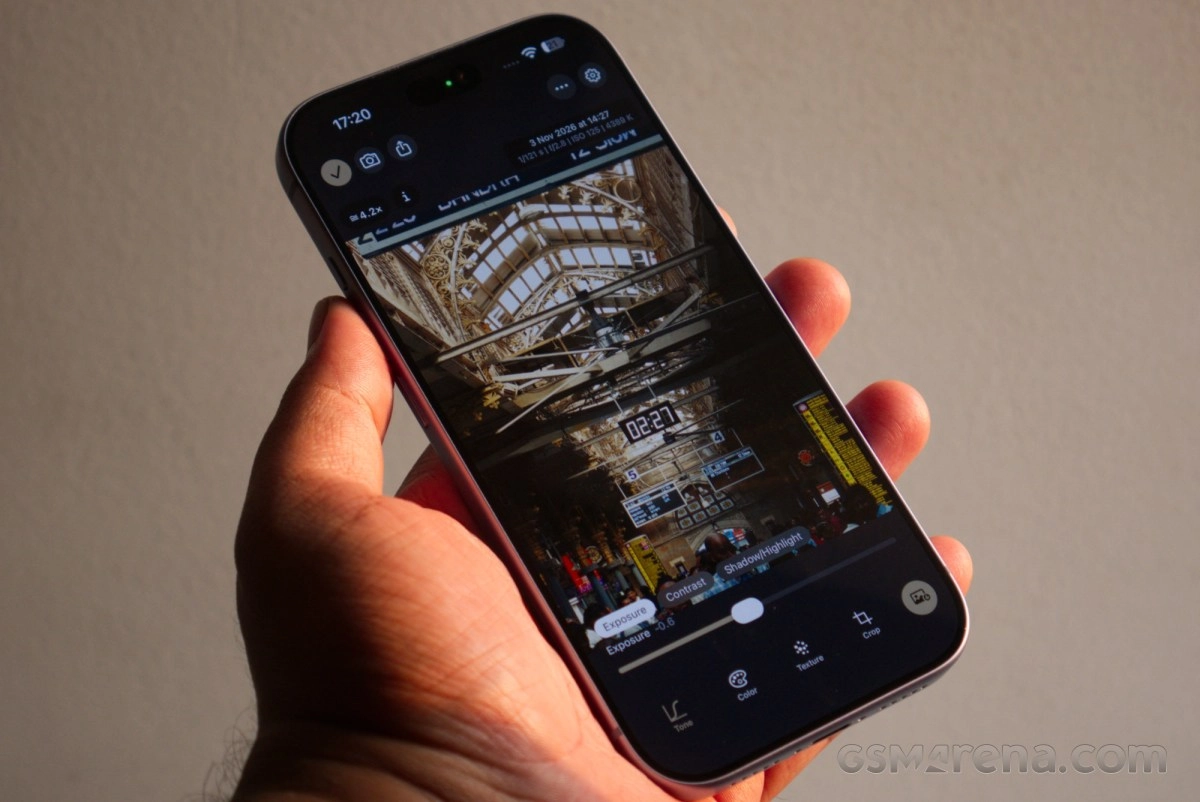
The app primarily saves captured images as RAW files internally, offering maximum flexibility for post-processing. Users also have the option to automatically save a JPEG version, though manual selection for desired JPEGs is often preferred for control. When reviewing a captured image, Chromagraph provides a suite of essential editing tools:
- Exposure & Contrast: Adjust overall brightness and dynamic range.
- Shadows & Highlights: Refine details in the darkest and brightest areas.
- White Balance & Saturation: Control color temperature and intensity.
- Film Grain & Halation: Add organic textures and subtle light bloom for an authentic film look.
- Cropping: Recompose your shots, with the ability to set a default crop factor during shooting that reflects in the viewfinder. Since the original file is RAW, the crop is non-destructive and can always be reverted.
The Signature Chromagraph Aesthetic
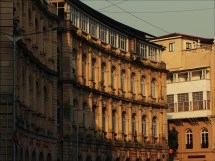

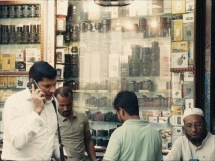


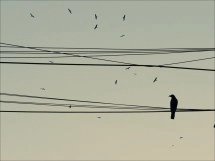
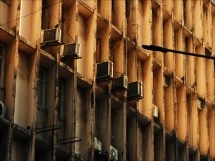


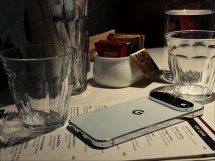

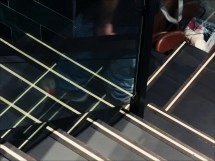
Images captured with Chromagraph are instantly recognizable by their distinct signature: a consistent palette of warm hues with a beautiful golden undertone. The app prioritizes emotional impact over clinical technical perfection, forgoing aggressive highlight preservation or shadow recovery typical of many modern cameras. Instead, it embraces a soft bloom around high-contrast edges and renders details naturally, without artificial sharpening. A judicious amount of noise, some inherent and some artistically added, contributes to its organic, film-like character.
This unique tuning yields often stunning, yet situational, results. Chromagraph truly excels in bright, sunny conditions and high-contrast scenarios, transforming natural light into print-worthy stills. Its default settings, however, are quite specific; the app either performs exceptionally well or struggles depending on the scene. With favorable lighting, minor post-capture adjustments can still yield impressive outcomes, or users can customize the default capture parameters for consistent results.
However, the app's specific aesthetic can reach its limits. Under challenging indoor artificial lighting, particularly fluorescent, the default tuning can produce unusual or even undesirable outcomes. In such cases, users must actively adjust for cooler color temperatures to prevent the app's inherent warmth from clashing with the environment.
Chromagraph vs. iPhone Stock Camera: A Visual Comparison
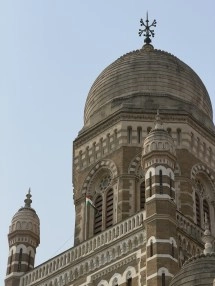
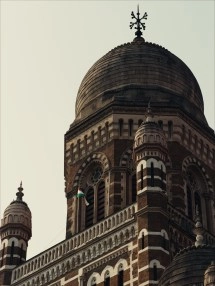

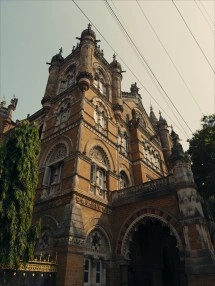

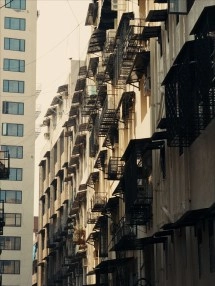
The default color tuning of Chromagraph is generally understated and slightly desaturated. This means vibrant, punchy colors, often desired for subjects like food or clothing, may require significant saturation boosts in post-processing. For certain subjects, it might be best to embrace the app's inherent color philosophy or opt for a different tool.
User Experience and Evolving Performance
While powerful, Chromagraph does present some user experience quirks. Navigating back to the viewfinder after reviewing an image can feel a bit cumbersome due to a small, top-mounted camera button. The app also doesn't consistently remember the last used camera, defaulting to the main lens or a user-defined default after opening the gallery. Furthermore, the viewfinder occasionally experiences loading delays, even on newer devices like the iPhone 18 Pro, and on rare occasions, failed to load entirely.

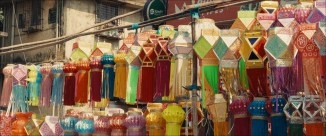




These factors contribute to Chromagraph's situational nature. Its clunky aspects and specific aesthetic mean it won't always be the ideal tool for every subject. Yet, for many, these very limitations foster a unique creative environment, pushing users to think differently and achieve more. The app has also received regular updates since its initial announcement, suggesting that many of these minor issues may be addressed over time.
Is Chromagraph the Right iPhone Camera App for You?
Chromagraph isn't positioned as a universal replacement for all other iPhone camera apps. Excellent alternatives like Halide and Mood already exist, offering professional controls and the ability to capture clean RAW files that bypass aggressive default processing, allowing for complete creative freedom in editing. Instead, Chromagraph is a highly specialized tool designed to achieve a very specific, cinematic look.
If its unique aesthetic resonates with your creative vision – that deliberate warmth, golden undertones, and film-like imperfections – then Chromagraph is an essential and rewarding addition to your mobile photography toolkit. It offers a fresh perspective on iPhone photography, inviting users to explore a distinct visual language shaped by seasoned filmmakers.
Source
0 Responses Write a Response