
Samsung updates SmartThings app with redesigned Home tab
- Posted on Oct. 2, 2026, 9 a.m.
Samsung SmartThings App Undergoes Major Transformation with Redesigned Home Tab and Enhanced Smart Home Control
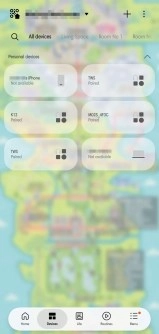
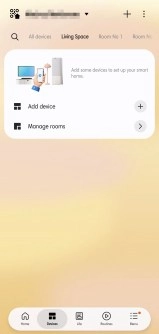
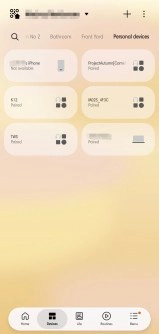
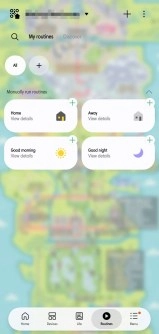
Samsung is rolling out a significant overhaul for its SmartThings app, delivering version 1.8.51.30 with a focus on an intuitive and streamlined user experience. This comprehensive update introduces a completely redesigned Home tab and brings subtle yet impactful refinements to other sections, empowering users with smarter and more efficient control over their connected devices. Following its initial deployment to iOS users, the latest SmartThings app is now widely available for download on the Google Play Store and Samsung's Galaxy Store, ensuring a broader reach for smart home enthusiasts.
Reimagined Home Tab: Compact, Customizable, and Intuitive
The centerpiece of this update is the brand-new Home tab, engineered for superior organization and quick access to your smart devices and routines. Users will immediately notice the shift to more compact and interactive cards. These cards allow for instant control, enabling you to toggle devices on or off with a simple tap on their icon, or to trigger complex routines effortlessly. The improved design isn't just about aesthetics; it’s about personalization. Users now have the flexibility to resize and rearrange these cards to create a dashboard that perfectly matches their daily habits and preferences.
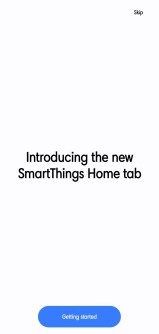
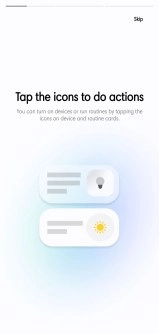
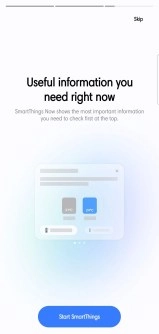
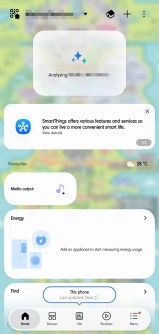
Beyond device control, the redesigned Home tab also introduces several intelligent features:
- Favorites List: Pin your most frequently used devices and routines to a dedicated Favorites section for rapid access, minimizing the need to navigate through extensive lists.
- SmartThings Now: This dynamic widget provides contextual information at a glance, such as local weather updates or proactive suggestions for routines based on your home's status or time of day, enhancing the app's utility beyond basic control.
Enhanced Visualization with 3D Home Mapping
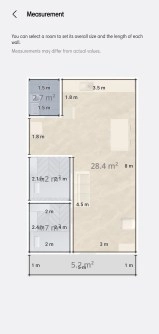
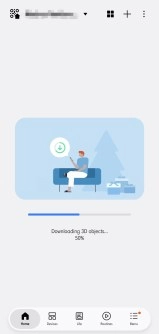
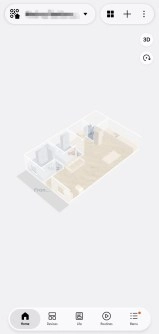
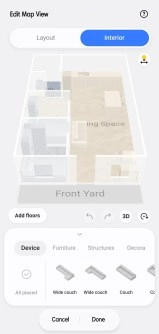
For those who love to visualize their smart home environment, the SmartThings app takes immersion to the next level. The updated version refines the process of building a 3D representation of your home. Users can meticulously set the dimensions of each room and even download 3D models of various equipment and furniture, creating a detailed virtual replica of their living space. This feature provides a unique perspective for managing devices and understanding your home's smart layout more intuitively.
Unified Audio Control: Samsung Sound App Integrates into SmartThings
In a strategic move to centralize smart home management, Samsung is discontinuing its standalone “Samsung Sound” app. This app, previously dedicated to controlling Samsung’s Wi-Fi-connected speakers and soundbars, will have all its functionality seamlessly integrated directly into the SmartThings app. This consolidation means users will soon enjoy a more cohesive experience, managing their smart audio devices alongside all other IoT gadgets from a single, unified platform. This change underscores Samsung's commitment to creating a comprehensive and interconnected smart home ecosystem under the SmartThings umbrella.
Source
0 Responses Write a Response