Samsung's updated Smart Switch is easier to use and copies more data
Samsung's updated Smart Switch is easier to use and copies more data
Posted on Aug. 25, 2026, 9 p.m.
Samsung’s latest One UI 9 makes switching phones easier – the updated Smart Switch app now has a simpler set-up process and it can copy more data too.
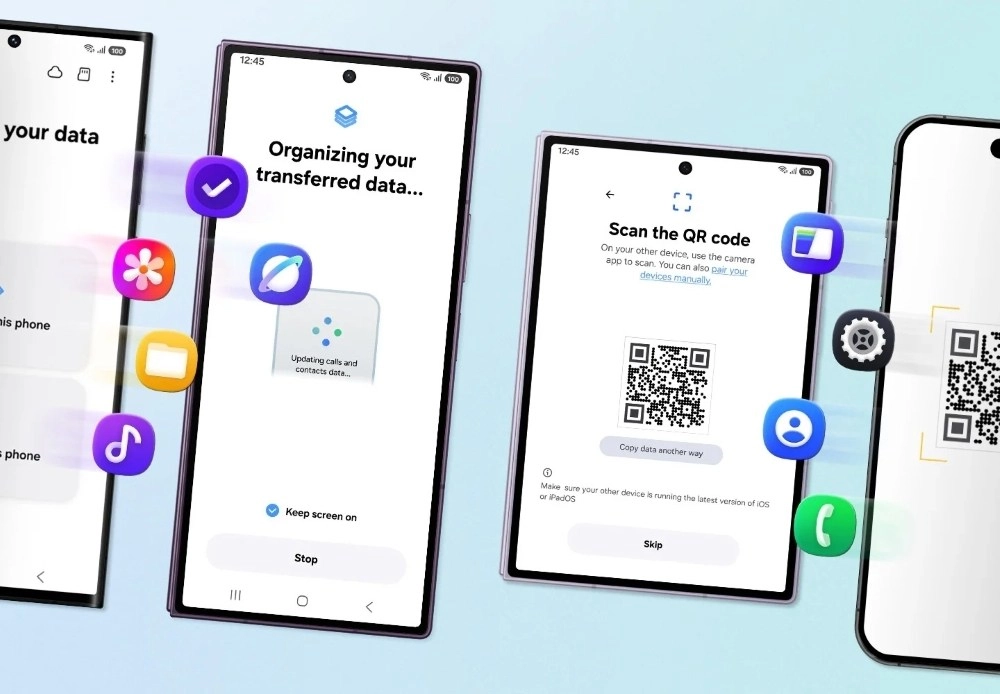
If you are moving from an iPhone to a Galaxy Z8 foldable, you no longer need to install Smart Switch on the iPhone. The app on the Android side will generate a QR code that you scan with the iPhone’s camera app, then you need to confirm a few options and you’re ready to go.
Samsung Smart Switch transferring data via QR code.
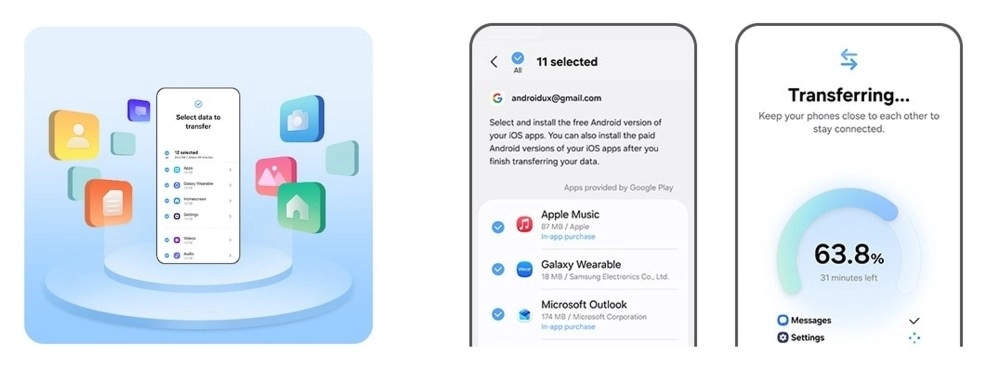
Even better, the new app is able to copy more data from your old iPhone – the transfer now includes passwords and passkeys, call history, accessibility settings and eSIM information. As usual, the app will also copy photos, contacts, messages, calendars and apps.
Samsung Smart Switch app data transfer screens.
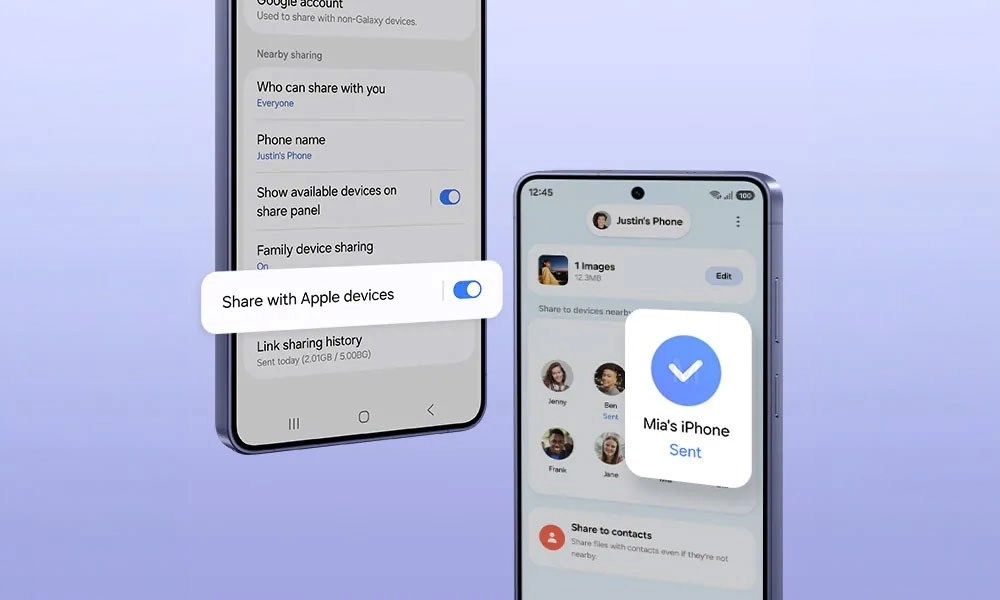
Anyway, Samsung has also thought about the experience after you switch. New One UI 9 devices – as well as older models on One UI 8.5 – are compatible with Apple’s AirDrop. This allows Quick Share to send and receive files from iPhones.
Tech article image
Additionally, you can use Good Lock to tweak the One UI interface to make it feel more familiar. You can customize home screen layouts, change swipe gesture settings, personalize the theme of the phone and more.
One UI 9 is only on theGalaxy Z Fold8,Z Fold8 UltraandZ Flip8right now. However, it’s coming to more devices soon. Galaxy S26 phones are on theirfifth One UI 9 beta. Even A-series models likethe Galaxy A57andthe Galaxy A16 5Gare part of beta testing.
PS. Pixel phones running Android 17 have asimilarly upgraded experience- Apple and Google have beenworking on itfor a while.
Source

0 Responses Write a Response