Samsung details the new Warranty and care menu in One UI 9
Samsung details the new Warranty and care menu in One UI 9
Posted on Aug. 19, 2026, midnight
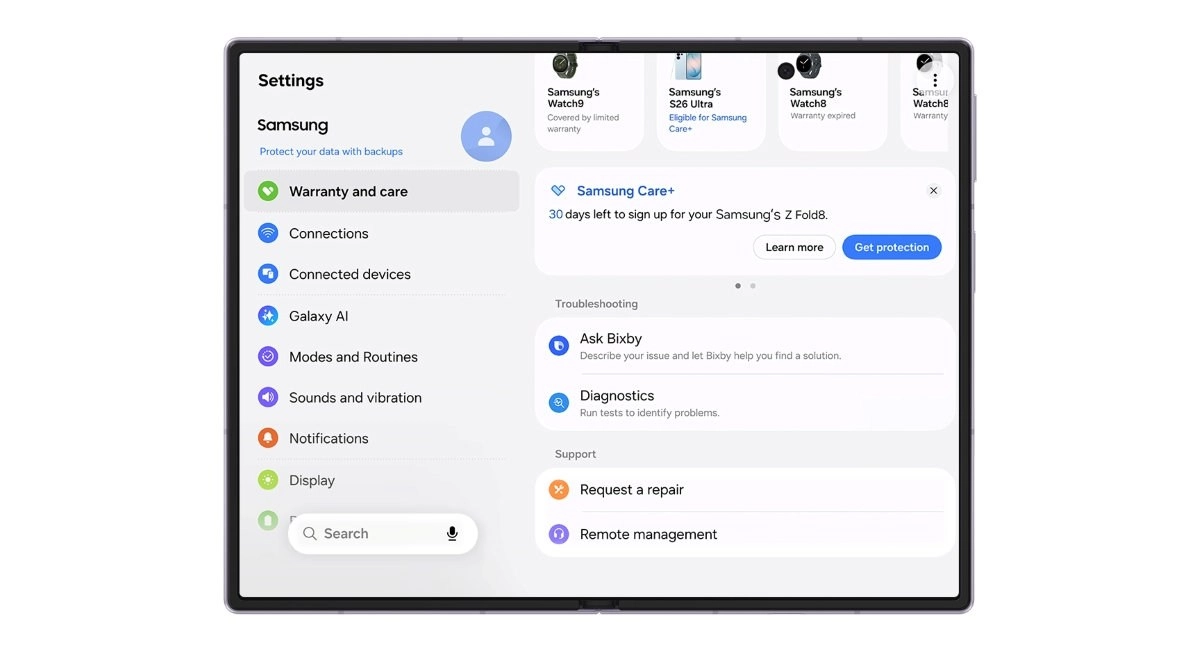
One UI 9, which made its debut on the recently launchedGalaxy Z Fold8,Fold8 Ultra, andFlip8, brings with it a new Warranty and care menu in Settings.
Samsung One UI 9 Warranty and Care menu screenshot
It is here that you can keep track of your warranty periods and expiration dates across all of your Samsung devices, with the information being consolidated into one place.
Tech article image
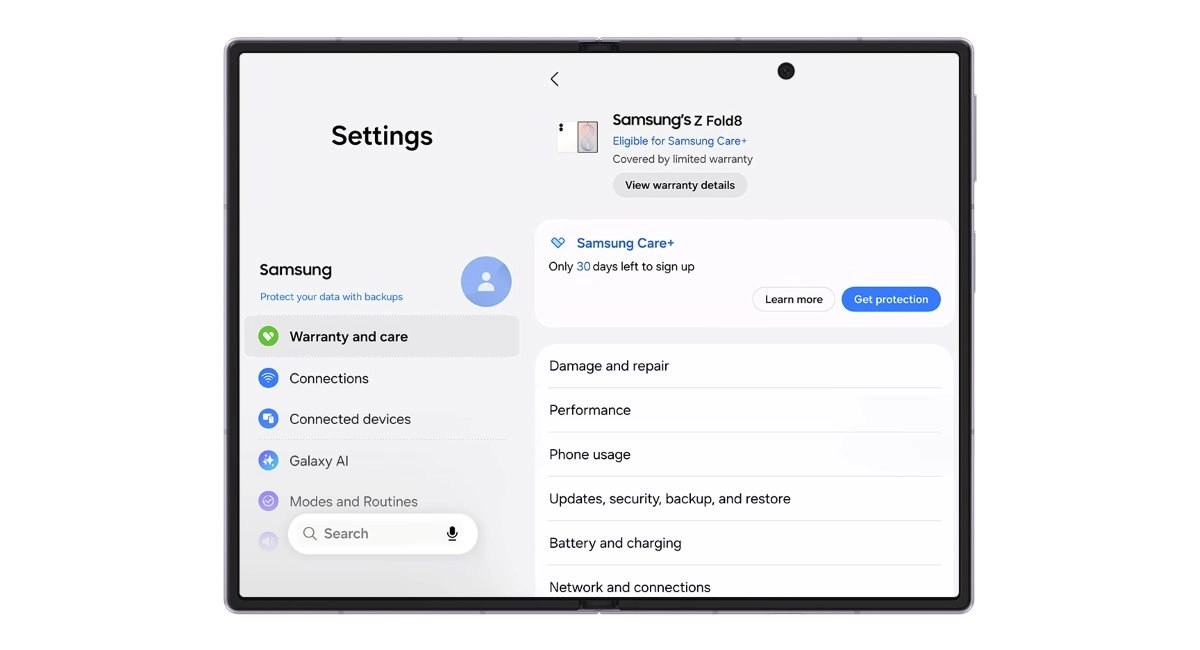
The device in use is displayed at the top of the screen, including its eligibility for enrollment into Samsung Care+. Below this device you'll find all the others that are linked to your Samsung account, the one you're signed in with.
Tech article image
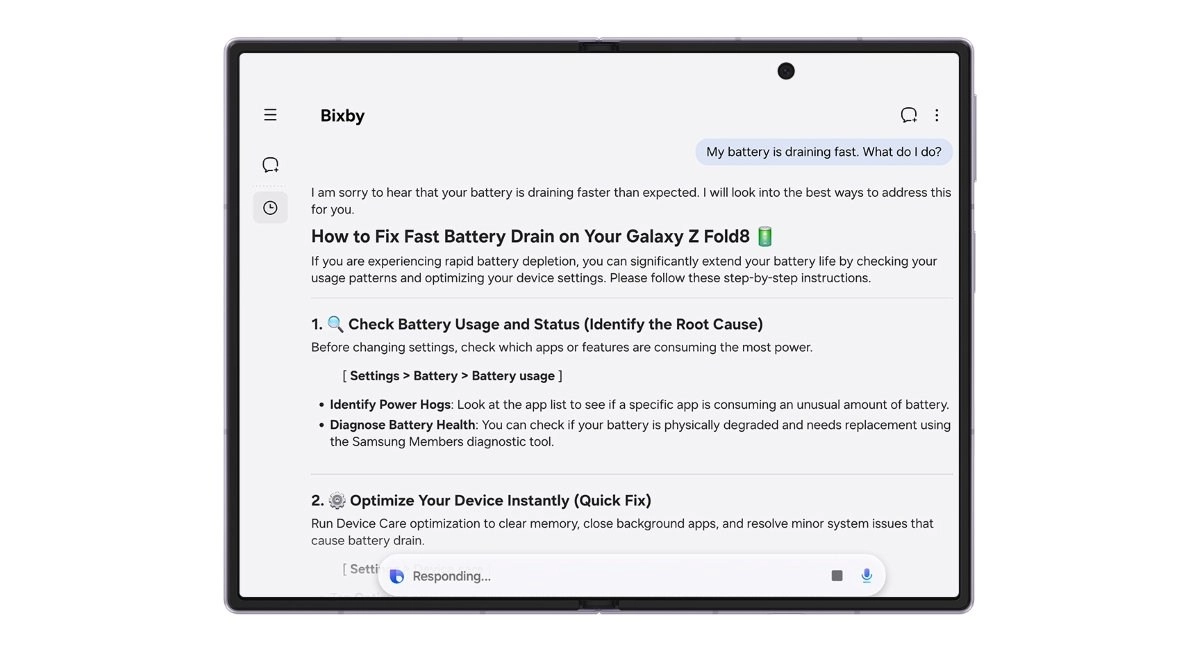
Bixby can be used from this Warranty and care menu to diagnose issues with your device, including the battery, charging, sensors, touch response, and connectivity. You can also request a repair at a Samsung-authorized service center without having to make a phone call. All repairs will be carried out by Samsung-certified technicians using genuine Samsung parts. If you can't or don't want to visit a service center, you can instead start a remote support session.
Tech article image
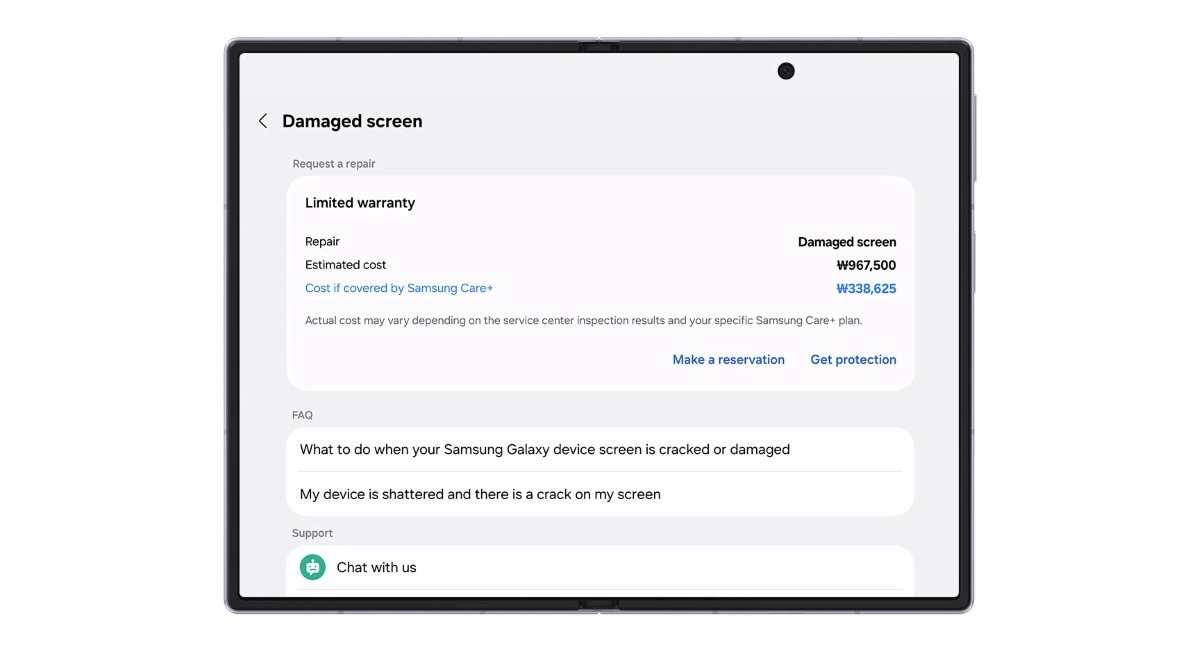
Warranty and care also brings you estimated costs for major parts for any issue, and this will helpfully point out how much you could have saved if you had purchased Samsung Care+.
Source

0 Responses Write a Response