Huawei expands its Enjoy 90 lineup with the official release of the Huawei Enjoy 90m Plus, now listed on the company's official Chinese website. This latest addition joins the existing Enjoy 90, Enjoy 90 Plus, and Enjoy 90 Pro Max, offering a compelling set of features for consumers.
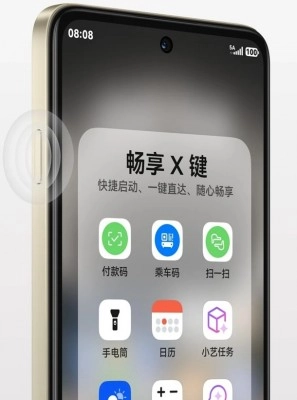
Huawei Enjoy 90m Plus "X Button" features on screen.
Display and Camera Capabilities
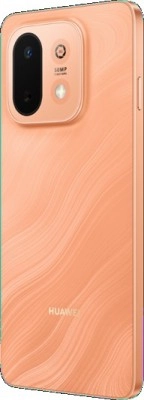
The Enjoy 90m Plus boasts a vibrant 6.67-inch HD+ LCD panel, featuring a smooth 120Hz refresh rate for fluid scrolling and enhanced visual experiences. A centrally located punch-hole houses an 8MP selfie camera, perfect for capturing clear self-portraits. On the rear, a single 50MP camera with an f/1.8 aperture is ready to snap detailed photos, complemented by a 10x digital zoom for bringing distant subjects closer.
Huawei Enjoy 90m Plus rear camera and design
Performance and Storage Options
Under the hood, the Huawei Enjoy 90m Plus is powered by the capable Kirin 8000 SoC, ensuring efficient performance for everyday tasks and applications. While RAM specifics are yet to be detailed, Huawei has confirmed two internal storage configurations: 128GB and 256GB, providing ample space for your apps, photos, and videos. The device runs on Huawei's proprietary HarmonyOS 6.0, offering a streamlined and intuitive user experience.
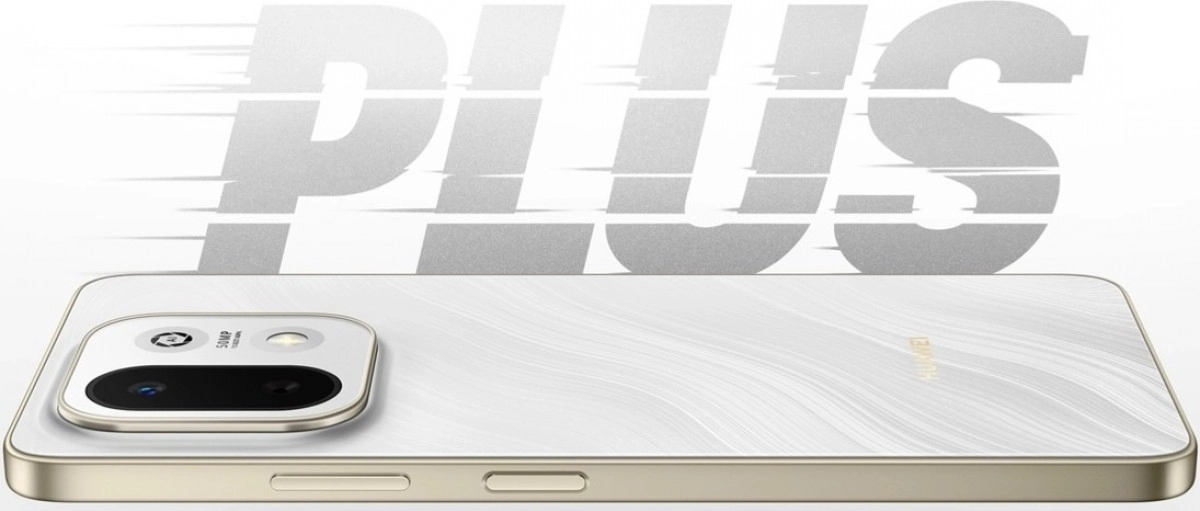
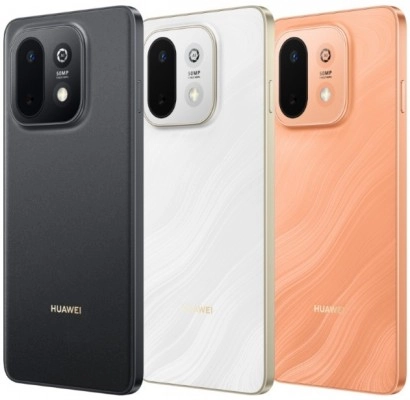
Huawei Enjoy 90m Plus phone with 50MP cameraHuawei Enjoy 90m Plus three color options displayed
Battery, Connectivity, and More
Keeping you powered throughout the day is a substantial 6,620 mAh battery, supported by rapid 40W wired charging. Connectivity is also a strong suit, with the Enjoy 90m Plus featuring Bluetooth 6.0 and the latest Wi-Fi 7 standard. Security is handled by a convenient side-mounted fingerprint scanner. Additionally, a dedicated "X key" offers quick access to favorite apps and allows for customizable actions, enhancing user productivity.
Source

0 Responses Write a Response