
You can now turn off YouTube Shorts on mobile
- Posted on April 16, 2026, 11 a.m.
Escape the Shorts Vortex: Turn Off YouTube Shorts on Your Mobile Device
Tired of getting lost in an endless loop of bite-sized videos? Good news for mobile users: YouTube is rolling out a feature that allows you to completely disable YouTube Shorts on your iOS and Android devices. Say goodbye to accidental doomscrolling!
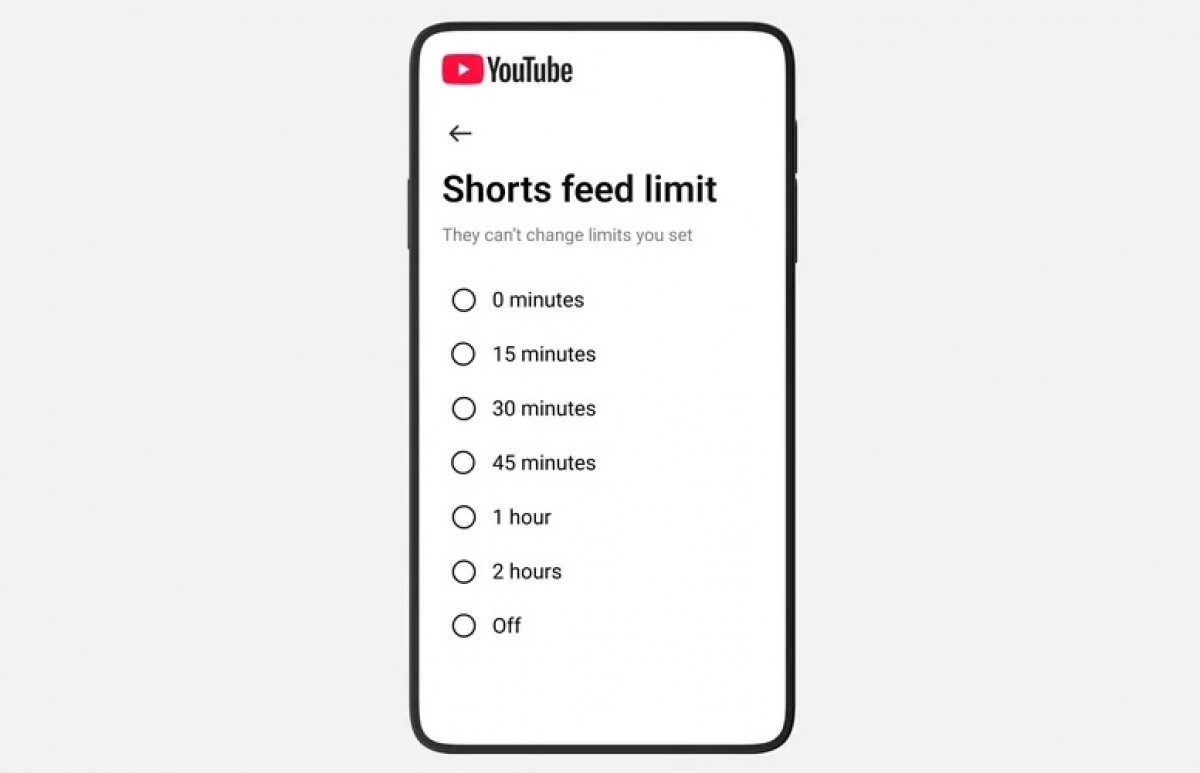
This new functionality is an extension of YouTube's existing time management tools. Previously, the strictest setting for the Shorts feed limit was 15 minutes. However, with this latest update, a crucial new option has been added: a 0-minutes limit.
By selecting the 0-minutes option, you're effectively telling YouTube you'd prefer not to see Shorts at all. This empowers users to reclaim their time and focus on the content they truly want to consume.
How to Activate the Shorts Ban:
- Navigate to the Settings menu within your YouTube mobile app.
- Find and select the Time management section.
- Locate the Shorts feed limit timer.
- Choose the new 0 minutes option.
Once this setting is active, tapping on the Shorts tab will now display a "time limit reached" message, effectively blocking access to the Shorts feed and helping you stay on track.
Source
0 Responses Write a Response