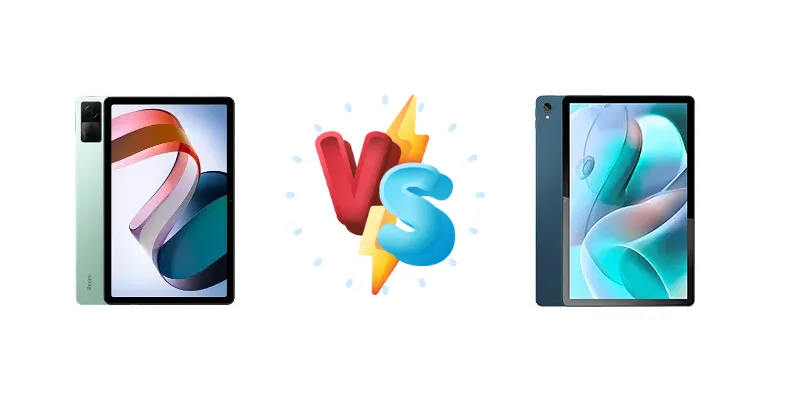
The Xiaomi Redmi Pad and Motorola Moto Tab G70 represent compelling options in the increasingly competitive budget tablet space. Both aim to deliver a solid Android experience without breaking the bank, but they take different approaches to achieving that goal. This comparison dives deep into their specifications, performance, and features to determine which tablet offers the best overall value for your money.
🏆 Quick Verdict
For most users, the Xiaomi Redmi Pad emerges as the better choice. Its newer Mediatek Helio G99 chipset, built on a more efficient 6nm process, provides a performance edge and potentially better thermal management compared to the Moto Tab G70’s older 12nm Helio G90T. While the G70 offers slightly faster charging, the Redmi Pad’s brighter display and more modern processor make it the more well-rounded option.
| Network |
|---|
| 2G bands | N/A | GSM 850 / 900 / 1800 / 1900 |
| 3G bands | N/A | HSDPA 850 / 900 / 1900 / 2100 |
| 4G bands | N/A | 1, 2, 4, 7, 8, 20, 28, 38, 40, 41 |
| EDGE | N/A | - |
| GPRS | N/A | - |
| Speed | - | HSPA 42.2/5.76 Mbps, LTE Cat4 150/50 Mbps - cellular model only |
| Technology | No cellular connectivity | GSM / HSPA / LTE |
| Launch |
|---|
| Announced | 2022, October 04 | 2022, January 12 |
| Status | Available. Released 2022, October 05 | Available. Released 2022, January 13 |
| Body |
|---|
| Build | Glass front, aluminum frame | Glass front, aluminum back, aluminum frame |
| Dimensions | 250.5 x 158.1 x 7.1 mm (9.86 x 6.22 x 0.28 in) | 258.4 x 163 x 7.5 mm (10.17 x 6.42 x 0.30 in) |
| SIM | No | Nano-SIM (cellular model only) |
| Weight | 465 g (1.03 lb) | 500 g (1.10 lb) |
| | - | Water repellent design |
| Display |
|---|
| Resolution | 1200 x 2000 pixels, 5:3 ratio (~220 ppi density) | 1200 x 2000 pixels, 5:3 ratio (~212 ppi density) |
| Size | 10.61 inches, 320.4 cm2 (~80.9% screen-to-body ratio) | 11.0 inches, 344.4 cm2 (~81.8% screen-to-body ratio) |
| Type | IPS LCD, 1B colors, 90Hz, 400 nits (typ) | IPS LCD, 400 nits (typ) |
| Platform |
|---|
| CPU | Octa-core (2x2.2 GHz Cortex-A76 & 6x2.0 GHz Cortex-A55) | Octa-core (2x2.05 GHz Cortex-A76 & 6x2.0 GHz Cortex-A55) |
| Chipset | Mediatek Helio G99 (6 nm) | Mediatek MT6785 Helio G90T (12 nm) |
| GPU | Mali-G57 MC2 | Mali-G76 MC4 |
| OS | Android 12, upgradable to Android 13, MIUI 14 | Android 11 |
| Memory |
|---|
| Card slot | microSDXC | microSDXC (dedicated slot) |
| Internal | 64GB 3GB RAM, 128GB 4GB RAM, 128GB 6GB RAM | 64GB 4GB RAM, 128GB 6GB RAM |
| | UFS 2.2 | eMMC 5.1 |
| Main Camera |
|---|
| Features | - | LED flash |
| Single | 8 MP, f/2.0, (wide), AF | 13 MP, f/2.2, 26mm (wide), AF |
| Video | 1080p@30fps | 1080p@30fps |
| Selfie camera |
|---|
| Single | 8 MP, f/2.3, 105° (ultrawide) | 8 MP, f/2.0, 26mm (wide) |
| Video | 1080p@30fps | 1080p@30fps |
| Sound |
|---|
| 3.5mm jack | No | Yes |
| 35mm jack | No | Yes |
| Loudspeaker | Yes, with stereo speakers (4 speakers) | Yes, with stereo speakers (4 speakers) |
| | 24-bit/192kHz audio | - |
| Comms |
|---|
| Bluetooth | 5.2, A2DP, LE | 5.2, A2DP, LE |
| NFC | No | No |
| Positioning | No | GPS, GLONASS - cellular model only |
| Radio | No | No |
| USB | USB Type-C, OTG | USB Type-C 2.0, OTG |
| WLAN | Wi-Fi 802.11 a/b/g/n/ac, dual-band, Wi-Fi Direct | Wi-Fi 802.11 a/b/g/n/ac, dual-band, Wi-Fi Direct |
| Features |
|---|
| Sensors | Accelerometer | Accelerometer, gyro, proximity |
| Battery |
|---|
| Charging | 18W wired | 20W wired |
| Type | Li-Po 8000 mAh | Li-Po 7700 mAh |
| Misc |
|---|
| Colors | Graphite Gray, Moonlight Silver, Mint Green | Modernist Teal, Blue |
| Models | 22081283G | - |
| Price | About 250 EUR | About 380 EUR |
| SAR EU | 0.36 W/kg (body) | - |
| Tests |
|---|
| Display |
Contrast ratio: 1529:1 (nominal) | - |
| Loudspeaker |
-23.9 LUFS (Very good)
| - |
| Performance |
AnTuTu: 319077 (v9)
GeekBench: 1852 (v5.1)
GFXBench: 13fps (ES 3.1 onscreen) | - |
Xiaomi Redmi Pad
- More powerful and efficient Mediatek Helio G99 chipset
- Brighter display (402 nits measured)
- Higher contrast ratio (1529:1)
- Slower charging speed (18W)
- Limited information on battery capacity
Motorola Moto Tab G70
- Faster charging speed (20W)
- Potentially lower price point
- Simple and functional Android experience
- Older and less efficient Mediatek Helio G90T chipset
- Display specifications largely unknown
- Likely lower performance in demanding tasks
Display Comparison
The Redmi Pad boasts a measured peak brightness of 402 nits, significantly impacting outdoor visibility compared to the Moto Tab G70 (brightness data unavailable). While both tablets likely utilize IPS LCD panels, the Redmi Pad’s 1529:1 contrast ratio suggests a more visually appealing image with deeper blacks. The lack of information regarding the Moto Tab G70’s display specifications makes a direct comparison difficult, but the Redmi Pad’s measured brightness gives it a clear advantage for users who frequently use their tablets in bright environments.
Camera Comparison
Neither tablet is positioned as a photography powerhouse, and detailed camera specs are unavailable. Given the market segment, image quality will likely be similar, focusing on basic functionality for video calls and casual snapshots. Without specific sensor details, it’s difficult to declare a winner; however, the Redmi Pad’s more powerful ISP (Image Signal Processor) within the Helio G99 could offer slightly better image processing capabilities.
Performance
The core difference lies in the chipsets. The Redmi Pad’s Mediatek Helio G99 (6nm) is a more modern design than the Moto Tab G70’s Helio G90T (12nm). The 6nm process inherently offers better power efficiency, translating to potentially longer battery life and reduced thermal throttling during sustained workloads. Both CPUs feature the same core configuration – 2x2.2 GHz Cortex-A76 and 6x2.0 GHz Cortex-A55 – but the G99’s architecture benefits from improvements in IPC (Instructions Per Clock) and GPU performance. This means the Redmi Pad will likely handle games and demanding apps more smoothly.
Battery Life
The Moto Tab G70 features 20W wired charging, slightly faster than the Redmi Pad’s 18W charging. However, the Redmi Pad’s more efficient Helio G99 chipset could offset this difference in charging speed by providing longer overall battery life. The actual 0-100% charging times will depend on battery capacity (data unavailable for both), but the G70 will likely charge faster initially. The Redmi Pad’s efficiency could mean less frequent charging cycles, ultimately providing a more convenient user experience.
Buying Guide
Buy the Xiaomi Redmi Pad if you prioritize overall performance for everyday tasks and light gaming, and value a brighter, more vibrant display. It’s ideal for students, media consumers, and those seeking a responsive tablet experience. Buy the Motorola Moto Tab G70 if faster charging is a critical requirement and you primarily use your tablet for static content consumption like reading or video playback where peak performance isn’t essential. It’s a good option for users who want a simple, functional tablet without demanding tasks.
Frequently Asked Questions
❓ Will the Redmi Pad’s Helio G99 handle demanding games like Genshin Impact?
While the Helio G99 is a capable chipset, Genshin Impact is a particularly demanding game. Expect to play at lower graphics settings and potentially experience some frame drops during intense combat. The Moto Tab G70’s Helio G90T would struggle even more with this title.
❓ Does the Moto Tab G70 support video playback in HD and Full HD resolutions?
Yes, the Moto Tab G70 should comfortably handle HD and Full HD video playback. However, without knowing the display resolution, the visual fidelity may be limited. The Redmi Pad, with its brighter display, will likely offer a more enjoyable viewing experience for video content.
❓ How long will it take to fully charge each tablet from 0%?
The Moto Tab G70’s 20W charging should result in a faster initial charge rate. However, without knowing the battery capacity of either tablet, it’s difficult to provide precise estimates. Expect the G70 to reach 100% slightly quicker, but the Redmi Pad’s efficiency might mean less frequent charging overall.
❓ Is the Redmi Pad a good choice for taking notes with a stylus?
The Redmi Pad does not officially support a stylus, and there are no reports of reliable third-party stylus compatibility. The Moto Tab G70 also lacks official stylus support. Neither tablet is well-suited for extensive note-taking.