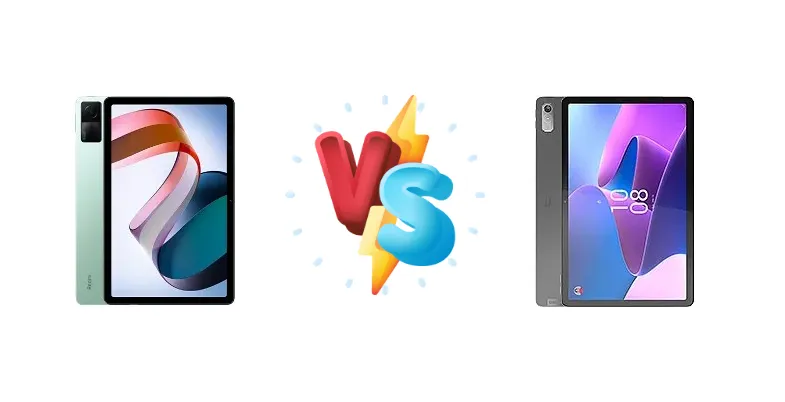
The budget tablet market is fiercely competitive, and the Xiaomi Redmi Pad and Lenovo Tab P11 Gen 2 are two strong contenders vying for your attention. Both devices center around the Mediatek Helio G99 chipset, promising capable performance at an accessible price point. However, subtle differences in display characteristics and potential software experiences separate these two, making a direct comparison crucial for informed buyers.
🏆 Quick Verdict
For the average user prioritizing display quality and a slightly brighter viewing experience, the Xiaomi Redmi Pad emerges as the winner. Its measured 402 nits of brightness and 1529:1 contrast ratio provide a more vibrant picture, while the shared Helio G99 chipset ensures comparable performance to the Lenovo Tab P11 Gen 2.
| Network |
|---|
| 2G bands | N/A | GSM 850 / 900 / 1800 / 1900 |
| 3G bands | N/A | HSDPA 800 / 850 / 900 / 1700(AWS) / 1900 / 2100 |
| 4G bands | N/A | 1, 2, 3, 4, 5, 7, 8, 12, 13, 18, 19, 20, 25, 26, 28, 38, 40, 41, 66 |
| EDGE | N/A | - |
| GPRS | N/A | - |
| Speed | - | HSPA, LTE - cellular model only |
| Technology | No cellular connectivity | GSM / HSPA / LTE |
| Launch |
|---|
| Announced | 2022, October 04 | 2022, September 01 |
| Status | Available. Released 2022, October 05 | Available. Released 2023, January |
| Body |
|---|
| Build | Glass front, aluminum frame | - |
| Dimensions | 250.5 x 158.1 x 7.1 mm (9.86 x 6.22 x 0.28 in) | 269.1 x 169.4 x 7.4 mm (10.59 x 6.67 x 0.29 in) |
| SIM | No | Nano-SIM (cellular model only) |
| Weight | 465 g (1.03 lb) | 520 g (1.15 lb) |
| | - | Stylus support |
| Display |
|---|
| Resolution | 1200 x 2000 pixels, 5:3 ratio (~220 ppi density) | 1200 x 2000 pixels, 5:3 ratio (~203 ppi density) |
| Size | 10.61 inches, 320.4 cm2 (~80.9% screen-to-body ratio) | 11.5 inches, 376.4 cm2 (~82.6% screen-to-body ratio) |
| Type | IPS LCD, 1B colors, 90Hz, 400 nits (typ) | IPS LCD, 120Hz, 400 nits (typ) |
| Platform |
|---|
| CPU | Octa-core (2x2.2 GHz Cortex-A76 & 6x2.0 GHz Cortex-A55) | Octa-core (2x2.2 GHz Cortex-A76 & 6x2.0 GHz Cortex-A55) |
| Chipset | Mediatek Helio G99 (6 nm) | Mediatek Helio G99 (6 nm) |
| GPU | Mali-G57 MC2 | Mali-G57 MC2 |
| OS | Android 12, upgradable to Android 13, MIUI 14 | Android 12L |
| Memory |
|---|
| Card slot | microSDXC | microSDXC (dedicated slot) |
| Internal | 64GB 3GB RAM, 128GB 4GB RAM, 128GB 6GB RAM | 64GB 4GB RAM, 128GB 4GB RAM, 128GB 6GB RAM |
| | UFS 2.2 | - |
| Main Camera |
|---|
| Features | - | LED flash |
| Single | 8 MP, f/2.0, (wide), AF | 13 MP, f/2.4, (wide), AF |
| Video | 1080p@30fps | 1080p@30fps |
| Selfie camera |
|---|
| Single | 8 MP, f/2.3, 105° (ultrawide) | 8 MP, f/2.0 |
| Video | 1080p@30fps | 1080p@30fps |
| Sound |
|---|
| 3.5mm jack | No | Yes |
| 35mm jack | No | Yes |
| Loudspeaker | Yes, with stereo speakers (4 speakers) | Yes, with stereo speakers (4 speakers) |
| | 24-bit/192kHz audio | - |
| Comms |
|---|
| Bluetooth | 5.2, A2DP, LE | 5.2, A2DP, LE |
| NFC | No | No |
| Positioning | No | GPS, GLONASS, BDS - cellular model only |
| Radio | No | No |
| USB | USB Type-C, OTG | USB Type-C 2.0, OTG, magnetic connector |
| WLAN | Wi-Fi 802.11 a/b/g/n/ac, dual-band, Wi-Fi Direct | Wi-Fi 802.11 a/b/g/n/ac/6e, dual-band, Wi-Fi Direct |
| Features |
|---|
| Sensors | Accelerometer | Accelerometer, gyro, proximity |
| Battery |
|---|
| Charging | 18W wired | - |
| Type | Li-Po 8000 mAh | Li-Po 7700 mAh |
| Misc |
|---|
| Colors | Graphite Gray, Moonlight Silver, Mint Green | Storm Grey, Sage |
| Models | 22081283G | TB350FU |
| Price | About 250 EUR | About 350 EUR |
| SAR EU | 0.36 W/kg (body) | - |
| Tests |
|---|
| Display |
Contrast ratio: 1529:1 (nominal) | - |
| Loudspeaker |
-23.9 LUFS (Very good)
| - |
| Performance |
AnTuTu: 319077 (v9)
GeekBench: 1852 (v5.1)
GFXBench: 13fps (ES 3.1 onscreen) | - |
Xiaomi Redmi Pad
- Brighter display (402 nits)
- Potentially more aggressive pricing
- Capable Helio G99 performance
- Xiaomi’s MIUI software can be bloated
- Camera performance likely average
Lenovo Tab P11 Gen 2
- Lenovo’s reputation for build quality
- Potentially cleaner software experience
- Capable Helio G99 performance
- Dimmer display compared to Redmi Pad
- May be slightly more expensive
Display Comparison
Both the Redmi Pad and Lenovo Tab P11 Gen 2 feature LCD panels, but the Redmi Pad distinguishes itself with a measured peak brightness of 402 nits. This is a significant advantage for outdoor visibility and overall vibrancy. While both boast a 1529:1 contrast ratio (nominal for the Redmi Pad), the higher brightness translates to a more impactful viewing experience. We lack data on color accuracy for either device, but given the price point, expecting wide color gamut coverage would be unrealistic. Bezels are likely comparable, typical of tablets in this segment. The absence of high refresh rate panels is standard for this price bracket.
Camera Comparison
Camera performance is unlikely to be a deciding factor for buyers in this segment. Details on camera sensors are missing, but given the price point, we can anticipate modest image quality. Focusing on the rear camera is less important than video call quality, which will depend on the front-facing camera’s resolution and image processing. The absence of Optical Image Stabilization (OIS) is expected. Any claims of advanced camera features should be viewed with skepticism.
Performance
The core of both tablets is the Mediatek Helio G99 (6 nm) chipset, paired with an identical Octa-core CPU configuration (2x2.2 GHz Cortex-A76 & 6x2.0 GHz Cortex-A55). This means CPU performance will be virtually indistinguishable between the two. The Helio G99 is a capable SoC for everyday tasks, light gaming, and multitasking. However, neither device is positioned as a gaming powerhouse. RAM configurations are not specified, but the performance will be heavily influenced by the amount of RAM and its speed (LPDDR4x is likely). Thermal management will be crucial; the 6nm process helps, but sustained loads could lead to throttling, impacting long gaming sessions. Without specific thermal testing data, it’s difficult to predict which device will handle heat more effectively.
Battery Life
Battery capacity is not specified for either device. However, given the Helio G99’s efficiency and the tablet form factor, both should offer all-day battery life with moderate usage. Charging speeds are limited to 18W wired for the Redmi Pad. The Lenovo Tab P11 Gen 2’s charging speed is unknown, but it’s unlikely to significantly exceed 18W. Expect a full charge to take around 2-3 hours. The real-world impact will depend on usage patterns – streaming video and gaming will drain the battery faster than reading ebooks or browsing the web.
Buying Guide
Buy the Xiaomi Redmi Pad if you need a tablet primarily for media consumption, benefiting from its brighter display and potentially more aggressive pricing. It’s ideal for streaming video, browsing the web, and casual gaming. Buy the Lenovo Tab P11 Gen 2 if you prioritize a more established brand reputation and potentially a cleaner software experience, though the core hardware performance will be nearly identical to the Redmi Pad.
Frequently Asked Questions
❓ Will the Mediatek Helio G99 handle demanding games like Genshin Impact on these tablets?
While the Helio G99 is a capable chip, Genshin Impact is a very demanding game. You'll likely need to lower graphics settings significantly to achieve playable frame rates on both the Redmi Pad and Lenovo Tab P11 Gen 2. Expect some stuttering and potential thermal throttling during extended gaming sessions.
❓ How does Xiaomi's MIUI software compare to Lenovo's software on these tablets?
Xiaomi's MIUI is known for its extensive customization options and features, but it can also be perceived as bloated with pre-installed apps and occasional advertisements. Lenovo typically offers a cleaner, more stock-Android-like experience, which some users prefer for its simplicity and faster updates. However, update support can vary.
❓ Are these tablets suitable for taking handwritten notes with a stylus?
Neither the Redmi Pad nor the Lenovo Tab P11 Gen 2 officially support a dedicated stylus, and their displays aren't optimized for precise stylus input. While you might be able to use a generic capacitive stylus, the experience won't be comparable to tablets designed for note-taking like the Samsung Galaxy Tab S series.