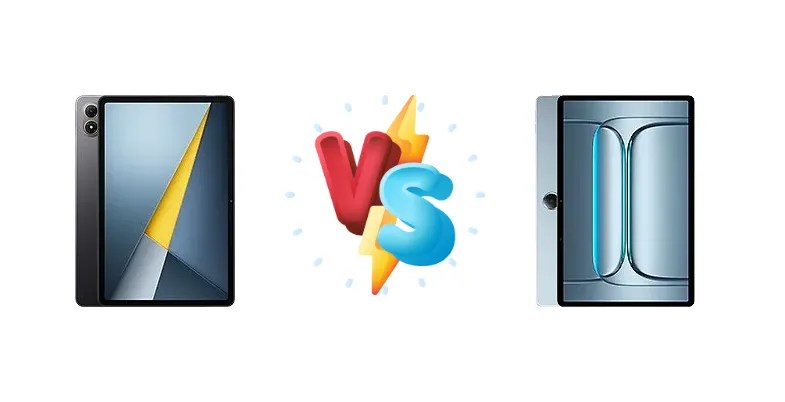
The budget tablet market is heating up, with the Xiaomi Poco Pad M1 and OnePlus Pad Lite vying for dominance. Both aim to deliver a compelling experience without breaking the bank, but they take different approaches to achieving this. The Poco Pad M1 leverages Qualcomm's newer Snapdragon 7s Gen 4, while the OnePlus Pad Lite opts for MediaTek's Helio G100. This comparison will dissect their strengths and weaknesses to determine which tablet offers the best value.
🏆 Quick Verdict
For most users, the Xiaomi Poco Pad M1 emerges as the stronger choice. Its Snapdragon 7s Gen 4 chipset, built on a more efficient 4nm process, provides a noticeable performance advantage and better long-term thermal management compared to the OnePlus Pad Lite’s Helio G100. While both offer 33W charging, the Poco’s superior processing power makes it the better all-rounder.
| Network |
|---|
| 2G bands | N/A | GSM 850 / 900 / 1800 / 1900 - cellular model only |
| 3G bands | N/A | HSDPA 850 / 900 / 2100 - cellular model only |
| 4G bands | - | LTE - cellular model only |
| EDGE | N/A | - |
| GPRS | N/A | - |
| Speed | - | HSPA, LTE - cellular model only |
| Technology | No cellular connectivity | GSM / HSPA / LTE |
| Launch |
|---|
| Announced | 2025, November 26 | 2025, July 08 |
| Status | Available. Released 2025, November 26 | Available. Released 2025, August 14 |
| Body |
|---|
| Build | Glass front, aluminum frame, aluminum back | - |
| Dimensions | 279.8 x 181.7 x 7.5 mm (11.02 x 7.15 x 0.30 in) | 254.9 x 166.5 x 7.4 mm (10.04 x 6.56 x 0.29 in) |
| SIM | No | Yes - cellular model only |
| Weight | 610 g (1.34 lb) | 530 g (1.17 lb) |
| Display |
|---|
| Resolution | 1600 x 2560 pixels, 16:10 ratio (~249 ppi density) | 1200 x 1920 pixels, 16:10 ratio (~207 ppi density) |
| Size | 12.1 inches, 424.5 cm2 (~83.5% screen-to-body ratio) | 11.0 inches, 347.5 cm2 (~81.9% screen-to-body ratio) |
| Type | IPS LCD, 1B colors, 120Hz, Dolby Vision, 600 nits (HBM) | IPS LCD, 1B colors, 90Hz, 500 nits |
| Platform |
|---|
| CPU | Octa-core (1x2.7 GHz Cortex-A720 & 3x2.4 GHz Cortex-A720 & 4x1.8 GHz Cortex-A520) | Octa-core (2x2.2 GHz Cortex-A76 & 6x2.0 GHz Cortex-A55) |
| Chipset | Qualcomm SM7635-AC Snapdragon 7s Gen 4 (4 nm) | Mediatek Helio G100 (6 nm) |
| GPU | Adreno 810 | Mali-G57 MC2 |
| OS | Android 15, HyperOS 2 | Android 15, OxygenOS 15 |
| Memory |
|---|
| Card slot | microSDXC (dedicated slot) | Unspecified |
| Internal | 256GB 8GB RAM | 128GB 6GB RAM, 128GB 8GB RAM |
| Main Camera |
|---|
| Features | Color spectrum sensor, LED flash, HDR | - |
| Single | 8 MP, f/2.0, (wide), 1/4.0", 1.12µm | 5 MP |
| Video | 1080p@30fps | 1080p@30fps |
| Selfie camera |
|---|
| Single | 8 MP, f/2.3, (wide), 1/4.0", 1.12µm | 5 MP |
| Video | 1080p@30fps | 1080p@30fps |
| Sound |
|---|
| 35mm jack | Yes | No |
| Loudspeaker | Yes, with stereo speakers, Dolby Atmos (4 speakers) | Yes, with stereo speakers (4 speakers, Hi-Res audio) |
| Comms |
|---|
| Bluetooth | 5.4, A2DP, LE, aptX HD, aptX Adaptive | 5.2, A2DP, LE, aptX HD |
| NFC | No | No |
| Positioning | No | GPS, (cellular model only) - unconfirmed |
| Radio | No | No |
| USB | USB Type-C 2.0, OTG | USB Type-C 2.0 |
| WLAN | Wi-Fi 802.11 a/b/g/n/a/6, dual-band, Wi-Fi Direct | Wi-Fi 802.11 a/b/g/n/ac, dual-band |
| Features |
|---|
| Sensors | Accelerometer, gyro, proximity (accessories only), compass | Unspecified |
| Battery |
|---|
| Charging | 33W wired, PD3.0, QC3+
27W reverse wired | 33W wired |
| Type | 12000 mAh | Li-Po 9340 mAh |
| Misc |
|---|
| Colors | Gray, Blue | Aero Blue |
| Models | 2509ARPBDG | OPD2480 |
| Price | - | About 200 EUR |
Xiaomi Poco Pad M1
- More powerful Snapdragon 7s Gen 4 chipset
- More efficient 4nm fabrication process
- 27W reverse wired charging
- Potentially smoother display experience
- Software experience may be less refined than OxygenOS
- Display specs are currently unknown
OnePlus Pad Lite
- OxygenOS software experience (potentially cleaner)
- Competitive 33W fast charging
- Likely a more streamlined user interface
- Potentially lower price point
- Less powerful Helio G100 chipset
- Less efficient 6nm fabrication process
- No reverse wired charging
- Potential for thermal throttling under heavy load
Display Comparison
Neither Xiaomi nor OnePlus provided display specs beyond the basic resolution. However, the choice of chipsets hints at potential differences. The Snapdragon 7s Gen 4 in the Poco Pad M1 is often paired with displays capable of higher refresh rates (though not confirmed here), suggesting a potentially smoother visual experience. The Helio G100, while capable, is typically found on more basic displays. Bezels are likely similar given the price points, and color accuracy will likely be standard for this segment – adequate for general use but not ideal for color-critical work.
Camera Comparison
Given the budget nature of these tablets, camera performance isn't a primary focus. Details are scarce, but it's safe to assume both will feature basic camera setups suitable for casual snapshots and video calls. Without specific sensor size or aperture information, it’s difficult to declare a clear winner. Image processing will likely be heavily reliant on software algorithms, and differences will be minimal for the average user. Expect similar results in good lighting conditions, with both struggling in low-light scenarios.
Performance
The core difference lies in the chipsets. The Qualcomm Snapdragon 7s Gen 4 (4nm) in the Poco Pad M1 boasts a more modern CPU architecture – Cortex-A720 cores – compared to the OnePlus Pad Lite’s MediaTek Helio G100 (6nm) with Cortex-A76 and A55 cores. The 4nm fabrication process of the Snapdragon is significantly more efficient, translating to better thermal performance and sustained performance under load. While the Helio G100 has a higher clock speed on its prime cores (2.2 GHz vs 2.7 GHz), the architectural advantages of the Snapdragon, combined with its process node, give it the edge. The Poco Pad M1 will handle demanding games and multitasking with greater ease.
Battery Life
Both tablets feature 33W wired charging, supporting PD3.0 and QC3+ on the Poco Pad M1. This suggests similar charging speeds – roughly 60-70 minutes for a full charge, assuming similar battery capacities (which are not specified). The Snapdragon 7s Gen 4’s superior power efficiency in the Poco Pad M1 could translate to slightly longer battery life during typical usage, offsetting any potential capacity differences. The Poco Pad M1 also offers 27W reverse wired charging, a feature absent on the OnePlus Pad Lite, allowing it to charge other devices.
Buying Guide
Buy the Xiaomi Poco Pad M1 if you prioritize performance for gaming, multitasking, or demanding applications. Its more modern chipset architecture will provide a smoother and more responsive experience. Buy the OnePlus Pad Lite if you are primarily focused on media consumption and light tasks, and are looking for a slightly more streamlined software experience, potentially benefiting from OnePlus’s OxygenOS optimizations. However, be prepared for some performance limitations when pushing the device.
Frequently Asked Questions
❓ Will the Poco Pad M1 handle demanding games like Genshin Impact or Call of Duty Mobile?
The Snapdragon 7s Gen 4 in the Poco Pad M1 is capable of running these games, but you'll likely need to lower graphics settings for a consistently smooth experience. The Helio G100 in the OnePlus Pad Lite will struggle more with these titles, requiring even more significant compromises in visual fidelity.
❓ Does the OnePlus Pad Lite's OxygenOS offer a significant advantage in terms of software updates and features?
OnePlus is generally known for providing timely software updates and a relatively clean Android experience with OxygenOS. However, Xiaomi has been improving its MIUI software, and the difference in update frequency and feature sets may not be substantial enough to be a deciding factor for most users.
❓ Is the 33W charging on both tablets enough for quick top-ups throughout the day?
Yes, 33W charging is reasonably fast for tablets. You can expect to gain a significant amount of battery life in a short period, making it convenient for quick top-ups. Both tablets should reach a full charge in approximately 60-70 minutes.
❓ Which tablet is better for taking notes with a stylus?
Neither tablet officially supports a stylus out of the box, and compatibility is limited. While you might be able to use a generic capacitive stylus with both, the experience won't be optimized. If stylus support is crucial, you should consider tablets specifically designed for that purpose.