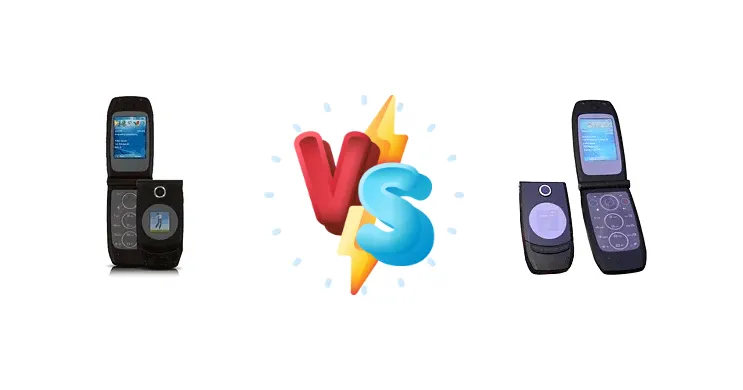
The Qtek 8500 and i-mate Smartflip represent a pivotal moment in smartphone history, offering early adopters a taste of Windows Mobile's potential. Both devices emerged during a period of rapid innovation, aiming to deliver PDA-like functionality in a pocketable form factor. However, with nearly identical core hardware, the differences lie in industrial design, software implementation, and target user experience.
🏆 Quick Verdict
For the average user seeking a functional early Windows Mobile device, the i-mate Smartflip edges out the Qtek 8500. Its flip design offers better screen protection and a more comfortable in-hand feel, while the identical OMAP 850 chipset ensures comparable performance for tasks like email and basic applications.
| Network |
|---|
| 2G bands | GSM 850 / 900 / 1800 / 1900 | GSM 850 / 900 / 1800 / 1900 |
| EDGE | Class 10 | Class 10 |
| GPRS | Class 10 | Class 10 |
| Technology | GSM | GSM |
| Launch |
|---|
| Announced | 2006, February | 2006, February |
| Status | Discontinued | Discontinued |
| Body |
|---|
| Dimensions | 98.5 x 51.4 x 15.8 mm (3.88 x 2.02 x 0.62 in) | 98.5 x 51.4 x 15.8 mm (3.88 x 2.02 x 0.62 in) |
| SIM | Mini-SIM | Mini-SIM |
| Weight | 99 g (3.49 oz) | 99 g (3.49 oz) |
| Display |
|---|
| Resolution | 240 x 320 pixels, 4:3 ratio (~182 ppi density) | 240 x 320 pixels, 2.2 inches, 4:3 ratio (~182 ppi density) |
| Size | 2.2 inches, 34 x 45 mm, 15.0 cm2 (~29.6% screen-to-body ratio) | 2.2 inches, 34 x 45 mm, 15.0 cm2 (~29.6% screen-to-body ratio) |
| Type | TFT, 65K colors | TFT, 65K colors |
| | Second external 1.2-inch TFT display, 65K colors (128 x 128 pixels) | Second external 1.2-inch TFT display, 65K colors (128 x 128 pixels) |
| Platform |
|---|
| CPU | 200 MHz ARM926EJ-S | 200 MHz ARM926EJ-S |
| Chipset | TI OMAP 850 | TI OMAP 850 |
| OS | Microsoft Windows Mobile 5.0 Smartphone | Microsoft Windows Mobile 5.0 Smartphone |
| Memory |
|---|
| Card slot | microSD (dedicated slot) | microSD (dedicated slot) |
| Internal | 64MB RAM, 64MB ROM | 64MB RAM, 64MB ROM |
| Main Camera |
|---|
| Single | 1.3 MP | 1.3 MP |
| Video | Yes | Yes |
| Sound |
|---|
| 3.5mm jack | No | No |
| 35mm jack | No | No |
| Alert types | Vibration; Downloadable polyphonic, MP3 ringtones | Vibration; Downloadable polyphonic, MP3 ringtones |
| Loudspeaker | Yes | Yes |
| Comms |
|---|
| Bluetooth | 1.2 | 1.2 |
| Positioning | No | No |
| Radio | No | No |
| USB | 1.1 | 1.1 |
| WLAN | No | No |
| Features |
|---|
| Browser | WAP 2.0/xHTML, HTML (PocketIE) | WAP 2.0/xHTML, HTML (PocketIE) |
| | Pocket Office
Voice memo
MP3/AAC player
Predictive text input | Pocket Office
Voice memo/dial
MP3/AAC player
Predictive text input |
| Battery |
|---|
| Type | Removable Li-Ion 750 mAh battery | Removable Li-Ion 750 mAh battery |
| Misc |
|---|
| Colors | Stylish black | Stylish black |
| Price | About 190 EUR | About 110 EUR |
Qtek 8500
- Traditional brick-style form factor appeals to some users.
- Potentially easier access for hardware modifications.
- Robust build quality (typical of Qtek).
- Screen is exposed when carried in a pocket.
- Less aesthetically modern than the flip design.
- Limited software optimization compared to i-mate.
i-mate Smartflip
- Flip design protects the screen from damage.
- More compact and pocketable.
- Potentially better software optimization from i-mate.
- Flip mechanism adds a potential point of failure.
- May feel less sturdy than the Qtek 8500.
- Limited internal storage (common to both).
Display Comparison
Both the Qtek 8500 and i-mate Smartflip utilize displays typical of the era: likely 176x220 pixel LCDs with limited color depth. The key difference is the form factor. The Smartflip’s flip design inherently protects the screen from scratches when closed, a significant advantage given the lack of durable glass technology at the time. Bezels are substantial on both, dictated by the need to house the hardware and maintain structural integrity. Color accuracy and viewing angles are expected to be poor by modern standards, but comparable between the two.
Camera Comparison
Information regarding camera specifications is scarce for both devices, but they likely feature low-resolution CMOS sensors (likely VGA or 1.3MP) with fixed focus. Image quality will be poor by today’s standards, suitable only for basic documentation. The primary difference may lie in software processing, but given the limited CPU power, improvements will be minimal. The camera is best considered a novelty feature rather than a serious photographic tool.
Performance
Both devices are powered by the TI OMAP 850 chipset featuring a 200 MHz ARM926EJ-S CPU. This means raw processing power is virtually identical. Performance will be adequate for basic tasks like email, contacts, and simple applications, but multitasking and demanding software will be sluggish. The OMAP 850’s integrated graphics are similarly limited, making it unsuitable for modern gaming. Thermal management isn’t a significant concern given the low power consumption of the ARM9 core; neither device is likely to experience throttling under normal use.
Battery Life
Battery capacity details are difficult to ascertain. However, given the low-power chipset and small display, both devices likely offer a standby time of several days and talk time of several hours. Charging times will be relatively slow, as they rely on older charging standards. The Smartflip’s flip design may offer a slight advantage in battery life by physically disconnecting the screen when not in use, reducing standby power consumption.
Buying Guide
Buy the Qtek 8500 if you prioritize a more traditional, brick-style phone form factor and potentially easier access to internal components for tinkering. Buy the i-mate Smartflip if you prefer a clamshell design for enhanced portability, screen protection, and a more refined aesthetic. Both are best suited for users comfortable with the limitations of early Windows Mobile and seeking a historical artifact of smartphone evolution.
Frequently Asked Questions
❓ Will these phones work on modern cellular networks?
Likely not without significant limitations. These devices support 2G and potentially early 3G networks. Modern carriers are phasing out 2G/3G support, rendering these phones largely unusable for voice calls or data connectivity. They may still function as Wi-Fi devices.
❓ Can I install modern apps on these devices?
No. These phones run Windows Mobile, a discontinued operating system. While some legacy applications may still be available, compatibility with modern apps is nonexistent. Attempts to sideload apps are unlikely to succeed due to architectural differences.
❓ Is it easy to find replacement parts for these phones?
Replacement parts are extremely difficult to find. These devices are over two decades old, and manufacturers no longer produce components. Collectors and online forums are the best sources for potentially locating used parts, but availability is limited.
❓ What is the best way to use these phones today?
These phones are best suited for collectors and enthusiasts interested in the history of mobile technology. They can be used to explore early Windows Mobile features, experiment with legacy software, or simply as display pieces.