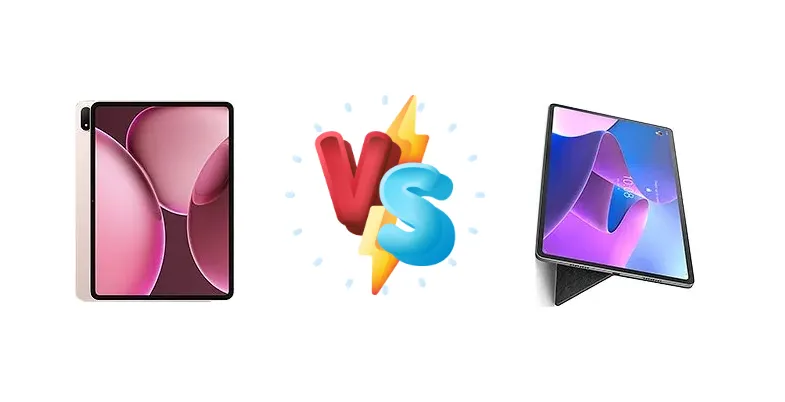
The Android tablet market is heating up, with Oppo and Lenovo offering compelling options. The Oppo Pad 4 Pro arrives with the cutting-edge Snapdragon 8 Elite, built on a 3nm process, while the Lenovo Tab P12 Pro leverages the well-established Snapdragon 870. This comparison dissects the key differences to determine which tablet best suits your needs, from demanding gaming to everyday productivity.
🏆 Quick Verdict
For users prioritizing raw performance and future-proofing, the Oppo Pad 4 Pro is the clear winner. Its Snapdragon 8 Elite chipset delivers a substantial performance advantage. However, the Lenovo Tab P12 Pro remains a strong contender, offering a balanced experience with faster 45W charging and a proven track record.
| Network |
|---|
| 2G bands | N/A | GSM 850 / 900 / 1800 / 1900 |
| 3G bands | N/A | HSDPA 850 / 900 / 1900 / 2100 |
| 4G bands | N/A | 1, 2, 3, 4, 5, 7, 8, 19, 20, 26, 28, 34, 38, 39, 40, 41 |
| 5G bands | - | 1, 3, 7, 8, 20, 28, 38, 41, 77, 78 SA/NSA/Sub6 |
| EDGE | No | - |
| GPRS | No | - |
| Speed | - | HSPA, LTE, 5G - cellular model only |
| Technology | No cellular connectivity | GSM / HSPA / LTE / 5G |
| Launch |
|---|
| Announced | 2025, April 10 | 2021, September 08 |
| Status | Available. Released 2025, April 10 | Available. Released 2021, November 19 |
| Body |
|---|
| Build | Glass front, aluminum frame, aluminum back | - |
| Dimensions | 289.6 x 209.7 x 6 mm (11.40 x 8.26 x 0.24 in) | 285.6 x 184.5 x 5.6 mm (11.24 x 7.26 x 0.22 in) |
| SIM | No | Nano-SIM (cellular model only) |
| Weight | 675 g (1.49 lb) | 565 g (1.25 lb) |
| | - | Stylus support |
| Display |
|---|
| Resolution | 2400 x 3392 pixels (~315 ppi density) | 1600 x 2560 pixels, 16:10 ratio (~240 ppi density) |
| Size | 13.2 inches, 530.0 cm2 (~87.3% screen-to-body ratio) | 12.6 inches, 460.3 cm2 (~87.4% screen-to-body ratio) |
| Type | IPS LCD, 68B colors, Dolby Vision, 144Hz, 900 nits (HBM) | AMOLED, 120Hz, HDR10+, Dolby Vision, 600 nits (HBM) |
| Platform |
|---|
| CPU | Octa-core (2x4.32 GHz Oryon V2 Phoenix L + 6x3.53 GHz Oryon V2 Phoenix M) | Octa-core (1x3.2 GHz Kryo 585 & 3x2.42 GHz Kryo 585 & 4x1.80 GHz Kryo 585) |
| Chipset | Qualcomm SM8750-AB Snapdragon 8 Elite (3 nm) | Qualcomm SM8250-AC Snapdragon 870 5G (7 nm) |
| GPU | Adreno 830 | Adreno 650 |
| OS | Android 15, ColorOS 15 | Android 11 |
| Memory |
|---|
| Card slot | No | microSDXC (dedicated slot) |
| Internal | 256GB 8GB RAM, 256GB 12GB RAM, 512GB 12GB RAM, 512GB 16GB RAM | 128GB 6GB RAM, 256GB 8GB RAM |
| Main Camera |
|---|
| Dual | - | 13 MP, (wide), AF
5 MP, (ultrawide) |
| Features | Color spectrum sensor, LED flash | - |
| Single | 13 MP | - |
| Video | 4K@30fps, 1080p@30ps, gyro-EIS | 4K@30fps, 1080p@30fps |
| Selfie camera |
|---|
| Single | 8 MP | 8 MP, (wide)
8 MP, IR TOF 3D, (biometrics sensor only) |
| Video | 1080p@30fps | 1080p@30fps |
| Sound |
|---|
| 3.5mm jack | - | No |
| 35mm jack | No | No |
| Loudspeaker | Yes, with stereo speakers (4 speakers) | Yes, with stereo speakers (4 speakers) |
| | - | JBL speakers |
| Comms |
|---|
| Bluetooth | 5.4, A2DP, LE | 5.2, A2DP, LE |
| NFC | No | Yes (wireless charging and data transfer only) |
| Positioning | No | GPS, GLONASS, BDS - cellular model only |
| Radio | No | Unspecified |
| USB | USB Type-C 3.2, OTG, accessory connector | USB Type-C 3.1 |
| WLAN | Wi-Fi 802.11 a/b/g/n/ac/6/7, dual-band | Wi-Fi 802.11 a/b/g/n/ac/6, dual-band, Wi-Fi Direct |
| Features |
|---|
| Sensors | Accelerometer, proximity (accessories only), gyro, compass | Fingerprint (side-mounted), accelerometer, gyro, proximity |
| Battery |
|---|
| Charging | 67W wired | 45W wired, QC4 |
| Type | 12140 mAh | Li-Po 10200 mAh |
| Misc |
|---|
| Colors | Gray, Silver, Gold | Storm Grey |
| Models | OPD2409 | TB-Q706Z, TB-Q706F |
| Price | About 400 EUR | About 520 EUR |
Oppo Pad 4 Pro
- Significantly faster processor with Snapdragon 8 Elite
- Faster 67W wired charging
- Potentially better thermal management due to 3nm process
- Potentially higher price
- Software experience may be less refined than Lenovo
Lenovo Tab P12 Pro
- Faster charging than older tablets
- Proven Snapdragon 870 performance
- Potentially lower price point
- Slower processor compared to Snapdragon 8 Elite
- Less efficient 7nm process
Display Comparison
While display specifications are missing, the Oppo Pad 4 Pro benefits from the newer chipset's potential for advanced display controllers, possibly supporting higher refresh rates or more efficient LTPO technology. The Lenovo Tab P12 Pro, given its Pro designation, likely features a high-quality LCD or OLED panel, but the Snapdragon 870's display pipeline is less advanced. Expect the Oppo to potentially offer superior color accuracy and smoother visuals, assuming comparable panel quality.
Camera Comparison
Without specific camera details, it's difficult to make a direct comparison. However, given the focus on performance in the Oppo Pad 4 Pro, it's reasonable to expect a more advanced image signal processor (ISP) integrated within the Snapdragon 8 Elite, potentially leading to better image quality and faster processing. The Lenovo Tab P12 Pro likely offers a competent camera system, but it won't match the potential of the newer chipset's imaging capabilities.
Performance
The core difference lies in the chipsets. The Oppo Pad 4 Pro’s Snapdragon 8 Elite (SM8750-AB) built on a 3nm process, boasts a significant architectural advantage over the Lenovo Tab P12 Pro’s Snapdragon 870 (SM8250-AC) fabricated on a 7nm node. The 8 Elite’s octa-core CPU, with its Oryon V2 Phoenix cores (2x4.32 GHz + 6x3.53 GHz), promises substantially higher single-core and multi-core performance compared to the 870’s Kryo 585 configuration (1x3.2 GHz + 3x2.42 GHz + 4x1.80 GHz). This translates to faster app loading, smoother multitasking, and a more responsive user experience. The 3nm process also implies improved thermal efficiency, potentially reducing throttling during sustained workloads. The Oppo Pad 4 Pro is the clear winner for performance-intensive tasks.
Battery Life
The Oppo Pad 4 Pro’s 67W wired charging is a significant advantage over the Lenovo Tab P12 Pro’s 45W wired charging with Quick Charge 4.0 (QC4). This means the Oppo Pad 4 Pro will recharge much faster, minimizing downtime. While battery capacity is unknown for both devices, the Snapdragon 8 Elite’s 3nm process should contribute to better power efficiency, potentially offsetting a smaller battery size. The Lenovo Tab P12 Pro’s QC4 support ensures compatibility with a wide range of chargers, but it can’t match the raw charging speed of the Oppo.
Buying Guide
Buy the Oppo Pad 4 Pro if you need uncompromising performance for gaming, video editing, or multitasking. Its Snapdragon 8 Elite chipset and potentially faster RAM (assuming LPDDR5x) will handle demanding tasks with ease. Buy the Lenovo Tab P12 Pro if you prioritize a more mature software experience, faster charging speeds, and a potentially lower price point, making it ideal for media consumption and general productivity.
Frequently Asked Questions
❓ Will the Snapdragon 8 Elite in the Oppo Pad 4 Pro handle demanding games like Genshin Impact at max settings?
Yes, the Snapdragon 8 Elite is designed for flagship-level gaming. Its Oryon V2 Phoenix cores and advanced GPU architecture should easily handle Genshin Impact at maximum settings with consistently high frame rates, especially when paired with sufficient RAM (likely LPDDR5x).
❓ Does the Lenovo Tab P12 Pro support stylus input and keyboard accessories for productivity?
Lenovo frequently offers accessories like styluses and keyboards for their Pro tablets. While not explicitly stated, it's highly probable the Tab P12 Pro supports these accessories, enhancing its productivity capabilities. Check Lenovo's official website for compatible accessories.
❓ How much faster is the 67W charging on the Oppo Pad 4 Pro compared to the 45W charging on the Lenovo Tab P12 Pro?
The 67W charging on the Oppo Pad 4 Pro will significantly reduce charging times. While exact figures depend on battery capacity, expect a 0-100% charge to be at least 30-40% faster on the Oppo Pad 4 Pro, minimizing downtime and maximizing usability.