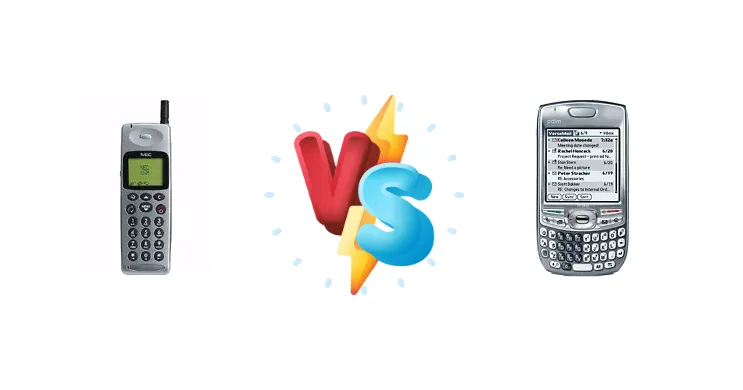
The NEC G9D+ and Palm Treo 680 represent a pivotal moment in mobile history – the transition from feature phones to true smartphones. The G9D+, likely a Windows Mobile device given NEC’s history, aimed for broader appeal, while the Treo 680 doubled down on Palm’s established business user base. This comparison examines how these differing approaches manifested in hardware and usability.
🏆 Quick Verdict
For the average user seeking a device with established productivity tools and a mature ecosystem, the Palm Treo 680 is the clear winner. While the NEC G9D+ likely offered a more modern interface, the Treo 680’s robust Palm OS and integrated phone functionality provide a more complete experience.
| Network |
|---|
| 2G bands | GSM 900 | GSM 850 / 900 / 1800 / 1900 |
| EDGE | No | Class 10 |
| GPRS | No | Class 10 |
| Technology | GSM | GSM |
| Launch |
|---|
| Announced | 1997 | 2006, October |
| Status | Discontinued | Discontinued |
| Body |
|---|
| Dimensions | 145 x 49 x 22.5 mm (5.71 x 1.93 x 0.89 in) | 111.8 x 58.4 x 20.3 mm (4.40 x 2.30 x 0.80 in) |
| Keyboard | - | QWERTY |
| SIM | Mini-SIM | Mini-SIM |
| Weight | 200 g (7.05 oz) | 157 g (5.54 oz) |
| Display |
|---|
| Resolution | 4 x 12 chars | 320 x 320 pixels, 1:1 ratio (~181 ppi density) |
| Size | - | 2.5 inches, 20.2 cm2 (~30.9% screen-to-body ratio) |
| Type | Alphanumeric | TFT resistive touchscreen, 65K colors |
| | - | 5-way navigation button |
| Platform |
|---|
| CPU | - | Intel PXA270 312 MHz |
| OS | - | Palm OS 5.4.9 |
| Memory |
|---|
| Card slot | No | SD/MMC, up to 4 GB |
| Internal | - | 64MB |
| Main Camera |
|---|
| Single | - | VGA |
| Video | - | CIF |
| Sound |
|---|
| 3.5mm jack | - | No |
| 35mm jack | No | No |
| Alert types | Vibration; Monophonic ringtones | Vibration; Downloadable polyphonic ringtones |
| Loudspeaker | No | Yes |
| Comms |
|---|
| Bluetooth | No | 1.2, A2DP |
| Infrared port | - | Yes |
| Positioning | No | No |
| Radio | No | No |
| USB | - | Proprietary |
| WLAN | No | No |
| Features |
|---|
| Alarm | No | - |
| Browser | - | WAP 2.0 / HTML (Blazer 4.5) |
| Clock | No | - |
| Games | No | - |
| Java | No | - |
| Messaging | SMS | - |
| | - | Document editor (Word, Excel, PowerPoint, PDF)
MP3 player
Organizer
Voice memo |
| Battery |
|---|
| Stand-by | 56 h | Up to 300 h |
| Talk time | 210 min | Up to 4 h |
| Type | Removable NiMH battery | Removable Li-Ion battery |
| Misc |
|---|
| Colors | - | Graphite, Crimson, Arctic, Copper |
| Price | - | About 220 EUR |
NEC G9D+
- Potentially more modern user interface (Windows Mobile)
- Likely broader application support (depending on Windows Mobile version)
- May have offered more multimedia features
- Windows Mobile’s resource intensity could lead to slower performance
- Limited information available about specific features
- Potential for battery drain due to OS overhead
Palm Treo 680
- Mature and efficient Palm OS
- Integrated phone functionality and physical keyboard
- Strong suite of productivity applications
- Smaller screen size
- Limited multimedia capabilities
- Palm OS ecosystem was declining at the time
Display Comparison
Without specific display specs for the NEC G9D+, we can infer it likely featured a color LCD, typical for the era. The Treo 680’s display, while small by today’s standards, was optimized for readability and efficient use of power. The G9D+’s display, if aiming for a more multimedia-centric experience, may have had a slightly larger size, but likely at the expense of battery life. The Treo 680’s focus on text clarity would benefit users reading emails and documents.
Camera Comparison
Details regarding the NEC G9D+'s camera are unavailable. The Treo 680, while featuring a camera, was not known for its photographic capabilities. Both devices likely featured low-resolution cameras (under 2MP) primarily intended for basic documentation rather than high-quality image capture. The image processing on both would have been rudimentary, with limited low-light performance. Neither device is a viable option for serious photography.
Performance
The Palm Treo 680’s Intel PXA270 312 MHz processor was a workhorse for its time, providing sufficient power for Palm OS applications and basic multitasking. The NEC G9D+, potentially running Windows Mobile, likely utilized a comparable processor from a different manufacturer (perhaps a PPA). However, Windows Mobile was generally more resource-intensive than Palm OS, meaning the G9D+ might have felt slower despite similar clock speeds. The Treo 680’s optimized OS gives it an edge in responsiveness for common tasks.
Battery Life
Battery life on both devices would have been heavily dependent on usage patterns. The Palm Treo 680, with its efficient Palm OS, likely offered slightly better battery endurance than the NEC G9D+, especially if the latter was running the more demanding Windows Mobile. The Treo 680’s focus on core productivity tasks meant less strain on the battery compared to potential multimedia features on the G9D+.
Buying Guide
Buy the NEC G9D+ if you prioritize a potentially more visually modern interface and are comfortable with the early iterations of Windows Mobile. Buy the Palm Treo 680 if you need a reliable, productivity-focused device with a well-established suite of applications and a physical keyboard for efficient data entry – ideal for professionals on the go.
Frequently Asked Questions
❓ Was the Palm Treo 680 difficult to sync with a desktop computer?
Initially, syncing the Treo 680 required the use of Palm Desktop software. While functional, it wasn't always seamless. Later versions of Palm OS and third-party tools improved the syncing experience, but it remained a potential point of friction for some users.
❓ Could the NEC G9D+ run applications designed for desktop Windows?
No, the NEC G9D+ running Windows Mobile could not run full desktop Windows applications. It ran applications specifically designed for the Windows Mobile platform, which were typically smaller and optimized for mobile devices. Emulation was not practical given the limited processing power.
❓ How did the physical keyboard on the Treo 680 impact usability?
The physical keyboard on the Treo 680 was a significant advantage for users who frequently typed emails, notes, or documents. It offered a tactile and efficient input method compared to the on-screen keyboards common on other devices of the time, greatly enhancing productivity.