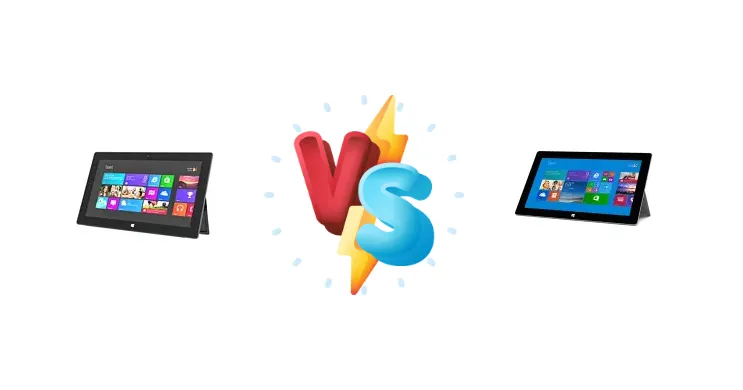
The original Microsoft Surface, released in 2012, boldly attempted to redefine the tablet experience with a full Windows desktop. The Surface 2, arriving a year later, addressed many of the initial criticisms. This comparison dissects the core hardware differences – specifically the shift from the Nvidia Tegra 3 to the Tegra 4 – and determines whether the upgrade justifies a continued look at either device in today’s market.
🏆 Quick Verdict
For users seeking a functional, albeit aging, Windows RT tablet for basic productivity, the Surface 2 is the clear winner. The Tegra 4’s Cortex-A15 cores deliver a noticeable performance boost over the Surface’s Cortex-A9, making everyday tasks smoother and more responsive. However, both devices are limited by the now-discontinued Windows RT operating system.
| Network |
|---|
| 2G bands | N/A | N/A |
| EDGE | No | No |
| GPRS | No | No |
| Technology | No cellular connectivity | No cellular connectivity |
| Launch |
|---|
| Announced | 2012, October. Released 2012, November | 2013, September. Released 2013, October |
| Status | Discontinued | Discontinued |
| Body |
|---|
| Dimensions | 274.6 x 172 x 9.4 mm (10.81 x 6.77 x 0.37 in) | 274.6 x 172.5 x 8.9 mm (10.81 x 6.79 x 0.35 in) |
| SIM | No | No |
| Weight | 680.4 g (1.50 lb) | 675.9 g (1.49 lb) |
| | Built-in kickstand | Built-in 2-stage kickstand |
| Display |
|---|
| Resolution | 1366 x 768 pixels, 16:9 ratio (~148 ppi density) | 1920 x 1080 pixels, 16:9 ratio (~208 ppi density) |
| Size | 10.6 inches, 309.7 cm2 (~65.6% screen-to-body ratio) | 10.6 inches, 309.8 cm2 (~65.4% screen-to-body ratio) |
| Type | TFT | TFT |
| | ClearType technology | ClearType technology |
| Platform |
|---|
| CPU | Quad-core 1.3 GHz Cortex-A9 | Quad-core 1.7 GHz Cortex-A15 |
| Chipset | Nvidia Tegra 3 T30 | Nvidia Tegra 4 T40 |
| GPU | ULP GeForce | ULP GeForce (72 cores) |
| OS | Microsoft Windows RT | Microsoft Windows RT |
| Memory |
|---|
| Card slot | microSDXC (dedicated slot) | microSDXC (dedicated slot) |
| Internal | 32GB 2GB RAM, 64GB 2GB RAM | 32GB 2GB RAM, 64GB 2GB RAM |
| Main Camera |
|---|
| Features | - | LED flash |
| Single | 1.2 MP | 5 MP, AF |
| Video | 720p | 1080p@30fps |
| Selfie camera |
|---|
| Single | 1.2 MP | 3.5 MP |
| Video | 720p@30fps | 1080p@30fps |
| Sound |
|---|
| 3.5mm jack | Yes | Yes |
| 35mm jack | Yes | Yes |
| Loudspeaker | Yes, with stereo speakers | Yes, with stereo speakers |
| Comms |
|---|
| Bluetooth | 4.0, A2DP | 4.0, A2DP |
| NFC | No | No |
| Positioning | No | No |
| Radio | No | No |
| USB | USB 2.0, OTG | USB 3.0, OTG |
| WLAN | Wi-Fi 802.11 a/b/g/n, dual-band, Wi-Fi Direct | Wi-Fi 802.11 a/b/g/n, dual-band, Wi-Fi Direct |
| Features |
|---|
| Sensors | Accelerometer, gyro, compass | Accelerometer, gyro, compass |
| | TV-out
MP4/DivX/XviD/WMV/H.264 player
MP3/WAV/eAAC+/FLAC player
Photo viewer/editor
Microsoft Office 2013 RT | TV-out via HDMI port
MP4/DivX/XviD/WMV/H.264 player
MP3/WAV/eAAC+/FLAC player
Photo viewer/editor
Microsoft Office 2013 RT
SkyDrive (200 GB cloud storage)
Skype free international calls and Wi-Fi for 1 year |
| Battery |
|---|
| Stand-by | Up to 360 h | - |
| Talk time | Up to 8 h | - |
| Type | Li-Ion battery, non-removable (31.5 Wh) | Li-Ion, non-removable |
| Misc |
|---|
| Colors | Dark Titanium | Dark Titanium |
| Price | About 260 EUR | About 330 EUR |
| Tests |
|---|
| Audio quality |
Noise -82.6dB / Crosstalk -81.7dB | - |
| Display |
Contrast ratio: 1324:1 (nominal) | - |
Microsoft Surface
- Lower cost of entry (likely, due to age)
- Represents a historical milestone in tablet design
- Full Windows desktop experience (albeit Windows RT)
- Slower processor (Cortex-A9)
- Less responsive user experience
- Limited software support due to Windows RT’s discontinuation
Microsoft Surface 2
- Faster processor (Cortex-A15)
- Improved performance and responsiveness
- More efficient architecture for potentially better battery life
- Higher cost than the original Surface
- Still limited by Windows RT’s discontinuation
- May be difficult to find in good condition
Display Comparison
Both the Surface and Surface 2 share a nominal contrast ratio of 1324:1, suggesting similar panel characteristics in terms of black levels and color depth. However, detailed information regarding screen brightness, color gamut coverage, and viewing angles is absent. Given the era, both likely utilized IPS LCD technology. The focus here isn't display quality, but rather the underlying performance driving what's *displayed*.
Camera Comparison
Context data does not provide camera specifications for either device. Given the target market of early Surface tablets – productivity and light content consumption – camera quality was likely not a primary focus. It’s reasonable to assume both devices featured basic front and rear-facing cameras suitable for video conferencing, but not competitive with contemporary smartphone cameras.
Performance
The core difference lies in the chipset. The Surface utilizes the Nvidia Tegra 3 T30, featuring a quad-core 1.3 GHz Cortex-A9 CPU. The Surface 2 upgrades to the Tegra 4 T40, boasting a quad-core 1.7 GHz Cortex-A15 CPU. This isn’t simply a clock speed increase; the Cortex-A15 architecture represents a significant improvement over the A9, offering better instructions per clock (IPC) and improved power efficiency. This translates to faster application loading, smoother multitasking, and a more responsive overall experience on the Surface 2. The Tegra 4 also benefits from improved GPU performance, though both are limited by the Windows RT operating system.
Battery Life
Battery capacity data is unavailable. However, the improved power efficiency of the Tegra 4’s Cortex-A15 architecture in the Surface 2 likely results in comparable, if not slightly better, battery life compared to the Surface, despite the higher clock speed. Real-world usage would depend heavily on screen brightness, application usage, and background processes.
Buying Guide
Buy the Microsoft Surface if you are a collector of early Windows hardware or require a very inexpensive entry point into the Surface ecosystem, understanding its limitations. Buy the Microsoft Surface 2 if you prioritize a more responsive user experience within the Windows RT environment and are willing to pay a slight premium for the improved processing power and architectural advancements of the Tegra 4.
Frequently Asked Questions
❓ Is the performance difference between the Tegra 3 and Tegra 4 significant enough to justify upgrading from the original Surface?
Yes, the architectural leap from the Cortex-A9 to the Cortex-A15 in the Tegra 4 provides a noticeable improvement in responsiveness and application loading times. While neither device is a powerhouse by today’s standards, the Surface 2 offers a significantly smoother user experience.
❓ Can I install standard Windows 10 or 11 on either the Surface or Surface 2?
Officially, no. Both devices run Windows RT, a version of Windows designed for ARM processors. While unofficial workarounds exist to attempt installing standard Windows, they are often unstable and may not fully support all hardware features. The experience is generally not recommended.
❓ What is the practical impact of the Windows RT operating system on these devices?
Windows RT limits application compatibility. It can only run apps specifically designed for the ARM architecture, either from the Windows Store or those ported to the platform. This means many traditional Windows desktop applications will not function, hindering productivity for users accustomed to a full Windows experience.