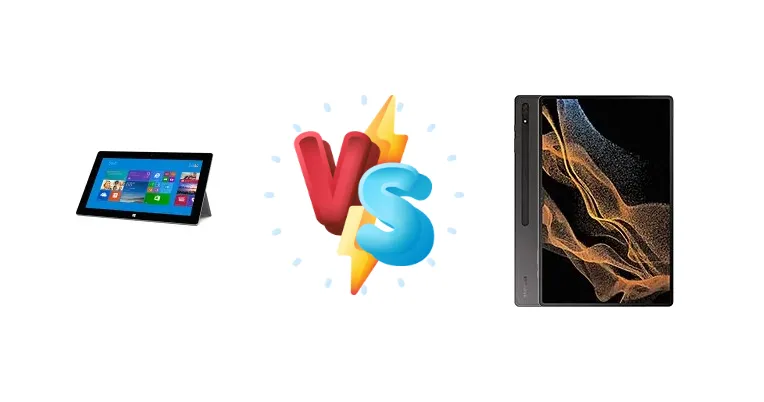
Released years apart, the Microsoft Surface 2 and the Samsung Galaxy Tab S8 Ultra represent vastly different eras in tablet technology. The Surface 2, while innovative for its time, relies on Nvidia's Tegra 4, while the Tab S8 Ultra boasts the cutting-edge Qualcomm Snapdragon 8 Gen 1. This comparison dissects the core differences, helping you understand if the newer technology justifies the significant price difference.
🏆 Quick Verdict
For the vast majority of users, the Samsung Galaxy Tab S8 Ultra is the clear winner. Its Snapdragon 8 Gen 1 chipset delivers significantly superior performance, enabling smoother multitasking, demanding gaming, and a more responsive overall experience. While the Surface 2 remains functional for basic tasks, the Tab S8 Ultra offers a future-proofed platform.
| Network |
|---|
| 2G bands | N/A | GSM 850 / 900 / 1800 / 1900 |
| 3G bands | - | HSDPA 850 / 900 / 1700(AWS) / 1900 / 2100 |
| 4G bands | - | LTE |
| 5G bands | - | SA/NSA |
| EDGE | No | - |
| GPRS | No | - |
| Speed | - | HSPA, LTE, 5G - cellular model only |
| Technology | No cellular connectivity | GSM / HSPA / LTE / 5G |
| Launch |
|---|
| Announced | 2013, September. Released 2013, October | 2022, February 09 |
| Status | Discontinued | Available. Released 2022, April 30 |
| Body |
|---|
| Dimensions | 274.6 x 172.5 x 8.9 mm (10.81 x 6.79 x 0.35 in) | 326.4 x 208.6 x 5.5 mm (12.85 x 8.21 x 0.22 in) |
| SIM | No | Nano-SIM (cellular model only) |
| Weight | 675.9 g (1.49 lb) | 726 g (Wi-Fi), 728 g (5G) (1.60 lb) |
| | Built-in 2-stage kickstand | Stylus, 2.8ms latency (Bluetooth integration, accelerometer, gyro) |
| Display |
|---|
| Protection | - | Corning Gorilla Glass 5 |
| Resolution | 1920 x 1080 pixels, 16:9 ratio (~208 ppi density) | 1848 x 2960 pixels, 16:10 ratio (~240 ppi density) |
| Size | 10.6 inches, 309.8 cm2 (~65.4% screen-to-body ratio) | 14.6 inches, 612.6 cm2 (~90.0% screen-to-body ratio) |
| Type | TFT | Super AMOLED, 120Hz, HDR10+ |
| | ClearType technology | - |
| Platform |
|---|
| CPU | Quad-core 1.7 GHz Cortex-A15 | Octa-core (1x3.00 GHz Cortex-X2 & 3x2.50 GHz Cortex-A710 & 4x1.80 GHz Cortex-A510) |
| Chipset | Nvidia Tegra 4 T40 | Qualcomm SM8450 Snapdragon 8 Gen 1 (4 nm) |
| GPU | ULP GeForce (72 cores) | Adreno 730 |
| OS | Microsoft Windows RT | Android 12, up to 4 major Android upgrades, One UI 6.1.1 |
| Memory |
|---|
| Card slot | microSDXC (dedicated slot) | microSDXC (dedicated slot) |
| Internal | 32GB 2GB RAM, 64GB 2GB RAM | 128GB 8GB RAM, 256GB 8GB RAM, 256GB 12GB RAM, 256GB 16GB RAM, 512GB 12GB RAM, 512GB 16GB RAM |
| | - | UFS |
| Main Camera |
|---|
| Dual | - | 13 MP, f/2.0, 26mm (wide), 1/3.4", 1.0µm, AF
6 MP, f/2.2, (ultrawide) |
| Features | LED flash | LED flash, HDR, panorama |
| Single | 5 MP, AF | - |
| Video | 1080p@30fps | 4K@30/60fps, 1080p@30fps |
| Selfie camera |
|---|
| Dual | - | 12 MP, f/2.2, 26mm (wide)
12 MP, f/2.4, 120˚ (ultrawide) |
| Features | - | HDR |
| Single | 3.5 MP | - |
| Video | 1080p@30fps | 4K@30/60fps, 1080p@30fps |
| Sound |
|---|
| 3.5mm jack | Yes | No |
| 35mm jack | Yes | No |
| Loudspeaker | Yes, with stereo speakers | Yes, with stereo speakers (4 speakers) |
| | - | Tuned by AKG |
| Comms |
|---|
| Bluetooth | 4.0, A2DP | 5.2, A2DP, LE |
| NFC | No | No |
| Positioning | No | GPS, GLONASS, BDS, GALILEO - cellular model only |
| Radio | No | No |
| USB | USB 3.0, OTG | USB Type-C 3.2, magnetic connector |
| WLAN | Wi-Fi 802.11 a/b/g/n, dual-band, Wi-Fi Direct | Wi-Fi 802.11 a/b/g/n/ac/6e, dual-band, Wi-Fi Direct |
| Features |
|---|
| Sensors | Accelerometer, gyro, compass | Fingerprint (under display, optical), accelerometer, gyro, proximity, compass |
| | TV-out via HDMI port
MP4/DivX/XviD/WMV/H.264 player
MP3/WAV/eAAC+/FLAC player
Photo viewer/editor
Microsoft Office 2013 RT
SkyDrive (200 GB cloud storage)
Skype free international calls and Wi-Fi for 1 year | Wireless Samsung DeX |
| Battery |
|---|
| Charging | - | 45W wired, 100% in 82 min |
| Type | Li-Ion, non-removable | Li-Po 11200 mAh |
| Misc |
|---|
| Colors | Dark Titanium | Graphite |
| Models | - | SM-X900, SM-X906, SM-X906B, SM-X906U, SM-X906N |
| Price | About 330 EUR | About 1150 EUR |
| SAR EU | - | 0.69 W/kg (body) |
Microsoft Surface 2
- Significantly lower price point
- Compact and portable design (assumed)
- Familiar Windows operating system (assumed)
- Outdated processor and architecture
- Limited software support
- Inferior display technology
Samsung Galaxy Tab S8 Ultra
- Exceptional performance with Snapdragon 8 Gen 1
- Vibrant and large Super AMOLED display
- Fast 45W charging
- Higher price tag
- Larger size and weight
- Android operating system may not suit all users
Display Comparison
The Surface 2's display specifications are not provided, but given its release timeframe, it likely features a standard LCD panel with a resolution around 1080p. In contrast, the Galaxy Tab S8 Ultra boasts a massive 14.6-inch Super AMOLED display. The AMOLED technology delivers significantly higher contrast ratios and more vibrant colors. While nits aren't specified for either, AMOLED generally offers superior outdoor visibility. The Tab S8 Ultra's larger screen and higher resolution are geared towards multitasking and content consumption, while the Surface 2's display is likely adequate for basic use.
Camera Comparison
Camera details for the Surface 2 are unavailable, but tablets of that era typically featured modest camera sensors. The Galaxy Tab S8 Ultra, while not a photography powerhouse, offers a more capable camera system. While specific sensor sizes and apertures aren't provided, the Tab S8 Ultra's camera is likely to deliver better image quality in various lighting conditions, suitable for quick scans and video calls. The Surface 2's camera is likely limited to basic functionality.
Performance
The core difference lies in the chipsets. The Surface 2's Nvidia Tegra 4, with its quad-core 1.7 GHz Cortex-A15 CPU, was a capable processor in 2013, but pales in comparison to the Samsung Galaxy Tab S8 Ultra's Qualcomm Snapdragon 8 Gen 1 (4nm). The Snapdragon 8 Gen 1 features an octa-core configuration (1x3.00 GHz Cortex-X2, 3x2.50 GHz Cortex-A710, and 4x1.80 GHz Cortex-A510), offering a substantial increase in both single-core and multi-core performance. The 4nm fabrication process of the Snapdragon 8 Gen 1 also provides improved power efficiency, reducing thermal throttling during sustained workloads. This translates to a far smoother experience with demanding applications and games on the Tab S8 Ultra.
Battery Life
Battery capacity for the Surface 2 is not specified. The Samsung Galaxy Tab S8 Ultra features 45W wired charging, reaching 100% charge in approximately 82 minutes. While the Surface 2's battery life was likely sufficient for its intended use case, the Snapdragon 8 Gen 1's improved power efficiency, combined with a larger battery (likely in the Tab S8 Ultra), should provide longer runtimes. The 45W charging on the Tab S8 Ultra also offers a significantly faster recharge time, minimizing downtime.
Buying Guide
Buy the Microsoft Surface 2 if you need a very affordable tablet for light tasks like web browsing, email, and basic document editing, and are comfortable with the limitations of older hardware and software. Buy the Samsung Galaxy Tab S8 Ultra if you prioritize performance, a vibrant display, fast charging, and a modern Android experience for demanding productivity, creative work, or gaming.
Frequently Asked Questions
❓ Is the Snapdragon 8 Gen 1 in the Tab S8 Ultra prone to overheating during extended gaming sessions?
While the Snapdragon 8 Gen 1 was known to run warm under sustained load, the Galaxy Tab S8 Ultra's larger chassis and cooling system mitigate this issue. Reports indicate that throttling is minimal during typical gaming scenarios, providing a consistently smooth experience. The 4nm process also contributes to improved thermal efficiency compared to older chipsets.
❓ Can the Surface 2 realistically handle modern web browsing with numerous tabs open?
The Surface 2's Tegra 4 processor and limited RAM will struggle with modern web browsing, especially with multiple tabs open. Expect noticeable slowdowns and potential crashes when handling complex websites or streaming media. It's best suited for basic web browsing with a limited number of tabs.
❓ Does the Galaxy Tab S8 Ultra support DeX mode for a desktop-like experience?
Yes, the Galaxy Tab S8 Ultra fully supports Samsung DeX, allowing you to connect it to an external monitor, keyboard, and mouse for a desktop-like experience. This significantly enhances productivity and makes it a viable alternative to a traditional laptop for certain tasks.