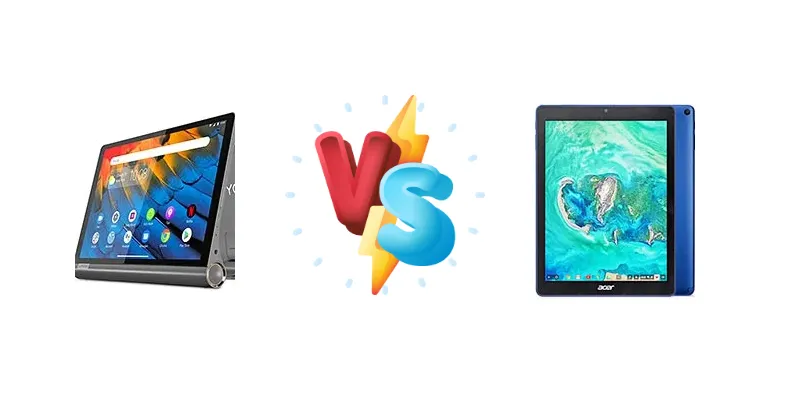
The Lenovo Yoga Smart Tab and Acer Chromebook Tab 10 represent distinct approaches to the affordable tablet market. The Yoga Smart Tab aims for versatility with its integrated stand and Qualcomm chipset, while the Chromebook Tab 10 leverages the Rockchip RK3399 to deliver a ChromeOS experience. This comparison dissects their core components to determine which tablet offers the best value for your money.
🏆 Quick Verdict
For users prioritizing a familiar Android experience with convenient features like a built-in stand, the Lenovo Yoga Smart Tab is the better choice. However, the Acer Chromebook Tab 10’s Rockchip RK3399 offers a more responsive experience for ChromeOS tasks, making it ideal for students or those heavily invested in the Google ecosystem.
| Network |
|---|
| 2G bands | N/A | N/A |
| 3G bands | N/A | - |
| 4G bands | N/A | - |
| EDGE | No | No |
| GPRS | No | No |
| Technology | No cellular connectivity | No cellular connectivity |
| Launch |
|---|
| Announced | 2019, October. Released 2019, October | 2018, March. Released 2018, July |
| Status | Discontinued | Discontinued |
| Body |
|---|
| Dimensions | 242mm x 166mm x 8.5-24mm | 238.3 x 172.2 x 9.9 mm (9.38 x 6.78 x 0.39 in) |
| SIM | No | No |
| Weight | 580 g (1.28 lb) | 544.3 g (1.20 lb) |
| | Built-in 3-stage kickstand | Stylus |
| Display |
|---|
| Resolution | 1200 x 1920 pixels, 16:10 ratio (~224 ppi density) | 1536 x 2048 pixels, 4:3 ratio (~264 ppi density) |
| Size | 10.1 inches, 295.8 cm2 (~73.6% screen-to-body ratio) | 9.7 inches, 291.4 cm2 (~71.0% screen-to-body ratio) |
| Type | IPS LCD | IPS LCD |
| Platform |
|---|
| CPU | Octa-core (4x1.95 GHz Cortex-A53 & 4x1.45 GHz Cortex A53) | Hexa-core (4x Cortex-A53 & 2x Cortex-A72) |
| Chipset | Qualcomm SDM439 Snapdragon 439 (12 nm) | Rockchip RK3399 |
| GPU | Adreno 505 | - |
| OS | Android 9.0 (Pie) | Chrome OS |
| Memory |
|---|
| Card slot | microSDXC (dedicated slot) | microSDXC (dedicated slot) |
| Internal | 64GB 4GB RAM | 32GB 4GB RAM |
| | eMMC 5.1 | - |
| Main Camera |
|---|
| Single | 8 MP, AF | 5 MP |
| Video | 1080p@30fps | 720p |
| Selfie camera |
|---|
| Single | 5 MP | 2 MP |
| Video | 1080p@30fps | - |
| Sound |
|---|
| 3.5mm jack | Yes | Yes |
| 35mm jack | Yes | Yes |
| Loudspeaker | Yes, with stereo speakers | Yes, with stereo speakers |
| Comms |
|---|
| Bluetooth | 4.2, A2DP | 4.1, A2DP, LE |
| NFC | No | No |
| Positioning | No | - |
| Radio | No | No |
| USB | USB Type-C 2.0 | USB Type-C 3.1 |
| WLAN | Wi-Fi 802.11 b/g/n/ac, Wi-Fi Direct | Wi-Fi 802.11 b/g/n/ac, dual-band, Wi-Fi Direct |
| Features |
|---|
| Sensors | Accelerometer | Accelerometer |
| Battery |
|---|
| Charging | 10W wired | - |
| Talk time | - | Up to 9 h (multimedia) |
| Type | Li-Po 7000 mAh, non-removable | Li-Po 4500 mAh, non-removable (34 Wh) |
| Misc |
|---|
| Colors | Iron Grey | Black, Blue |
| Models | YT-X705X | - |
| Price | About 320 EUR | About 330 EUR |
Lenovo Yoga Smart Tab
- Integrated stand for hands-free viewing.
- Familiar Android operating system.
- Potentially better battery life due to Snapdragon 439's efficiency.
- Slower 10W charging.
- Snapdragon 439 may struggle with demanding tasks.
- Likely less responsive UI compared to the RK3399.
Acer Chromebook Tab 10
- Rockchip RK3399 offers superior performance in ChromeOS.
- ChromeOS provides a secure and streamlined experience.
- Potentially faster task completion due to the RK3399's architecture.
- ChromeOS may have limited app compatibility compared to Android.
- Charging speed is unknown and could be slow.
- RK3399 may consume more power than the Snapdragon 439.
Display Comparison
Neither device boasts a particularly standout display. Given the context data focuses on processing power, we can infer both likely utilize IPS LCD panels common in this price bracket. The Acer Chromebook Tab 10, being a Chromebook, may benefit from Google’s display calibration efforts within ChromeOS, potentially offering slightly more accurate colors. However, without specific brightness or color gamut data, it’s difficult to definitively state a winner. Bezels are likely comparable, reflecting the budget nature of both devices.
Camera Comparison
Neither tablet is expected to excel in photography. Given the market segment, camera quality is likely a secondary consideration. Without specific sensor details, it’s safe to assume both feature modest camera setups suitable for basic video calls and casual snapshots. Focusing on the processors, the RK3399’s integrated GPU may offer slightly better image processing capabilities, but the difference will likely be minimal in real-world usage.
Performance
The core difference lies in the chipsets. The Lenovo Yoga Smart Tab’s Qualcomm Snapdragon 439 (12nm) features an octa-core configuration with a split core clock speed (4x1.95 GHz Cortex-A53 & 4x1.45 GHz Cortex A53). The Acer Chromebook Tab 10 utilizes the Rockchip RK3399, a hexa-core processor (4x Cortex-A53 & 2x Cortex-A72). While the Snapdragon 439 has more cores, the RK3399’s inclusion of two higher-performance Cortex-A72 cores provides a significant advantage in single-threaded tasks and overall responsiveness. This translates to snappier web browsing and application loading times on the Chromebook Tab 10, particularly within the ChromeOS environment. The Snapdragon 439 is adequate for basic Android tasks, but will likely exhibit more lag when multitasking or running demanding applications.
Battery Life
The Lenovo Yoga Smart Tab’s 10W charging is a clear disadvantage. While battery capacity isn’t specified, the Snapdragon 439 is generally more power-efficient than the Rockchip RK3399. However, the slower charging speed means longer downtime. The Acer Chromebook Tab 10’s charging speed is unknown, but ChromeOS is known for its efficient power management. The RK3399’s performance advantage may also lead to quicker task completion, indirectly contributing to longer battery life during active use.
Buying Guide
Buy the Lenovo Yoga Smart Tab if you need a versatile Android tablet for media consumption, casual gaming, and benefit from the integrated stand for hands-free viewing. It’s best suited for users who prefer the Android ecosystem and require a tablet for everyday tasks. Buy the Acer Chromebook Tab 10 if you prefer the simplicity and security of ChromeOS, primarily use web-based applications, and need a lightweight, portable device for school or work. It’s ideal for users deeply integrated with Google services.
Frequently Asked Questions
❓ Will the Snapdragon 439 in the Lenovo Yoga Smart Tab struggle with multitasking?
The Snapdragon 439 is a capable processor for basic tasks, but its octa-core configuration with lower-clocked A53 cores may exhibit noticeable lag when running multiple applications simultaneously. Users who frequently switch between apps or engage in heavy multitasking may find the experience less fluid compared to the Acer Chromebook Tab 10.
❓ Is the Rockchip RK3399 in the Acer Chromebook Tab 10 powerful enough for demanding web applications?
The Rockchip RK3399, with its dual Cortex-A72 cores, offers a significant performance boost over the Snapdragon 439, particularly in single-threaded tasks. This makes it well-suited for running demanding web applications, such as Google Docs with complex spreadsheets or online video editors, with greater responsiveness.
❓ How does ChromeOS on the Acer Chromebook Tab 10 differ from Android on the Lenovo Yoga Smart Tab?
ChromeOS is a cloud-focused operating system designed for web-based applications, prioritizing security and simplicity. It offers access to a vast library of web apps and Android apps through the Google Play Store, but may have limited compatibility with certain Android-specific features. Android, on the other hand, provides a more open and customizable experience with a wider range of native applications.