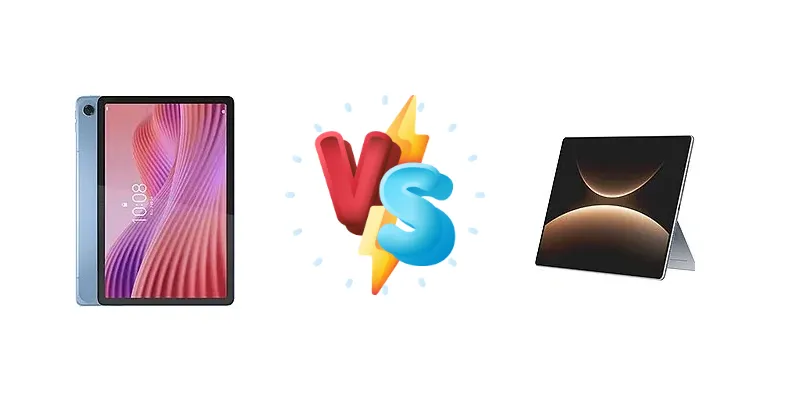
The tablet market offers a diverse range of options, but the Lenovo Tab and Huawei MatePad Edge represent distinct approaches. The Lenovo Tab aims for affordability and everyday usability, while the MatePad Edge pushes boundaries with its incredibly fast charging capabilities. This comparison dissects their core components to determine which tablet best suits your needs.
🏆 Quick Verdict
For the average user prioritizing speed and convenience, the Huawei MatePad Edge is the clear winner. Its 140W charging dramatically reduces downtime, and the Kirin X90A chipset promises a smoother experience. However, budget-conscious users will find the Lenovo Tab a capable, if slower, alternative.
| Network |
|---|
| 2G bands | GSM 850 / 900 / 1800 / 1900 - cellular model only | N/A |
| 3G bands | HSDPA 850 / 900 / 2100 - cellular model only | N/A |
| 4G bands | LTE - cellular model only | N/A |
| EDGE | - | No |
| GPRS | - | No |
| Speed | HSPA, LTE - cellular model only | - |
| Technology | GSM / HSPA / LTE | No cellular connectivity |
| Launch |
|---|
| Announced | 2025, August 14 | 2025, November 25 |
| Status | Available. Released 2025, August 18 | Available. Released 2025, November 25 |
| Body |
|---|
| Build | Glass front, plastic frame, plastic back | - |
| Dimensions | 235.7 x 154.5 x 7.5 mm (9.28 x 6.08 x 0.30 in) | 312.1 x 212 x 6.9 mm (12.29 x 8.35 x 0.27 in) |
| SIM | Nano-SIM (cellular model only) | No |
| Weight | 425 g (14.99 oz) | 789 g (1.74 lb) |
| Display |
|---|
| Resolution | 1200 x 1920 pixels, 16:10 ratio (~224 ppi density) | 3120 x 2080 pixels, 3:2 ratio (~264 ppi density) |
| Size | 10.1 inches, 295.8 cm2 (~81.2% screen-to-body ratio) | 14.2 inches, 600.4 cm2 (~90.7% screen-to-body ratio) |
| Type | IPS LCD, 400 nits (typ) | OLED, 1B colors, 120Hz, 1000 nits (peak), HDR Vivid |
| Platform |
|---|
| CPU | Octa-core (2x2.0 GHz Cortex-A75 & 6x1.8 GHz Cortex-A55) | Octa-core |
| Chipset | Mediatek Helio G85 (12 nm) | Kirin X90A |
| GPU | Mali-G52 MC2 | - |
| OS | Android 14 | HarmonyOS 5.1 |
| Memory |
|---|
| Card slot | microSDXC (dedicated slot) | No |
| Internal | 64GB 4GB RAM, 128GB 4GB RAM | 256GB 16GB RAM, 512GB 16GB RAM, 1TB 24GB RAM, 1TB 24GB RAM SSD, 2TB 32GB RAM SSD |
| Main Camera |
|---|
| Dual | - | 50 MP, f/1.8, (wide), PDAF
8 MP, f/2.2, (ultrawide) |
| Features | - | Color spectrum sensor, LED flash, HDR, panorama |
| Single | 8 MP, AF | - |
| Video | 1080p | 4K@30fps, 1080p@30fps |
| Selfie camera |
|---|
| Single | 5 MP | 32 MP, f/2.4 |
| Video | 720p | 1080p@30fps |
| Sound |
|---|
| 35mm jack | Yes | No |
| Loudspeaker | Yes, with stereo speakers (with Dolby Atmos) | Yes, with stereo speakers (6 speakers) |
| Comms |
|---|
| Bluetooth | 5.3, A2DP, LE | 5.2, A2DP, LE, L2HC |
| NFC | No | No |
| Positioning | GPS, GLONASS, GALILEO, BDS - cellular model only | No |
| Radio | FM radio | No |
| USB | USB Type-C 2.0 | USB Type-C 3.1, OTG |
| WLAN | Wi-Fi 802.11 a/b/g/n/ac, dual-band, Wi-Fi Direct | Wi-Fi 802.11 a/b/g/n/ac/6/7, dual-band |
| Features |
|---|
| Sensors | Accelerometer, proximity (accessories only) | Fingerprint, accelerometer, gyro, proximity (accessories only) |
| Battery |
|---|
| Charging | 15W wired | 140W wired
40W reverse wired |
| Type | Li-Ion 5100 mAh | 12900 mAh |
| Misc |
|---|
| Colors | Polar Blue, Luna Grey | Gray, Silver |
| Models | ZAEH0019IN, ZAEH0180IN, ZAEJ0054IN | QXS-W00, QXS-W10, QXS-W20 |
| Price | About 110 EUR | About 730 EUR |
Lenovo Tab
- More affordable price point
- Reliable performance for basic tasks
- Established Android ecosystem
- Slow 15W charging
- Less powerful processor
- Potentially lower-quality display
Huawei MatePad Edge
- Ultra-fast 140W charging
- More powerful Kirin X90A chipset
- 40W reverse wired charging
- Higher price tag
- Potential software limitations (Huawei)
- Battery capacity unknown
Display Comparison
Display specifications are absent for both devices, but considering the market positioning, the Lenovo Tab likely features a standard LCD panel, while the MatePad Edge may incorporate an IPS LCD or potentially an OLED panel. The absence of details like resolution and refresh rate makes a direct comparison difficult. However, the MatePad Edge's higher price point suggests a potentially superior display experience with better color accuracy and viewing angles. Bezels are also a key factor, and the MatePad Edge, being a newer device, likely benefits from slimmer bezels.
Camera Comparison
Camera details are unavailable for either device. Given the typical focus of tablets, camera quality is unlikely to be a primary differentiator. However, Huawei generally emphasizes camera technology, so the MatePad Edge may offer a slightly more refined camera experience. It's reasonable to assume both tablets will feature basic rear and front-facing cameras suitable for video calls and casual snapshots.
Performance
The core difference lies in the chipsets. The Lenovo Tab utilizes the Mediatek Helio G85, a 12nm process chipset with an octa-core configuration (2x2.0 GHz Cortex-A75 & 6x1.8 GHz Cortex-A55). This is a capable processor for everyday tasks, but will struggle with demanding games or heavy multitasking. Conversely, the Huawei MatePad Edge boasts the Kirin X90A, an octa-core chipset built on an undisclosed process node. While core counts are similar, the Kirin X90A is expected to offer significantly improved performance due to architectural advancements and potentially a more efficient manufacturing process. The lack of RAM specifications for both devices makes a complete performance assessment impossible, but the Kirin X90A’s superior processing power will likely translate to a smoother, more responsive user experience.
Battery Life
Battery capacity is not specified for either device. However, the charging capabilities are drastically different. The Lenovo Tab supports 15W wired charging, which is relatively slow by today's standards. The Huawei MatePad Edge, on the other hand, features an astonishing 140W wired charging, allowing for incredibly fast top-ups. Furthermore, the MatePad Edge includes 40W reverse wired charging, enabling it to charge other devices. This feature is absent on the Lenovo Tab. Even if the Lenovo Tab had a larger battery capacity, the MatePad Edge’s charging speed would likely result in less perceived downtime.
Buying Guide
Buy the Lenovo Tab if you need a reliable, affordable tablet for basic tasks like media consumption, web browsing, and light productivity. It's ideal for students or families on a budget. Buy the Huawei MatePad Edge if you prioritize performance, rapid charging, and are willing to invest in a more premium experience. This tablet is best suited for power users, content creators, and those who demand minimal downtime.
Frequently Asked Questions
❓ How long does it realistically take to fully charge the Huawei MatePad Edge with the 140W charger?
While a precise figure requires testing, 140W charging suggests a full charge from 0% to 100% could be achieved in under 30 minutes, potentially even closer to 20-25 minutes, depending on battery capacity and thermal throttling. This is a significant advantage over the Lenovo Tab's 15W charging.
❓ Does the Kirin X90A chipset in the Huawei MatePad Edge support advanced gaming features like ray tracing or variable rate shading?
Details regarding the Kirin X90A's gaming capabilities are limited. While it's a more powerful chipset than the Helio G85, it's unlikely to support cutting-edge features like ray tracing found in flagship smartphone processors. However, it should provide a smoother gaming experience with higher frame rates in most mobile games compared to the Lenovo Tab.
❓ What are the potential software limitations of the Huawei MatePad Edge due to the lack of full Google Mobile Services (GMS)?
Huawei's tablets typically run HarmonyOS, which lacks full GMS support. This means users may need to rely on Huawei's AppGallery for app downloads and may encounter compatibility issues with certain apps that heavily rely on GMS. Workarounds exist, but they can be complex and may not be suitable for all users.