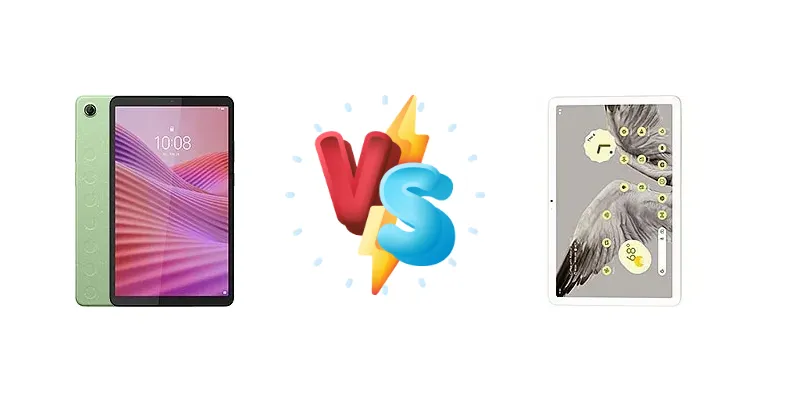
The Android tablet market is heating up, with Google re-entering the fray with the Pixel Tablet. But does its Tensor G2 chip and smart home integration justify the price premium over established options like the Lenovo Tab One? We dissect both tablets to reveal which one delivers the best experience for your money.
🏆 Quick Verdict
For most users, the Google Pixel Tablet offers a more compelling experience thanks to its significantly more powerful Tensor G2 chipset. However, the Lenovo Tab One’s exceptional 80:53h battery endurance and lower price point make it the superior choice for those prioritizing longevity and budget.
| Network |
|---|
| 2G bands | GSM 850 / 900 / 1800 / 1900 - cellular model only | N/A |
| 3G bands | HSDPA 850 / 900 / 1700(AWS) / 1900 / 2100 - cellular model only | N/A |
| 4G bands | 1, 2, 3, 4, 5, 7, 8, 12, 13, 17, 18, 19, 20, 26, 28, 38, 40, 41, 66 - cellular model only | N/A |
| EDGE | - | No |
| GPRS | - | No |
| Speed | HSPA, LTE - cellular model only | - |
| Technology | GSM / HSPA / LTE | No cellular connectivity |
| Launch |
|---|
| Announced | 2025, March | 2023, May 10 |
| Status | Available. Released 2025, March | Available. Released 2023, June 20 |
| Body |
|---|
| Build | Glass front, plastic frame, plastic back | Glass front, aluminum frame, aluminum back |
| Dimensions | 211 x 124.8 x 8.5 mm (8.31 x 4.91 x 0.33 in) | 258 x 169 x 8.1 mm (10.16 x 6.65 x 0.32 in) |
| SIM | Nano-SIM (cellular model only) | No |
| Weight | 320 g (11.29 oz) | 493 g (1.09 lb) |
| | - | Stylus support |
| Display |
|---|
| Protection | Mohs level 4 | - |
| Resolution | 800 x 1340 pixels, 5:3 ratio (~179 ppi density) | 1600 x 2560 pixels, 16:10 ratio (~276 ppi density) |
| Size | 8.7 inches, 214.9 cm2 (~81.6% screen-to-body ratio) | 10.95 inches, 347.7 cm2 (~79.7% screen-to-body ratio) |
| Type | TFT LCD, 480 nits (typ) | IPS LCD |
| Platform |
|---|
| CPU | Octa-core (2x2.0 GHz Cortex-A75 & 6x1.8 GHz Cortex-A55) | Octa-core (2x2.85 GHz Cortex-X1 & 2x2.35 GHz Cortex-A78 & 4x1.80 GHz Cortex-A55) |
| Chipset | Mediatek Helio G85 (12 nm) | Google Tensor G2 (5 nm) |
| GPU | Mali-G52 MC2 | Mali-G710 MP7 |
| OS | Android 14 | Android 13, upgradable to Android 15 |
| Memory |
|---|
| Card slot | microSDXC (dedicated slot) | No |
| Internal | 64GB 4GB RAM, 128GB 4GB RAM | 128GB 8GB RAM, 256GB 8GB RAM |
| | - | UFS 3.1 |
| Main Camera |
|---|
| Features | - | HDR, panorama |
| Single | 8 MP, AF | 8 MP, f/2.0, 24mm (wide), 1/4.0", 1.12µm |
| Video | 1080p | 1080p@30fps |
| Selfie camera |
|---|
| Features | - | HDR, panorama |
| Single | 2 MP | 8 MP, f/2.0, 24mm (wide), 1/4.0", 1.12µm |
| Video | 720p | 1080p@30fps |
| Sound |
|---|
| 3.5mm jack | - | No |
| 35mm jack | Yes | No |
| Loudspeaker | Yes, with stereo speakers (with Dolby Atmos) | Yes, with stereo speakers (4 speakers) |
| Comms |
|---|
| Bluetooth | 5.3, A2DP, LE | 5.2, A2DP, LE |
| NFC | No | No |
| Positioning | GPS, GLONASS, GALILEO, BDS - cellular model only | No |
| Radio | FM radio | No |
| USB | USB Type-C 2.0 | USB Type-C 3.2 (Gen 1), magnetic connector |
| WLAN | Wi-Fi 802.11 a/b/g/n/ac, dual-band, Wi-Fi Direct | Wi-Fi 802.11 a/b/g/n/ac/6, dual-band |
| Features |
|---|
| Sensors | Accelerometer, proximity (accessories only) | Accelerometer, gyro, compass, proximity (accessories only) |
| | - | Ultra Wideband (UWB) support |
| Battery |
|---|
| Charging | 20W wired | 15W wired |
| Type | Li-Ion 5100 mAh | Li-Po 7020 mAh (27 Wh) |
| Misc |
|---|
| Colors | Luna grey, Seafoam green | Porcelain, Hazel, Rose |
| Models | TB305FU | GA06156-EU, GA06157-EU, GA06158-EU |
| Price | $ 99.99 | About 670 EUR |
| EU LABEL |
|---|
| Battery | 80:53h endurance, 1000 cycles | - |
| Energy | Class D | - |
| Free fall | Class E (3 falls) | - |
| Repairability | Class A | - |
Lenovo Tab One
- Exceptional battery life (80:53h endurance)
- Long-lasting battery health (1000 charge cycles)
- More affordable price point
- Less powerful processor (Helio G85)
- Potentially lower display quality
Google Pixel Tablet
- Powerful Tensor G2 processor
- Superior performance for gaming and multitasking
- Google’s software features and smart home integration
- Shorter battery life
- Slower 15W charging
- Higher price
Display Comparison
While display specs are missing for the Lenovo Tab One, the Pixel Tablet’s 10.95-inch LCD is a solid performer. The key differentiator here isn’t likely to be resolution, but rather the processing power behind rendering content. The Pixel Tablet benefits from the Tensor G2’s image signal processor for potentially more accurate colors. The Tab One, relying on the Helio G85, will likely offer a more standard visual experience. Without knowing the Tab One’s refresh rate, it’s safe to assume the Pixel Tablet’s smoother performance will be noticeable in scrolling and animations.
Camera Comparison
Camera details are absent for the Lenovo Tab One, but tablet cameras are rarely a primary purchasing factor. The Pixel Tablet benefits from Google’s computational photography expertise, leveraging the Tensor G2’s ISP for improved image processing. While neither tablet will rival flagship smartphone cameras, the Pixel Tablet is likely to produce more detailed and vibrant photos, especially in challenging lighting conditions. The absence of camera specs for the Tab One suggests a more basic implementation.
Performance
The performance gap between these two tablets is substantial. The Google Pixel Tablet’s Tensor G2, built on a 5nm process, boasts a Cortex-X1 prime core clocked at 2.85 GHz, alongside Cortex-A78 performance cores. This is a significant leap over the Lenovo Tab One’s Mediatek Helio G85 (12nm) which utilizes Cortex-A75 and A55 cores peaking at 2.0 GHz. The Tensor G2’s architecture allows for faster app loading, smoother multitasking, and a more responsive user experience. The 5nm process also translates to better thermal efficiency, potentially mitigating throttling during sustained workloads. The Tab One will handle basic tasks adequately, but the Pixel Tablet is the clear winner for demanding applications and gaming.
Battery Life
Battery life is where the Lenovo Tab One shines. Its reported 80:53h endurance is exceptional, likely due to the power efficiency of the Helio G85 chipset and a larger battery capacity (spec not provided). The Google Pixel Tablet, while offering a respectable experience, is limited by its 15W wired charging and the power demands of the Tensor G2. While the Pixel Tablet’s smart home hub functionality may require it to be docked and charging frequently, the Tab One offers true all-day (and potentially multi-day) usage on a single charge. The Tab One also boasts 1000 charge cycles, suggesting a longer lifespan.
Buying Guide
Buy the Lenovo Tab One if you need a tablet primarily for extended media consumption, reading, or basic productivity tasks and value long battery life above all else. Its Helio G85 chipset is sufficient for everyday tasks. Buy the Google Pixel Tablet if you prioritize performance for gaming, multitasking, and benefit from Google’s software features and smart home integration, and are willing to compromise on battery endurance.
Frequently Asked Questions
❓ Does the Mediatek Helio G85 in the Lenovo Tab One struggle with demanding games like Genshin Impact?
Yes, the Helio G85 is a mid-range chipset and will likely require significant graphics settings reductions to achieve playable frame rates in graphically intensive games like Genshin Impact. It's better suited for casual gaming and less demanding titles.
❓ How does the Google Pixel Tablet’s charging speed compare to other tablets, and is 15W sufficient?
15W charging is relatively slow compared to many modern tablets offering 25W or even 45W charging. While it will charge the Pixel Tablet overnight, it takes considerably longer to reach a full charge, especially given the Tensor G2’s power consumption. The dock helps mitigate this by keeping it charged while in use.
❓ Is the Lenovo Tab One a good choice for students taking notes and reading e-books?
Absolutely. The Tab One’s exceptional battery life makes it ideal for all-day use in a classroom or library. While the display specifics are unknown, its likely sufficient for reading and note-taking, and the lower price point makes it a less risky investment for student use.
❓ Can the Google Pixel Tablet effectively replace a traditional Android smart display like a Nest Hub?
Yes, the Pixel Tablet is designed to function as a smart display when docked. It offers hands-free Google Assistant access, photo frame functionality, and smart home controls, making it a versatile device for both tablet and smart display purposes.