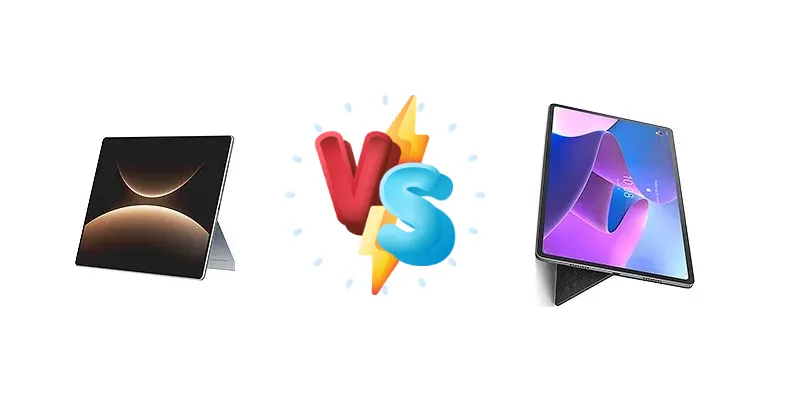
The tablet market is heating up, with Huawei and Lenovo offering compelling options for productivity and entertainment. The Huawei MatePad Edge arrives with a focus on blazing-fast 140W charging and Huawei’s Kirin X90A chipset, while the Lenovo Tab P12 Pro leverages the proven Qualcomm Snapdragon 870 5G platform. This comparison dissects the key differences to help you choose the right tablet for your needs.
🏆 Quick Verdict
For users prioritizing raw charging speed and potentially optimized software integration within the Huawei ecosystem, the MatePad Edge is the winner. However, the Lenovo Tab P12 Pro offers a more established and broadly compatible platform with the Snapdragon 870, making it the better choice for most users seeking a balanced experience.
| Network |
|---|
| 2G bands | N/A | GSM 850 / 900 / 1800 / 1900 |
| 3G bands | N/A | HSDPA 850 / 900 / 1900 / 2100 |
| 4G bands | N/A | 1, 2, 3, 4, 5, 7, 8, 19, 20, 26, 28, 34, 38, 39, 40, 41 |
| 5G bands | - | 1, 3, 7, 8, 20, 28, 38, 41, 77, 78 SA/NSA/Sub6 |
| EDGE | No | - |
| GPRS | No | - |
| Speed | - | HSPA, LTE, 5G - cellular model only |
| Technology | No cellular connectivity | GSM / HSPA / LTE / 5G |
| Launch |
|---|
| Announced | 2025, November 25 | 2021, September 08 |
| Status | Available. Released 2025, November 25 | Available. Released 2021, November 19 |
| Body |
|---|
| Dimensions | 312.1 x 212 x 6.9 mm (12.29 x 8.35 x 0.27 in) | 285.6 x 184.5 x 5.6 mm (11.24 x 7.26 x 0.22 in) |
| SIM | No | Nano-SIM (cellular model only) |
| Weight | 789 g (1.74 lb) | 565 g (1.25 lb) |
| | - | Stylus support |
| Display |
|---|
| Resolution | 3120 x 2080 pixels, 3:2 ratio (~264 ppi density) | 1600 x 2560 pixels, 16:10 ratio (~240 ppi density) |
| Size | 14.2 inches, 600.4 cm2 (~90.7% screen-to-body ratio) | 12.6 inches, 460.3 cm2 (~87.4% screen-to-body ratio) |
| Type | OLED, 1B colors, 120Hz, 1000 nits (peak), HDR Vivid | AMOLED, 120Hz, HDR10+, Dolby Vision, 600 nits (HBM) |
| Platform |
|---|
| CPU | Octa-core | Octa-core (1x3.2 GHz Kryo 585 & 3x2.42 GHz Kryo 585 & 4x1.80 GHz Kryo 585) |
| Chipset | Kirin X90A | Qualcomm SM8250-AC Snapdragon 870 5G (7 nm) |
| GPU | - | Adreno 650 |
| OS | HarmonyOS 5.1 | Android 11 |
| Memory |
|---|
| Card slot | No | microSDXC (dedicated slot) |
| Internal | 256GB 16GB RAM, 512GB 16GB RAM, 1TB 24GB RAM, 1TB 24GB RAM SSD, 2TB 32GB RAM SSD | 128GB 6GB RAM, 256GB 8GB RAM |
| Main Camera |
|---|
| Dual | 50 MP, f/1.8, (wide), PDAF
8 MP, f/2.2, (ultrawide) | 13 MP, (wide), AF
5 MP, (ultrawide) |
| Features | Color spectrum sensor, LED flash, HDR, panorama | - |
| Video | 4K@30fps, 1080p@30fps | 4K@30fps, 1080p@30fps |
| Selfie camera |
|---|
| Single | 32 MP, f/2.4 | 8 MP, (wide)
8 MP, IR TOF 3D, (biometrics sensor only) |
| Video | 1080p@30fps | 1080p@30fps |
| Sound |
|---|
| 3.5mm jack | - | No |
| 35mm jack | No | No |
| Loudspeaker | Yes, with stereo speakers (6 speakers) | Yes, with stereo speakers (4 speakers) |
| | - | JBL speakers |
| Comms |
|---|
| Bluetooth | 5.2, A2DP, LE, L2HC | 5.2, A2DP, LE |
| NFC | No | Yes (wireless charging and data transfer only) |
| Positioning | No | GPS, GLONASS, BDS - cellular model only |
| Radio | No | Unspecified |
| USB | USB Type-C 3.1, OTG | USB Type-C 3.1 |
| WLAN | Wi-Fi 802.11 a/b/g/n/ac/6/7, dual-band | Wi-Fi 802.11 a/b/g/n/ac/6, dual-band, Wi-Fi Direct |
| Features |
|---|
| Sensors | Fingerprint, accelerometer, gyro, proximity (accessories only) | Fingerprint (side-mounted), accelerometer, gyro, proximity |
| Battery |
|---|
| Charging | 140W wired
40W reverse wired | 45W wired, QC4 |
| Type | 12900 mAh | Li-Po 10200 mAh |
| Misc |
|---|
| Colors | Gray, Silver | Storm Grey |
| Models | QXS-W00, QXS-W10, QXS-W20 | TB-Q706Z, TB-Q706F |
| Price | About 730 EUR | About 520 EUR |
Huawei MatePad Edge
- Blazing-fast 140W wired charging
- 40W reverse wired charging for powering other devices
- Potential for optimized Huawei software experience
- Kirin X90A chipset lacks detailed specifications
- Potential software limitations outside of Huawei ecosystem
Lenovo Tab P12 Pro
- Proven Qualcomm Snapdragon 870 5G performance
- Wider app compatibility and developer support
- More open Android experience
- Slower 45W charging compared to MatePad Edge
- Lacks reverse wireless charging
Display Comparison
While both tablets likely feature high-resolution displays, the context data doesn't provide specifics. However, given Lenovo’s history with OLED panels in the P12 Pro, it likely boasts superior contrast and color accuracy compared to what Huawei typically offers. The absence of display specs for the MatePad Edge is a notable omission. The Snapdragon 870’s Adreno 660 GPU will benefit from a high refresh rate display, if present, for smoother visuals, a feature Lenovo often includes. Bezels are also a key consideration, and without specific data, it's difficult to determine which tablet offers a more immersive viewing experience.
Camera Comparison
The provided data doesn’t offer camera specifications for either device. Given the tablet form factor, camera quality is less critical than on smartphones. However, Lenovo typically includes capable camera systems in its Pro tablets, potentially offering features like OIS (Optical Image Stabilization) for sharper images and videos. Huawei often emphasizes camera technology, so the MatePad Edge might also feature a competitive camera setup, but without specifics, it’s impossible to compare. We can assume both will have a primary and ultrawide lens, but details on sensor size and aperture are crucial for assessing image quality.
Performance
The core difference lies in the chipsets. The Lenovo Tab P12 Pro’s Qualcomm Snapdragon 870 5G (7nm) is a well-established performer, known for its efficiency and sustained performance. Its octa-core configuration (1x3.2 GHz Kryo 585, 3x2.42 GHz Kryo 585, 4x1.80 GHz Kryo 585) provides a balanced approach to handling demanding tasks. The Huawei MatePad Edge’s Kirin X90A, while octa-core, lacks detailed architectural information. Without knowing the fabrication process (e.g., 5nm, 4nm), it’s difficult to assess its thermal efficiency and sustained performance relative to the Snapdragon 870. The Snapdragon 870’s mature software optimization and wider developer support give it an edge in application compatibility and gaming performance.
Battery Life
The charging capabilities are a major differentiator. The Huawei MatePad Edge’s 140W wired charging is significantly faster than the Lenovo Tab P12 Pro’s 45W wired charging with QC4. This means the MatePad Edge can potentially charge from 0-100% in under 30 minutes, while the Tab P12 Pro will likely take over an hour. The 40W reverse wired charging on the MatePad Edge is also a unique feature, allowing it to charge other devices. While battery capacity isn’t specified, the faster charging of the MatePad Edge mitigates the impact of a potentially smaller battery, offering more usable uptime throughout the day.
Buying Guide
Buy the Huawei MatePad Edge if you absolutely need the fastest possible charging speeds and are invested in Huawei’s software and services. Its 140W charging is a game-changer for minimizing downtime. Buy the Lenovo Tab P12 Pro if you value a proven chipset, wider app compatibility, and a more open Android experience. The Snapdragon 870 provides reliable performance for demanding tasks and gaming without the potential software limitations.
Frequently Asked Questions
❓ Is the Kirin X90A chipset in the Huawei MatePad Edge likely to throttle under sustained load?
Without knowing the fabrication process and thermal design of the MatePad Edge, it's difficult to say definitively. However, the Snapdragon 870 in the Lenovo Tab P12 Pro is known for its efficient thermal management and sustained performance, making it less prone to throttling during extended gaming sessions or demanding tasks.
❓ Does the 45W charging on the Lenovo Tab P12 Pro support Power Delivery (PD) for charging other devices?
The Lenovo Tab P12 Pro supports Quick Charge 4 (QC4), which is not the same as Power Delivery (PD). While QC4 can charge some devices, it's not as universally compatible as PD. The Huawei MatePad Edge's 40W reverse *wired* charging is a more versatile solution for powering other devices.
❓ Will I encounter app compatibility issues with the Huawei MatePad Edge due to the lack of Google Mobile Services (GMS)?
Yes, this is a potential concern. The Huawei MatePad Edge runs on Huawei’s HarmonyOS, which does not include Google Mobile Services (GMS). This means you may not be able to directly install or use apps that rely on GMS, such as Google Play Store apps. Huawei offers its AppGallery as an alternative, but app availability is limited.