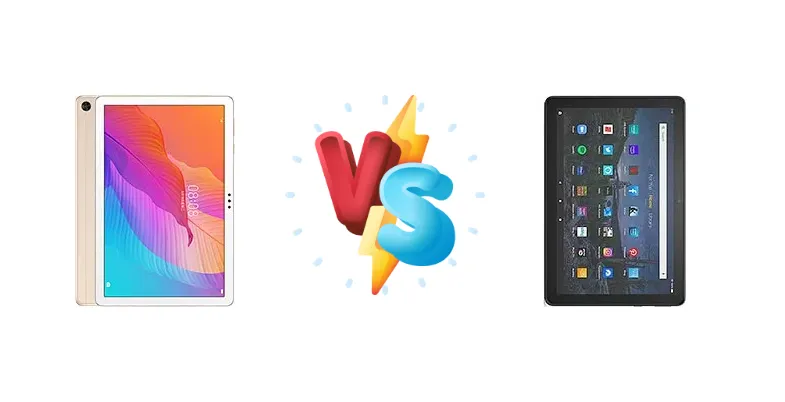
The budget tablet market is fiercely competitive, and the Huawei Enjoy Tablet 2 and Amazon Fire HD 10 Plus (2021) represent compelling options for users seeking affordable entertainment and productivity. This comparison dives deep into their specifications, focusing on the core differences in chipset architecture, charging capabilities, and overall user experience to determine which tablet delivers the most bang for your buck.
🏆 Quick Verdict
For the average user prioritizing convenience and a more versatile Android experience, the Amazon Fire HD 10 Plus (2021) emerges as the better choice. Its wireless charging capability and access to the broader Android app ecosystem, despite a slightly older process node, outweigh the Huawei Enjoy Tablet 2’s marginally different CPU configuration.
| Network |
|---|
| 2G bands | N/A | N/A |
| 3G bands | N/A | - |
| 4G bands | N/A | - |
| EDGE | No | No |
| GPRS | No | No |
| Speed | No | - |
| Technology | No cellular connectivity | No cellular connectivity |
| Launch |
|---|
| Announced | 2020, July 30. Released 2020, August 16 | 2021, April 27. Released 2021, May 26 |
| Status | Discontinued | Discontinued |
| Body |
|---|
| Dimensions | 240.2 x 159 x 7.9 mm (9.46 x 6.26 x 0.31 in) | 247 x 166 x 9.2 mm (9.72 x 6.54 x 0.36 in) |
| SIM | No | No |
| Weight | 450 g (0.99 lb) | 468 g (1.03 lb) |
| | Stylus support | - |
| Display |
|---|
| Protection | - | Aluminosilicate glass |
| Resolution | 1200 x 1920 pixels, 16:10 ratio (~224 ppi density) | 1920 x 1200 pixels, 16:10 ratio (~224 ppi density) |
| Size | 10.1 inches, 295.8 cm2 (~77.4% screen-to-body ratio) | 10.1 inches, 295.8 cm2 (~72.1% screen-to-body ratio) |
| Type | IPS LCD | IPS LCD |
| Platform |
|---|
| CPU | Octa-core (4x2.0 GHz Cortex-A73 & 4x1.7 GHz Cortex-A53) | Octa-core (4x2.0 GHz Cortex-A73 & 4x2.0 GHz Cortex-A53) |
| Chipset | Kirin 710A (14 nm) | Mediatek MT8183 Helio P60T (12 nm) |
| GPU | Mali-G51 MP4 | Mali-G72 MP3 |
| OS | Android 10, EMUI 10.1, no Google Play Services | Android 9.0 (Pie), Fire OS 7 |
| Memory |
|---|
| Card slot | microSDXC | microSDXC (dedicated slot) |
| Internal | 64GB 4GB RAM, 128GB 4GB RAM | 32GB 4GB RAM, 64GB 4GB RAM |
| | - | eMMC 5.1 |
| Main Camera |
|---|
| Features | HDR, panorama | - |
| Single | 5 MP, f/2.2, PDAF | 5 MP |
| Video | 1080p@30fps | 720p |
| Selfie camera |
|---|
| Single | 2 MP, f/2.4 | 2 MP |
| Video | - | 720p |
| Sound |
|---|
| 3.5mm jack | Yes | Yes |
| 35mm jack | Yes | Yes |
| Loudspeaker | Yes, with stereo speakers | Yes, with stereo speakers |
| | Tuned by Harman Kardon | - |
| Comms |
|---|
| Bluetooth | 5.1, A2DP, LE | 5.0, A2DP, LE |
| NFC | No | No |
| Positioning | GPS | No |
| Radio | No | No |
| USB | USB Type-C 2.0, OTG | USB Type-C 2.0, OTG |
| WLAN | Wi-Fi 802.11 a/b/g/n/ac, dual-band, Wi-Fi Direct | Wi-Fi 802.11 a/b/g/n/ac, dual-band |
| Features |
|---|
| Sensors | Accelerometer, proximity | Accelerometer |
| | - | Text-to-Speech English-language content reader |
| Battery |
|---|
| Charging | 10W wired | Wireless |
| Type | Li-Po 5100 mAh | Li-Ion |
| Misc |
|---|
| Colors | Gold, Dark Blue | Slate |
| Models | AGS3-W00D | T76N2P |
| Price | About 200 EUR | About 150 EUR |
Huawei Enjoy Tablet 2
- Potentially cleaner Android experience (depending on Huawei’s EMUI version)
- Slightly newer chipset architecture (Kirin 710A)
- May offer better software support in certain regions
- Limited to 10W wired charging
- Less versatile app ecosystem compared to standard Android
- Potentially lower sustained performance due to 14nm process
Amazon Fire HD 10 Plus (2021)
- Wireless charging for added convenience
- Access to Amazon’s extensive content ecosystem
- Potentially better sustained performance due to 12nm process
- Fire OS is a heavily customized Android experience
- Limited access to the full Google Play Store without sideloading
- May receive fewer long-term software updates
Display Comparison
Neither device boasts a particularly standout display. Both are likely utilizing IPS LCD panels, common in this price bracket. While specific nit brightness figures are unavailable, the focus here is on the underlying processing power impacting display responsiveness. The lack of high refresh rate support on either tablet suggests a focus on power efficiency rather than visual fluidity. Bezels are expected to be noticeable on both, typical for budget tablets.
Camera Comparison
Camera performance is unlikely to be a deciding factor for either tablet. Both are geared towards casual use. Without specific sensor details, it’s safe to assume both feature modest camera setups. Focusing on the chipset’s image signal processor (ISP) capabilities, the Helio P60T’s ISP, while not flagship-level, is generally considered more refined than the ISP found in the Kirin 710A, potentially leading to slightly better image processing in favorable lighting conditions. However, expectations should remain tempered.
Performance
The core difference lies in the chipsets. The Amazon Fire HD 10 Plus utilizes the Mediatek MT8183 Helio P60T, fabricated on a 12nm process. The Huawei Enjoy Tablet 2 features the Kirin 710A, built on a 14nm process. While both CPUs share the same octa-core configuration (4x2.0 GHz Cortex-A73 & 4x2.0/1.7 GHz Cortex-A53), the 12nm process of the Helio P60T *should* offer slightly improved power efficiency and potentially better sustained performance under load. This translates to potentially smoother multitasking and less thermal throttling during extended gaming sessions, despite the identical core clock speeds. The Fire HD 10 Plus’s GPU is also likely to be slightly more capable due to the process node advantage.
Battery Life
Battery capacity is not specified for either device, making a direct comparison difficult. However, the Amazon Fire HD 10 Plus gains a significant advantage with its support for wireless charging. This adds a layer of convenience absent on the Huawei Enjoy Tablet 2, which is limited to 10W wired charging. While 10W is adequate for overnight charging, the wireless charging capability of the Fire HD 10 Plus allows for topping up without the hassle of cables, making it more suitable for users who frequently use their tablet on the go.
Buying Guide
Buy the Huawei Enjoy Tablet 2 if you need a tablet primarily for basic tasks and prefer a cleaner, more stock Android experience, potentially with access to Huawei’s ecosystem. Buy the Amazon Fire HD 10 Plus (2021) if you prioritize streaming content, enjoy the convenience of wireless charging, and value the extensive Amazon services integration, even with the Fire OS limitations.
Frequently Asked Questions
❓ Does the Amazon Fire HD 10 Plus’s Fire OS significantly limit app compatibility?
Yes, Fire OS is a heavily customized version of Android and doesn't include the Google Play Store by default. While you can sideload the Play Store, it's not officially supported and can be complex. The Amazon Appstore has a smaller selection, but many popular apps are available, and you can often find alternatives.
❓ Is the Kirin 710A in the Huawei Enjoy Tablet 2 sufficient for light gaming?
The Kirin 710A is capable of handling light gaming, but don't expect high frame rates or demanding graphics settings. The 14nm process may lead to some thermal throttling during extended gaming sessions, potentially impacting performance. The Helio P60T in the Fire HD 10 Plus, with its 12nm process, may offer a slightly smoother experience.
❓ How long does it typically take to fully charge the Huawei Enjoy Tablet 2 with its 10W charging?
With 10W charging, a full charge from 0% will likely take between 3-5 hours, depending on battery capacity. This is considerably slower than the Amazon Fire HD 10 Plus’s wireless charging option, which, while not as fast as some wired solutions, offers greater convenience.
❓ Can I easily access streaming services like Netflix and Prime Video on both tablets?
Yes, both tablets support popular streaming services like Netflix and Prime Video. The Amazon Fire HD 10 Plus is particularly well-integrated with Prime Video, offering seamless access. The Huawei Enjoy Tablet 2 will require installing the respective apps from the AppGallery or sideloading them.