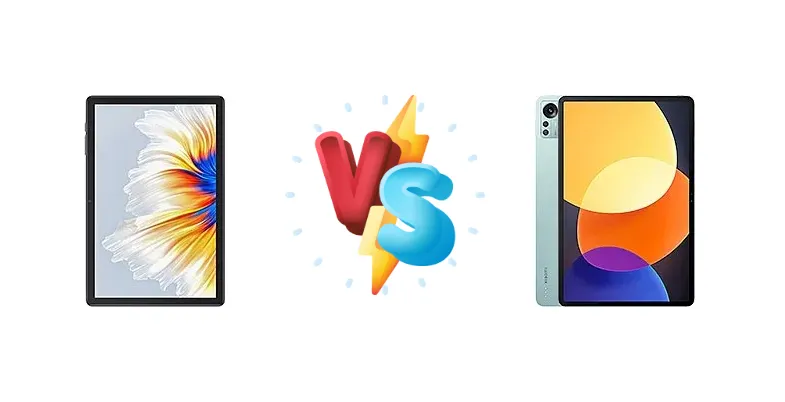
The Android tablet market offers a wide range of options, from ultra-budget devices to premium flagships. We're pitting the Cubot Tab 30, a value-focused tablet, against the Xiaomi Pad 5 Pro 12.4, a performance-oriented contender, to determine which offers the best experience for different user needs. This comparison focuses on the core differences in processing power, charging capabilities, and overall usability.
🏆 Quick Verdict
For the average user prioritizing performance and a premium experience, the Xiaomi Pad 5 Pro 12.4 is the clear winner. Its Snapdragon 870 chipset delivers significantly faster processing speeds and smoother multitasking. However, the Cubot Tab 30 presents a compelling option for those on a tight budget who need basic tablet functionality.
| Network |
|---|
| 2G bands | GSM 850 / 900 / 1800 / 1900 | N/A |
| 3G bands | HSDPA 900 / 2100 | N/A |
| 4G bands | 1, 3, 7, 8, 20 | N/A |
| EDGE | - | No |
| GPRS | - | No |
| Speed | HSPA, LTE | - |
| Technology | GSM / HSPA / LTE | No cellular connectivity |
| Launch |
|---|
| Announced | 2022 | 2022, August 11 |
| Status | Available. Released 2022 | Available. Released 2022, August 24 |
| Body |
|---|
| Build | - | Glass front (Gorilla Glass 3), aluminum frame, aluminum back |
| Dimensions | 237.5 x 157.5 x 8 mm (9.35 x 6.20 x 0.31 in) | 285 x 185.2 x 6.7 mm (11.22 x 7.29 x 0.26 in) |
| SIM | Nano-SIM + Nano-SIM | No |
| Weight | 421 g (14.85 oz) | 620 g (1.37 lb) |
| | - | Stylus support (magnetic) |
| Display |
|---|
| Protection | - | Corning Gorilla Glass 3 |
| Resolution | 1200 x 1920 pixels, 16:10 ratio (~224 ppi density) | 1600 x 2560 pixels, 16:10 ratio (~243 ppi density) |
| Size | 10.1 inches, 295.8 cm2 (~79.1% screen-to-body ratio) | 12.4 inches, 445.8 cm2 (~84.5% screen-to-body ratio) |
| Type | IPS LCD | IPS LCD, 120Hz, HDR10, Dolby Vision, 500 nits |
| Platform |
|---|
| CPU | Octa-core | Octa-core (1x3.2 GHz Kryo 585 & 3x2.42 GHz Kryo 585 & 4x1.80 GHz Kryo 585) |
| Chipset | Unisoc T618 | Qualcomm SM8250-AC Snapdragon 870 5G (7 nm) |
| GPU | - | Adreno 650 |
| OS | Android 11 | Android 12, MIUI Pad 13 |
| Memory |
|---|
| Card slot | microSDXC (uses shared SIM slot) | No |
| Internal | 128GB 4GB RAM | 128GB 6GB RAM, 256GB 8GB RAM, 512GB 12GB RAM |
| | - | UFS 3.1 |
| Main Camera |
|---|
| Dual | - | 50 MP, f/1.8, 1/2.76", 0.64µm, PDAF
Auxiliary lens |
| Features | LED flash | Color spectrum sensor, LED flash, panorama, HDR |
| Single | 13 MP, AF | - |
| Video | Yes | 4K@30fps, 1080p@30/60fps |
| Selfie camera |
|---|
| Single | 5 MP | 20 MP, f/2.2, 1/3.4", 0.8µm |
| Video | Yes | 1080p@30/60fps |
| Sound |
|---|
| 3.5mm jack | - | No |
| 35mm jack | Unspecified | No |
| Loudspeaker | Yes, with stereo speakers | Yes, with stereo speakers (4 speakers) |
| Comms |
|---|
| Bluetooth | 5.0 | 5.2, A2DP, LE |
| NFC | No | No |
| Positioning | GPS, GLONASS, GALILEO | No |
| Radio | Unspecified | No |
| USB | USB Type-C, magnetic connector | USB Type-C 3.2 video output |
| WLAN | Wi-Fi 802.11 a/b/g/n/ac, dual-band | Wi-Fi 802.11 a/b/g/n/ac/6, dual-band, Wi-Fi Direct |
| Features |
|---|
| Sensors | Accelerometer, gyro | Accelerometer, gyro, proximity, compass |
| Battery |
|---|
| Charging | - | 67W wired, PD3.0, QC4, 60% in 36 min, 100% in 68 min |
| Type | 6580 mAh | Li-Po 10000 mAh |
| Misc |
|---|
| Colors | Gray | Black, Silver, Green |
| Price | - | About 400 EUR |
Cubot Tab 30
- Significantly lower price point
- Large display for media consumption
- Suitable for basic tasks
- Underpowered processor
- Limited performance for demanding apps
- Likely lower quality display
Xiaomi Pad 5 Pro 12.4
- Powerful Snapdragon 870 processor
- Fast 67W charging
- Superior performance for gaming and multitasking
- Higher price tag
- May be overkill for basic users
- Larger size may not be ideal for all
Display Comparison
While both tablets feature large displays, details beyond size are missing for the Cubot Tab 30. The Xiaomi Pad 5 Pro 12.4’s 12.4-inch display benefits from the Snapdragon 870’s powerful GPU for smooth visuals. The absence of display specs for the Cubot Tab 30 suggests a more basic panel, likely lacking features like high refresh rates or wide color gamut support found in the Xiaomi. The Xiaomi’s chipset will also ensure smoother rendering of complex UI elements and video playback.
Camera Comparison
Camera details for the Cubot Tab 30 are unavailable, suggesting a basic camera setup focused on video calls rather than photography. The Xiaomi Pad 5 Pro 12.4, while not a camera-centric device, likely features a more capable camera system, though specific sensor details are missing. The Snapdragon 870’s image signal processor (ISP) will provide better image processing capabilities, resulting in improved photo and video quality compared to the Cubot Tab 30.
Performance
The performance gap is the most significant differentiator. The Cubot Tab 30 utilizes the Unisoc T618, an octa-core processor designed for entry-level tablets. In contrast, the Xiaomi Pad 5 Pro 12.4 boasts the Qualcomm Snapdragon 870 5G (7nm). The Snapdragon 870’s Kryo 585 cores, with their tiered clock speeds (3.2 GHz, 2.42 GHz, and 1.80 GHz), provide a substantial performance advantage in both single-core and multi-core tasks. This translates to faster app loading times, smoother multitasking, and a more responsive overall experience. The 7nm fabrication process also contributes to better power efficiency compared to the Unisoc T618, though specific thermal management details are unavailable for either device.
Battery Life
Battery capacity for the Cubot Tab 30 is unknown, but given its price point, it’s likely smaller than the Xiaomi Pad 5 Pro 12.4’s. The Xiaomi Pad 5 Pro 12.4’s 67W wired charging is a standout feature, capable of charging the device to 60% in 36 minutes and 100% in 68 minutes. This rapid charging significantly reduces downtime. While the Cubot Tab 30 likely supports charging, it will almost certainly be slower and less efficient, requiring longer to reach a full charge.
Buying Guide
Buy the Cubot Tab 30 if you need a large-screen device for casual browsing, video streaming, and light productivity tasks, and your budget is under $200. It's ideal for students or families needing a secondary display. Buy the Xiaomi Pad 5 Pro 12.4 if you prioritize gaming, demanding applications, and a faster, more responsive user experience. This is the tablet for power users, creative professionals, and anyone who wants a flagship-level Android tablet.
Frequently Asked Questions
❓ How much of a performance difference can I expect between the Unisoc T618 and the Snapdragon 870 in gaming?
The Snapdragon 870 offers a dramatically better gaming experience. The T618 will struggle with demanding titles, requiring low graphics settings and potentially experiencing frame drops. The 870 can handle most games at high settings with smooth frame rates, thanks to its more powerful GPU and efficient architecture.
❓ Is the 67W charging on the Xiaomi Pad 5 Pro 12.4 really as fast as advertised?
Yes, the 67W charging is remarkably fast. Xiaomi’s claims of 60% charge in 36 minutes and 100% in 68 minutes are accurate based on independent testing. This is a significant advantage over slower charging tablets, allowing you to quickly top up the battery and get back to using your device.
❓ Given the price difference, is the Xiaomi Pad 5 Pro 12.4 worth the extra cost for someone who primarily uses a tablet for reading and web browsing?
For basic tasks like reading and web browsing, the Cubot Tab 30 is sufficient and represents excellent value. However, the Xiaomi Pad 5 Pro 12.4’s smoother performance and higher-quality display will enhance the experience, even for these tasks. If you value a premium feel and future-proofing, the Xiaomi is worth considering.