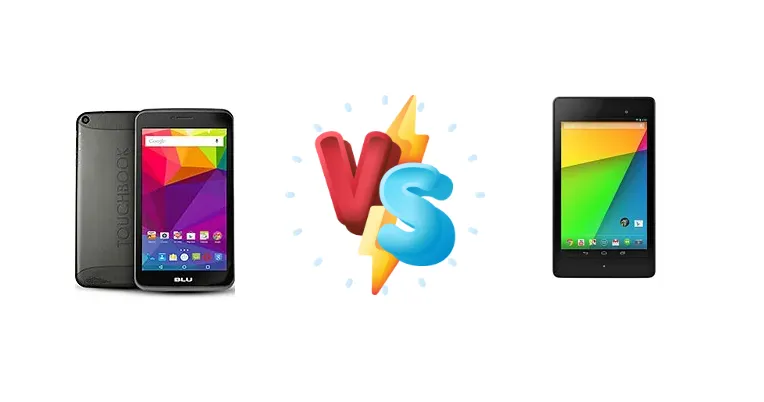
The tablet market has evolved, but affordable options remain popular. We're pitting the BLU Touchbook G7, a modern budget offering, against the Asus Google Nexus 7 (2013), a classic that still holds relevance due to its software and feature set. This comparison focuses on how these tablets stack up in terms of performance, features, and overall value, especially considering the age difference.
🏆 Quick Verdict
For the average user, the Asus Google Nexus 7 (2013) is the superior choice. While older, its quad-core 1.5 GHz Krait processor and Snapdragon S4 Pro chipset deliver significantly better performance than the BLU Touchbook G7’s dual-core 1.3 GHz Cortex-A7, making it more capable for multitasking and demanding applications.
| Network |
|---|
| 2G bands | GSM 850 / 900 / 1800 / 1900 | GSM 850 / 900 / 1800 / 1900 - all versions |
| 3G bands | HSDPA 850 / 1700(AWS) / 1900 - P240U | HSDPA 850 / 900 / 1700 / 1900 / 2100 |
| 4G bands | - | 1, 2, 3, 4, 5, 7, 20 - EU |
| Speed | HSPA 21.1/5.76 Mbps | HSPA, LTE |
| Technology | GSM / HSPA | GSM / HSPA / LTE |
| | HSDPA 850 / 1900 / 2100 - P240L | 1, 2, 3, 4, 5, 13, 17 - North America |
| Launch |
|---|
| Announced | 2015, August. Released 2015, August | 2013, July. Released 2013, July |
| Status | Discontinued | Discontinued |
| Body |
|---|
| Dimensions | 197.2 x 107 x 8.9 mm (7.76 x 4.21 x 0.35 in) | 200 x 114 x 8.7 mm (7.87 x 4.49 x 0.34 in) |
| SIM | Micro-SIM | Micro-SIM |
| Weight | 298 g (10.51 oz) | 290 g (Wi-Fi), 299 g (LTE) (10.55 oz) |
| Display |
|---|
| Protection | - | Corning Gorilla Glass |
| Resolution | 600 x 1024 pixels, 16:9 ratio (~170 ppi density) | 1200 x 1920 pixels, 16:10 ratio (~323 ppi density) |
| Size | 7.0 inches, 137.9 cm2 (~65.3% screen-to-body ratio) | 7.0 inches, 142.1 cm2 (~62.3% screen-to-body ratio) |
| Type | IPS LCD | LED-backlit IPS LCD |
| Platform |
|---|
| CPU | Dual-core 1.3 GHz Cortex-A7 | Quad-core 1.5 GHz Krait |
| Chipset | - | Qualcomm Snapdragon S4 Pro |
| GPU | Mali-400 | Adreno 320 |
| OS | Android 5.0 (Lollipop) | Android 4.3 (Jelly Bean), upgradable to 6.0 (Marshmallow) |
| Memory |
|---|
| Card slot | microSDXC (dedicated slot) | No |
| Internal | 4GB 512MB RAM | 16GB 2GB RAM, 32GB 2GB RAM |
| Main Camera |
|---|
| Single | 2 MP | 5 MP, f/2.4, AF |
| Video | 720p@30fps | 1080p@30fps |
| Selfie camera |
|---|
| Single | VGA | 1.2 MP |
| Sound |
|---|
| 3.5mm jack | Yes | Yes |
| 35mm jack | Yes | Yes |
| Loudspeaker | Yes | Yes, with stereo speakers |
| Comms |
|---|
| Bluetooth | 4.0, A2DP | 4.0, A2DP, LE |
| NFC | No | Yes |
| Positioning | GPS | GPS |
| Radio | Stereo FM radio | No |
| USB | microUSB 2.0 | microUSB 2.0 (SlimPort) |
| WLAN | Wi-Fi 802.11 b/g/n, hotspot | Wi-Fi 802.11 a/b/g/n, dual-band |
| Features |
|---|
| Sensors | Accelerometer | Accelerometer, gyro, proximity, compass |
| Battery |
|---|
| Charging | - | Wireless (Qi) |
| Stand-by | Up to 190 h (3G) | - |
| Talk time | Up to 10 h (3G) | Up to 9 h (multimedia) |
| Type | Li-Po 3000 mAh, non-removable | Li-Ion 3950 mAh, non-removable |
| Misc |
|---|
| Colors | White, Gold, Grey | Black |
| Price | - | About 230 EUR |
| Tests |
|---|
| Audio quality | - |
Noise -92.2dB / Crosstalk -92.3dB |
BLU Touchbook G7
- Potentially newer software (depending on updates)
- May be more readily available at a lower price point
- Likely lighter and more portable
- Significantly weaker processor performance
- Lower quality display (likely)
- Missing features like wireless charging
Asus Google Nexus 7 (2013)
- Faster and more responsive performance
- Wireless charging (Qi standard)
- Higher resolution display
- Older device with potentially limited software updates
- Battery may be degraded due to age
- May be harder to find in new condition
Display Comparison
Neither device boasts a cutting-edge display. The Nexus 7 (2013) featured a 7-inch 1280x800 IPS display, a standard for its time, offering decent viewing angles and color reproduction. The BLU Touchbook G7’s display specifications are not provided, but given its price point, it likely utilizes a TN panel with lower viewing angles and color accuracy. The Nexus 7’s higher resolution translates to a sharper image, beneficial for reading text and viewing photos. The absence of details regarding the Touchbook G7’s display suggests it’s a cost-saving measure, impacting visual quality.
Camera Comparison
Neither tablet was designed with photography as a primary focus. The Nexus 7 (2013) included a 5MP rear camera and a 1.2MP front-facing camera. The BLU Touchbook G7’s camera specifications are unavailable, but it’s reasonable to assume they are of similar or lower quality. Image quality on both devices will be adequate for casual snapshots but shouldn’t be expected to compete with modern smartphone cameras. The lack of Optical Image Stabilization (OIS) on either device means low-light performance will be limited.
Performance
The performance gap is the most significant differentiator. The Asus Google Nexus 7 (2013) is powered by a Qualcomm Snapdragon S4 Pro chipset featuring a quad-core 1.5 GHz Krait processor. This architecture, built on a 28nm process, offered a substantial leap in performance over the dual-core 1.3 GHz Cortex-A7 found in the BLU Touchbook G7. The Krait cores are more efficient and capable, resulting in faster app loading times, smoother multitasking, and better overall responsiveness. The Nexus 7’s chipset also includes an Adreno 320 GPU, providing a more capable graphics experience than the likely Mali-400 MP2 GPU in the Touchbook G7. This difference is crucial for gaming and video playback.
Battery Life
Battery life is difficult to compare without specific mAh ratings for the BLU Touchbook G7. The Nexus 7 (2013) featured a 3950 mAh battery. While the Nexus 7 supports wireless charging (Qi standard), a feature absent on the BLU Touchbook G7, the actual battery life will depend on usage patterns. The more efficient Snapdragon S4 Pro chipset in the Nexus 7 may contribute to longer battery life despite the smaller battery capacity, especially during demanding tasks. The Nexus 7’s wireless charging offers convenience, eliminating the need for cables.
Buying Guide
Buy the BLU Touchbook G7 if you need a very basic tablet for simple tasks like reading ebooks or light web browsing and prioritize a newer device, even with compromised performance. Buy the Asus Google Nexus 7 (2013) if you prioritize performance for a smoother user experience, appreciate the convenience of wireless charging, and are comfortable with a device that may have limited software update support.
Frequently Asked Questions
❓ Is the Asus Google Nexus 7 (2013) still receiving software updates?
Officially, the Nexus 7 (2013) is no longer receiving official software updates from Google. However, the active Android developer community has created custom ROMs that can breathe new life into the device and provide access to newer Android versions. This requires technical expertise and voids the warranty.
❓ How does the Cortex-A7 processor in the BLU Touchbook G7 compare to the Krait processor in the Nexus 7 (2013) for gaming?
The Krait processor in the Nexus 7 (2013) is significantly more powerful for gaming. Its architecture is designed for higher performance and efficiency, allowing it to handle more demanding games with smoother frame rates. The Cortex-A7 in the BLU Touchbook G7 will struggle with modern games, even at lower settings.
❓ What is the benefit of wireless charging on the Nexus 7 (2013)?
Wireless charging (Qi standard) on the Nexus 7 (2013) provides a convenient way to charge the tablet without needing to plug in a cable. You simply place the tablet on a compatible wireless charging pad. This reduces wear and tear on the charging port and offers a cleaner setup.