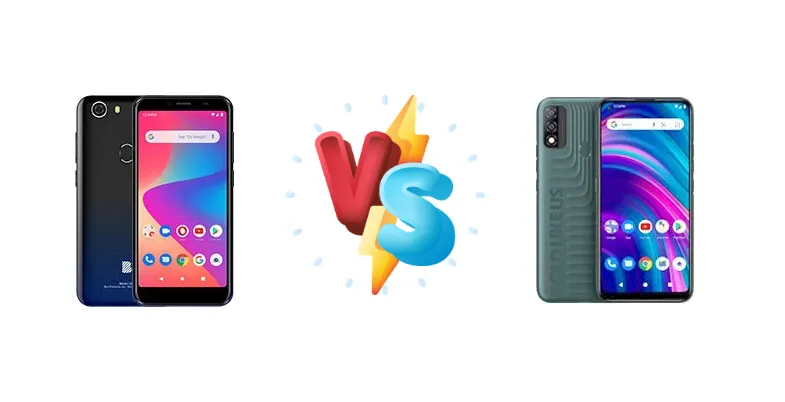
BLU consistently targets the ultra-budget smartphone market, and the G50 and G51S represent their latest offerings. While both devices aim to deliver essential smartphone functionality at a low price point, subtle differences in their specifications could make one a better fit for specific users. This comparison dissects those differences to help you choose.
🏆 Quick Verdict
For the average user prioritizing a slightly more modern device, the BLU G51S is the better choice. While both phones share the same CPU, the G51S's potential for software updates and slightly improved feature set, even if minor, gives it a slight edge in long-term usability.
| Network |
|---|
| 2G bands | GSM 850 / 900 / 1800 / 1900 | GSM 850 / 900 / 1800 / 1900 |
| 3G bands | HSDPA 850 / 900 / 1700(AWS) / 1900 / 2100 | HSDPA 850 / 900 / 1700(AWS) / 1900 / 2100 |
| 4G bands | 1, 2, 3, 4, 5, 7, 12, 17, 28 | 1, 2, 3, 4, 5, 7, 12, 17, 28 |
| Speed | HSPA, LTE | HSPA, LTE |
| Technology | GSM / HSPA / LTE | GSM / HSPA / LTE |
| Launch |
|---|
| Announced | 2020, September 18. Released 2020, September 18 | 2022, January |
| Status | Discontinued | Available. Released 2022, January |
| Body |
|---|
| Dimensions | 147.8 x 70.9 x 10.1 mm (5.82 x 2.79 x 0.40 in) | 162.4 x 77.5 x 9 mm (6.39 x 3.05 x 0.35 in) |
| SIM | Nano-SIM + Nano-SIM | Dual SIM (Nano-SIM, dual stand-by) |
| Weight | 190 g (6.70 oz) | 185 g (6.53 oz) |
| Display |
|---|
| Resolution | 720 x 1440 pixels, 18:9 ratio (~293 ppi density) | 720 x 1560 pixels, 19.5:9 ratio (~268 ppi density) |
| Size | 5.5 inches, 78.1 cm2 (~74.5% screen-to-body ratio) | 6.4 inches, 100.5 cm2 (~79.9% screen-to-body ratio) |
| Type | IPS LCD | IPS LCD |
| Platform |
|---|
| CPU | Octa-core 1.6 GHz Cortex-A55 | Octa-core 1.6 GHz Cortex-A55 |
| GPU | IMG8322 | - |
| OS | Android 10 | Android 11 (Go edition) |
| Memory |
|---|
| Card slot | microSDXC | microSDXC |
| Internal | 32GB 2GB RAM | 32GB 2GB RAM |
| | eMMC 5.1 | - |
| Main Camera |
|---|
| Dual | - | 13 MP
Auxiliary lens |
| Features | LED flash, HDR, panorama | LED flash |
| Single | 13 MP, AF | - |
| Video | 1080p@30fps | 1080p@30fps |
| Selfie camera |
|---|
| Single | 8 MP | 8 MP |
| Video | 720p@30fps | 720p@30fps |
| Sound |
|---|
| 3.5mm jack | Yes | Yes |
| 35mm jack | Yes | Yes |
| Loudspeaker | Yes | Yes |
| Comms |
|---|
| Bluetooth | 4.1, A2DP, LE | 4.2, A2DP, LE |
| NFC | No | No |
| Positioning | GPS | GPS |
| Radio | FM radio | FM radio |
| USB | USB Type-C 2.0 | USB Type-C 2.0 |
| WLAN | Wi-Fi 802.11 b/g/n, Wi-Fi Direct | Wi-Fi 802.11 b/g/n, Wi-Fi Direct |
| Features |
|---|
| Sensors | Fingerprint (rear-mounted), accelerometer, proximity | Fingerprint (rear-mounted), accelerometer, proximity |
| Battery |
|---|
| Charging | 10W wired | - |
| Type | Li-Po 4000 mAh | Li-Po 4000 mAh |
| Misc |
|---|
| Colors | Black, Blue, Red, Green | Bronze, Gradient Blue, Green, Red |
| Price | About 70 EUR | About 80 EUR |
BLU G50
- Extremely affordable price point
- Decent performance for basic tasks
- Likely good battery life due to efficient CPU
- Limited software support likely
- Potentially outdated design
- Slow charging speed (10W)
BLU G51S
- Potentially more frequent software updates
- Slightly more modern feature set
- Affordable price point
- Performance is identical to the G50
- Charging speed likely remains slow
- Camera quality likely similar to the G50
Display Comparison
Both the BLU G50 and G51S lack detailed display specifications in the provided data. Given their price point, it's reasonable to assume both utilize LCD panels with 720p+ resolution. The absence of information regarding refresh rates suggests both are likely capped at the standard 60Hz. Without further data, it's impossible to assess color accuracy or brightness levels, but users should expect typical budget smartphone display performance.
Camera Comparison
The provided data doesn't detail camera specifications beyond the presence of a camera system. In the budget segment, camera performance is often a significant compromise. It's highly probable both phones feature a primary camera alongside auxiliary lenses (likely a depth or macro sensor). Without knowing sensor sizes, apertures, or image processing capabilities, it's difficult to assess image quality. Users should manage expectations and anticipate average results in good lighting conditions, with significant degradation in low light.
Performance
Both the BLU G50 and G51S are powered by the same Octa-core 1.6 GHz Cortex-A55 CPU. This indicates similar processing power for everyday tasks like browsing, messaging, and running basic apps. However, the Cortex-A55 architecture is an efficiency core, meaning it prioritizes power saving over raw performance. Demanding tasks like gaming or video editing will likely result in noticeable slowdowns on both devices. The lack of information regarding RAM capacity is a significant omission; more RAM would improve multitasking performance. Thermal management is unlikely to be a concern given the low-power CPU.
Battery Life
The BLU G50 features 10W wired charging. The G51S charging speed is not specified, but it's reasonable to assume it's also 10W, given the price bracket. Battery capacity is also unknown for both devices. However, with the power-efficient Cortex-A55 CPU, both phones should be able to achieve all-day battery life with moderate usage. The 10W charging speed will result in relatively slow charging times; a full charge from 0-100% will likely take several hours.
Buying Guide
Buy the BLU G50 if you need a functional, extremely affordable smartphone for basic tasks like calls, texts, and light social media use, and are comfortable with potentially limited software support. Buy the BLU G51S if you prefer a device that *might* receive more frequent software updates, and appreciate any incremental improvements in features or design, even within the same budget segment.
Frequently Asked Questions
❓ Given the identical CPUs, will I notice any performance difference between the BLU G50 and G51S in everyday use?
No, you are unlikely to notice a significant performance difference in everyday tasks. Both phones utilize the same Octa-core 1.6 GHz Cortex-A55 processor, which is designed for efficiency rather than raw speed. The difference will be negligible for basic operations like browsing, messaging, and social media.
❓ How long will it take to fully charge the BLU G50 with its 10W charging?
With the BLU G50's 10W charging, a full charge from 0% to 100% will likely take between 3 to 5 hours, depending on battery capacity (which is not specified). This is a relatively slow charging speed compared to modern smartphones, so it's best to charge overnight.
❓ Is the camera on either of these phones good enough for taking clear photos of documents?
While both phones have cameras, their quality is likely limited. Document scanning may be possible in good lighting conditions, but expect some distortion and lack of sharpness. Dedicated document scanning apps with perspective correction features would be highly recommended.