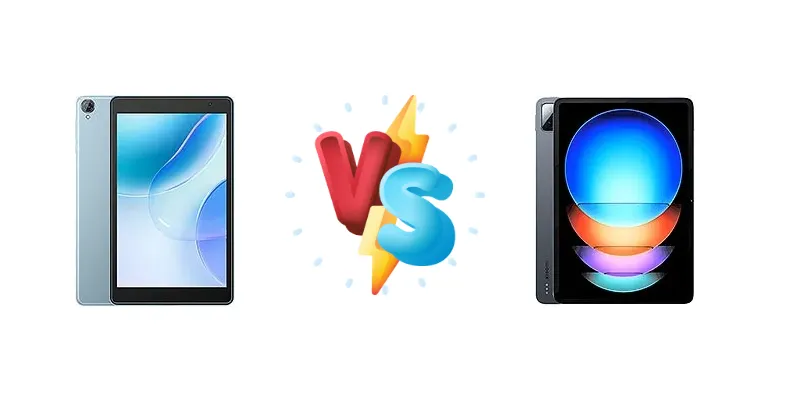
The Android tablet market is heating up, with options ranging from budget-friendly workhorses to premium powerhouses. We're pitting the Blackview Tab 50 WiFi, a tablet focused on longevity, against the Xiaomi Pad 6S Pro 12.4, a device aiming for near-flagship performance. This comparison will dissect their strengths and weaknesses to help you choose the right tablet for your workflow and entertainment.
🏆 Quick Verdict
For the average user prioritizing raw performance and a premium display, the Xiaomi Pad 6S Pro 12.4 is the clear winner. However, if extended battery life and a lower price point are paramount, the Blackview Tab 50 WiFi offers compelling value.
| Network |
|---|
| 2G bands | N/A | N/A |
| 3G bands | N/A | N/A |
| 4G bands | N/A | - |
| EDGE | No | N/A |
| GPRS | No | N/A |
| Technology | No cellular connectivity | No cellular connectivity |
| Launch |
|---|
| Announced | 2023, September | 2024, February 22 |
| Status | Available. Released 2023, September | Available. Released 2024, February 22 |
| Body |
|---|
| Build | - | Glass front (Gorilla Glass 5), aluminum frame, aluminum back |
| Dimensions | 211.2 x 126.2 x 9.7 mm (8.31 x 4.97 x 0.38 in) | 278.7 x 191.6 x 6.3 mm (10.97 x 7.54 x 0.25 in) |
| SIM | No | No |
| Weight | 355 g (12.52 oz) | 590 g (1.30 lb) |
| Display |
|---|
| Protection | Mohs level 6 | Corning Gorilla Glass 5 |
| Resolution | 800 x 1280 pixels, 16:10 ratio (~189 ppi density) | 2032 x 3048 pixels, 3:2 ratio (~295 ppi density) |
| Size | 8.0 inches, 185.6 cm2 (~69.6% screen-to-body ratio) | 12.4 inches, 457.8 cm2 (~85.7% screen-to-body ratio) |
| Type | IPS LCD | IPS LCD, 68B colors, 144Hz, HDR10, Dolby Vision, 900 nits (peak) |
| Platform |
|---|
| CPU | Quad-core | Octa-core (1x3.2 GHz Cortex-X3 & 2x2.8 GHz Cortex-A715 & 2x2.8 GHz Cortex-A710 & 3x2.0 GHz Cortex-A510) |
| Chipset | - | Qualcomm SM8550-AB Snapdragon 8 Gen 2 (4 nm) |
| GPU | - | Adreno 740 |
| OS | Android 13, DokeOS_P 3.0 | Android 14, up to 3 major Android upgrades, HyperOS |
| Memory |
|---|
| Card slot | microSDXC | No |
| Internal | 128GB 4GB RAM | 256GB 8GB RAM, 256GB 12GB RAM, 512GB 12GB RAM, 1TB 16GB RAM |
| Main Camera |
|---|
| Dual | - | 50 MP, f/1.8, (wide), 1/2.76", 0.64µm, PDAF
Auxiliary lens |
| Features | LED flash | LED flash, HDR, panorama |
| Single | 2 MP | - |
| Video | Yes | 4K@30/60fps, 1080p@30/60fps |
| Selfie camera |
|---|
| Single | 0.3 MP | 32 MP, f/2.2, (wide), 1/3.6", 0.61µm |
| Video | Yes | 1080p@30fps |
| Sound |
|---|
| 35mm jack | Unspecified | No |
| Loudspeaker | Yes, with stereo speakers | Yes, with stereo speakers (6 speakers) |
| Comms |
|---|
| Bluetooth | 5.0, A2DP, LE | 5.3, A2DP, LE, LHDC |
| NFC | No | Yes (file transfer only) |
| Positioning | No | No |
| Radio | No | No |
| USB | USB Type-C, OTG | USB Type-C 3.2, accessory connector |
| WLAN | Wi-Fi 802.11 a/b/g/n/ac/6, tri-band | Wi-Fi 802.11 a/b/g/n/a/6/7, dual-band, Wi-Fi Direct |
| Features |
|---|
| Sensors | Accelerometer | Fingerprint (side-mounted), accelerometer, gyro, proximity (accessories only), compass |
| Battery |
|---|
| Charging | - | 120W wired, PD3.0, QC4, 45% in 10 min, 100% in 35 min |
| Type | 5580 mAh | 10000 mAh |
| Misc |
|---|
| Colors | Twilight Blue, Space Grey | Black, Blue, Green |
| Models | - | 24018RPACG |
| Price | - | About 700 EUR |
| SAR EU | - | 0.99 W/kg (body) |
| EU LABEL |
|---|
| Battery | 89:18h endurance, 800 cycles | - |
| Energy | Class D | - |
| Free fall | Class C (112 falls) | - |
| Repairability | Class B | - |
Blackview Tab 50 WiFi
- Exceptional battery life (89:18h endurance)
- High charge cycle count (800 cycles)
- More affordable price point
- Significantly weaker processor
- Likely lower display quality
- Limited performance for demanding tasks
Xiaomi Pad 6S Pro 12.4
- Flagship-level performance (Snapdragon 8 Gen 2)
- High-brightness, high-contrast display
- Ultra-fast 120W charging
- Shorter battery life compared to Blackview
- Higher price
- Potential for thermal throttling under heavy load
Display Comparison
The Xiaomi Pad 6S Pro 12.4 boasts a significantly more advanced display. Its measured peak brightness of 848 nits ensures excellent visibility even in bright outdoor conditions, a feature absent from the Blackview Tab 50 WiFi’s specifications. The 1378:1 contrast ratio further enhances image quality, delivering deeper blacks and more vibrant colors. While the Blackview Tab 50 WiFi’s display resolution isn’t specified, it’s likely lower than the Xiaomi’s, impacting sharpness. The Xiaomi’s larger screen size also contributes to a more immersive viewing experience.
Camera Comparison
Given the context data, a detailed camera comparison is limited. The Xiaomi Pad 6S Pro 12.4 likely features a more sophisticated camera system, benefiting from Qualcomm’s image signal processor (ISP) within the Snapdragon 8 Gen 2. While neither tablet is likely to rival dedicated cameras, the Xiaomi’s hardware and software processing will yield superior image quality. The Blackview Tab 50 WiFi’s camera is likely focused on basic functionality, suitable for casual snapshots.
Performance
The performance gap between these tablets is substantial. The Xiaomi Pad 6S Pro 12.4 is powered by the Qualcomm Snapdragon 8 Gen 2 (4nm), an octa-core processor featuring a Cortex-X3 prime core clocked at 3.2 GHz. This architecture, combined with the 4nm fabrication process, delivers exceptional performance and efficiency. In contrast, the Blackview Tab 50 WiFi utilizes a quad-core CPU. While adequate for basic tasks, it will struggle with demanding applications and multitasking. The Snapdragon 8 Gen 2’s integrated GPU will provide a far superior gaming experience, while the Blackview’s GPU is likely to exhibit significant throttling under sustained load.
Battery Life
Battery life presents a more nuanced comparison. The Blackview Tab 50 WiFi claims an impressive 89:18h endurance and 800 charge cycles, suggesting exceptional longevity. However, this endurance figure isn’t directly comparable to the Xiaomi Pad 6S Pro 12.4’s 11:14h active use score, as testing methodologies differ. The Xiaomi compensates with incredibly fast 120W wired charging, achieving 45% charge in 10 minutes and 100% in 35 minutes. This rapid charging mitigates the shorter battery life, offering convenience for users who can easily access a power source. The Xiaomi also supports PD3.0 and QC4 standards.
Buying Guide
Buy the Blackview Tab 50 WiFi if you need a reliable tablet for basic tasks like reading, web browsing, and video playback, and require exceptional battery life for extended use away from a power outlet. Buy the Xiaomi Pad 6S Pro 12.4 if you demand a responsive experience for demanding applications, gaming, and content creation, and appreciate a vibrant, high-brightness display.
Frequently Asked Questions
❓ How does the 120W charging on the Xiaomi Pad 6S Pro 12.4 impact its battery health over time?
While 120W charging is incredibly fast, Qualcomm and Xiaomi have implemented technologies to mitigate potential battery degradation. The charging system dynamically adjusts the wattage based on battery temperature and charge level, preventing overheating and minimizing long-term battery wear. However, consistently using ultra-fast charging *may* slightly reduce the battery's lifespan compared to slower charging methods.
❓ Is the quad-core processor in the Blackview Tab 50 WiFi sufficient for running multiple apps simultaneously?
The Blackview Tab 50 WiFi’s quad-core processor is best suited for single-tasking or light multitasking. Running multiple demanding applications concurrently will likely result in noticeable slowdowns and lag. It’s ideal for users who primarily browse the web, read ebooks, or watch videos, but not for power users or gamers.
❓ What type of storage does the Xiaomi Pad 6S Pro 12.4 use, and how does that affect performance?
The Xiaomi Pad 6S Pro 12.4 utilizes UFS 4.0 storage, which is significantly faster than the eMMC storage commonly found in budget tablets. This faster storage translates to quicker app loading times, smoother multitasking, and improved overall system responsiveness. It's a key component contributing to the tablet's flagship-level performance.
❓ Does the Blackview Tab 50 WiFi support external storage expansion?
The provided context data does not specify whether the Blackview Tab 50 WiFi supports microSD card expansion. However, given its budget-oriented positioning, it's likely to include a microSD card slot, allowing users to expand storage capacity. Checking the official product specifications is recommended to confirm.