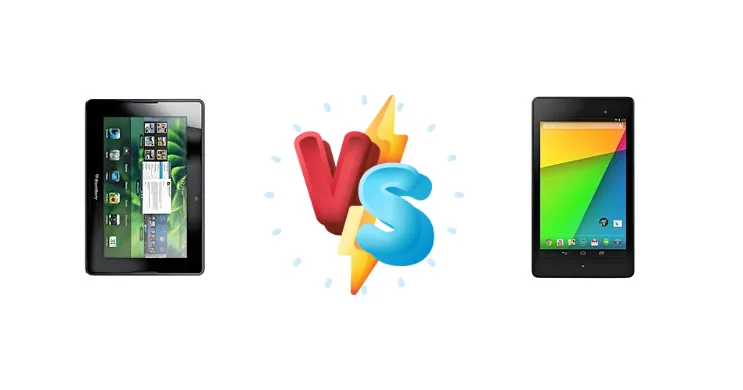
The BlackBerry PlayBook and the Asus Google Nexus 7 (2013) represent distinct approaches to the early tablet market. The PlayBook, clinging to BlackBerry’s enterprise roots, prioritized security and a unique gesture-based OS. The Nexus 7, backed by Google, aimed for a pure Android experience and broader consumer appeal. Today, we dissect these devices to understand how their core hardware choices shaped their performance and usability.
🏆 Quick Verdict
For the average user in 2024, the Asus Google Nexus 7 (2013) is the superior choice. Its quad-core Snapdragon S4 Pro processor delivers significantly better performance than the PlayBook’s dual-core OMAP 4430, and the addition of wireless charging adds a modern convenience the PlayBook lacks. While the PlayBook has a niche appeal for collectors, the Nexus 7 offers a more functional experience.
| Network |
|---|
| 2G bands | GSM 850 / 900 / 1800 / 1900 | GSM 850 / 900 / 1800 / 1900 - all versions |
| 3G bands | HSDPA 900 / 1900 / 2100 | HSDPA 850 / 900 / 1700 / 1900 / 2100 |
| 4G bands | - | 1, 2, 3, 4, 5, 7, 20 - EU |
| Speed | HSPA 21.1/5.76 Mbps | HSPA, LTE |
| Technology | GSM / HSPA | GSM / HSPA / LTE |
| | - | 1, 2, 3, 4, 5, 13, 17 - North America |
| Launch |
|---|
| Announced | 2011, February | 2013, July. Released 2013, July |
| Status | Discontinued | Discontinued |
| Body |
|---|
| Dimensions | 194 x 130 x 10 mm (7.64 x 5.12 x 0.39 in) | 200 x 114 x 8.7 mm (7.87 x 4.49 x 0.34 in) |
| SIM | Mini-SIM | Micro-SIM |
| Weight | 425 g (14.99 oz) | 290 g (Wi-Fi), 299 g (LTE) (10.55 oz) |
| Display |
|---|
| Protection | - | Corning Gorilla Glass |
| Resolution | 600 x 1024 pixels, 16:9 ratio (~170 ppi density) | 1200 x 1920 pixels, 16:10 ratio (~323 ppi density) |
| Size | 7.0 inches, 137.9 cm2 (~54.7% screen-to-body ratio) | 7.0 inches, 142.1 cm2 (~62.3% screen-to-body ratio) |
| Type | TFT | LED-backlit IPS LCD |
| Platform |
|---|
| CPU | Dual-core 1.0 GHz Cortex-A9 | Quad-core 1.5 GHz Krait |
| Chipset | TI OMAP 4430 | Qualcomm Snapdragon S4 Pro |
| GPU | PowerVR SGX540 | Adreno 320 |
| OS | BlackBerry Tablet OS | Android 4.3 (Jelly Bean), upgradable to 6.0 (Marshmallow) |
| Memory |
|---|
| Card slot | No | No |
| Internal | 16GB 1GB RAM, 32GB 1GB RAM, 64GB 1GB RAM | 16GB 2GB RAM, 32GB 2GB RAM |
| Main Camera |
|---|
| Single | 5 MP, AF | 5 MP, f/2.4, AF |
| Video | 1080p@30fps | 1080p@30fps |
| Selfie camera |
|---|
| Single | 3 MP | 1.2 MP |
| Sound |
|---|
| 3.5mm jack | - | Yes |
| 35mm jack | Yes | Yes |
| Loudspeaker | Yes, with stereo speakers | Yes, with stereo speakers |
| Comms |
|---|
| Bluetooth | 2.1, A2DP, EDR | 4.0, A2DP, LE |
| NFC | - | Yes |
| Positioning | No | GPS |
| Radio | No | No |
| USB | microUSB 2.0 | microUSB 2.0 (SlimPort) |
| WLAN | Wi-Fi 802.11 a/b/g/n, dual-band | Wi-Fi 802.11 a/b/g/n, dual-band |
| Features |
|---|
| Browser | HTML, Adobe Flash | - |
| Sensors | Accelerometer | Accelerometer, gyro, proximity, compass |
| Battery |
|---|
| Charging | - | Wireless (Qi) |
| Talk time | - | Up to 9 h (multimedia) |
| Type | Non-removable Li-Po 5300 mAh battery | Li-Ion 3950 mAh, non-removable |
| Misc |
|---|
| Colors | Black | Black |
| Price | - | About 230 EUR |
| Tests |
|---|
| Audio quality | - |
Noise -92.2dB / Crosstalk -92.3dB |
BlackBerry 4G Playbook HSPA+
- Unique gesture-based OS (QNX)
- Strong focus on security
- Collectible for BlackBerry enthusiasts
- Outdated processor (OMAP 4430)
- Limited app ecosystem
- Lack of modern features like wireless charging
Asus Google Nexus 7 (2013)
- Faster processor (Snapdragon S4 Pro)
- Pure Android experience
- Wireless charging (Qi)
- No longer receives software updates
- Battery life may be limited by age
- Build quality feels dated by modern standards
Display Comparison
Neither device boasts a particularly impressive display by today’s standards. The PlayBook features a 7-inch LCD, while the Nexus 7 also has a 7-inch LCD. However, details regarding resolution, brightness, and color accuracy are limited for the PlayBook. The Nexus 7’s display, while not groundbreaking, benefits from Google’s software optimizations for color reproduction. The absence of detailed display specs for the PlayBook makes a direct comparison difficult, but the Nexus 7 likely offers a more vibrant and readable experience.
Camera Comparison
Camera performance was not a primary focus for either device. Details regarding camera sensors and image quality are scarce for both. However, given the era, it’s safe to assume both tablets offer basic camera functionality suitable for casual snapshots. The Nexus 7 likely benefits from Google’s image processing algorithms, potentially delivering slightly better image quality in favorable lighting conditions. The PlayBook’s camera is likely to be a lower priority feature.
Performance
The performance gap between these two tablets is substantial. The Asus Nexus 7 (2013) utilizes a Qualcomm Snapdragon S4 Pro chipset with a quad-core 1.5 GHz Krait CPU. This architecture, built on a 28nm process, provides a significant advantage over the BlackBerry PlayBook’s TI OMAP 4430, featuring a dual-core 1.0 GHz Cortex-A9 CPU. The Krait cores offer superior instruction-level parallelism and a more efficient architecture, resulting in faster application loading, smoother multitasking, and better overall responsiveness. The Nexus 7’s GPU also benefits from the Snapdragon S4 Pro, providing a more capable graphics experience.
Battery Life
Battery life is difficult to assess without detailed testing data. The PlayBook’s battery capacity is unknown, while the Nexus 7 has a 3950 mAh battery. The Nexus 7’s more efficient Snapdragon S4 Pro processor and optimized software likely translate to longer battery life under typical usage scenarios. Furthermore, the Nexus 7 supports wireless charging (Qi), a feature absent on the PlayBook, offering added convenience and flexibility.
Buying Guide
Buy the BlackBerry 4G Playbook HSPA+ if you are a collector of BlackBerry devices, or require a tablet for specific legacy applications designed for the QNX operating system. Its unique gesture-based interface and focus on security may appeal to those seeking a different tablet experience. Buy the Asus Google Nexus 7 (2013) if you prioritize performance, a modern Android experience, and convenience features like wireless charging. It’s a better choice for media consumption, light gaming, and general productivity tasks.
Frequently Asked Questions
❓ Is the BlackBerry PlayBook still secure enough to use for sensitive tasks in 2024?
While the PlayBook’s QNX operating system was designed with security in mind, it no longer receives security updates. This makes it vulnerable to modern threats and unsuitable for handling sensitive data. The lack of app updates also means potential security flaws in older applications remain unpatched.
❓ Can I still install modern Android apps on the Nexus 7 (2013)?
No, the Nexus 7 (2013) has reached its end-of-life and no longer receives software updates from Google. While some users have attempted to install custom ROMs, compatibility and stability are not guaranteed, and many modern apps may not function correctly due to outdated hardware and software.
❓ What is the practical impact of the Snapdragon S4 Pro's 28nm process compared to the OMAP 4430?
The 28nm process used for the Snapdragon S4 Pro allows for a higher transistor density and lower power consumption compared to the OMAP 4430. This translates to better performance, improved battery life, and reduced heat generation, giving the Nexus 7 a significant advantage in real-world usage.